nawfel.oussedik(@nawfel-oussedik)
10 Posts
Customers
Quote from nawfel.oussedik on April 8, 2021, 19:47
Hi there,
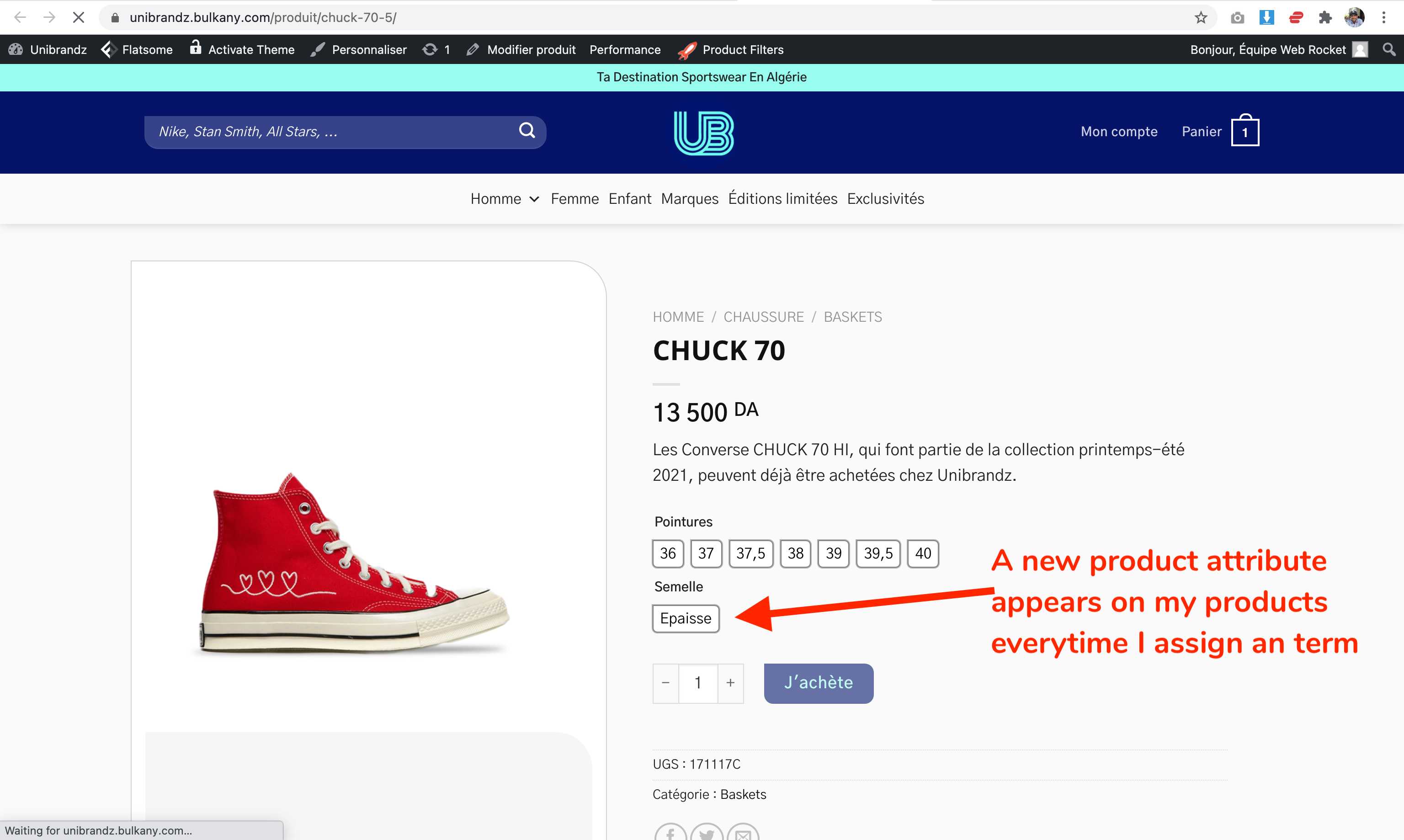
Everytime I add an attribute term in the table, it automatically create a product variations. And I find box "use for variations" checked. (I Don't want that). Just want to add attribute terms without creating new product variations.
In other terms, I want to assign terms without creating new variations or variable products. How to do that?
See screenshot here: https://snipboard.io/vec89D.jpg
before: https://snipboard.io/I6SyVZ.jpg
after: https://snipboard.io/iyuqLr.jpg
Hi there,
Everytime I add an attribute term in the table, it automatically create a product variations. And I find box"use for variations" checked. (I Don't want that). Just want to add attribute terms without creating new product variations.
In other terms, I want to assign terms without creating new variations or variable products. How to do that?
See screenshot here: https://snipboard.io/vec89D.jpg
before: https://snipboard.io/I6SyVZ.jpg
after: https://snipboard.io/iyuqLr.jpg

Pablo Borysenco(@pavlo_borysenco)
34,196 Posts
Quote from Pablo Borysenco on April 9, 2021, 11:42
Hello
Please watch a video - https://bulk-editor.com/video-tutorials#video_2506
Hello
Please watch a video - https://bulk-editor.com/video-tutorials#video_2506
nawfel.oussedik(@nawfel-oussedik)
10 PostsTopic Author
Customers
Quote from nawfel.oussedik on April 10, 2021, 13:10
Hello Pablo,
Thanks for sharing the video but it's not related to my problem.
My goal is to assign attribut terms to variable and simple products without creating extra variations. It's just for filtering purpose.
But when I assign a terms to a product in the table (not in Variations Advanced Bulk Operations), the plugin automatically creates extra product variations for that term.
To better illustrate my issue, I took a screenshot of the product before editing. Now this is how I assigned attribute terms. And here is how the plugin is using that attribute to create a variation that I don't need.
Let's say I have a product that has size variations S, M, and L. Now I just want to assign the color term red to that product but I do not want to use the color attribute as "use for variations". I Just want to assign a color attribute to make it simpler for my customers to search bt filtering products.
To sum up, I want to assign attribute terms to products in the table without creating extra variations. How to do that?
Hello Pablo,
Thanks for sharing the video but it's not related to my problem.
My goal is to assign attribut terms to variable and simple products without creating extra variations. It's just for filtering purpose.
But when I assign a terms to a product in the table (not in Variations Advanced Bulk Operations), the plugin automatically creates extra product variations for that term.
To better illustrate my issue, I took a screenshot of the product before editing. Now this is how I assigned attribute terms. And here is how the plugin is using that attribute to create a variation that I don't need.
Let's say I have a product that has size variations S, M, and L. Now I just want to assign the color term red to that product but I do not want to use the color attribute as"use for variations". I Just want to assign a color attribute to make it simpler for my customers to search bt filtering products.
To sum up, I want to assign attribute terms to products in the table without creating extra variations. How to do that?
Pablo Borysenco(@pavlo_borysenco)
34,196 Posts
Quote from Pablo Borysenco on April 12, 2021, 09:51
Hello
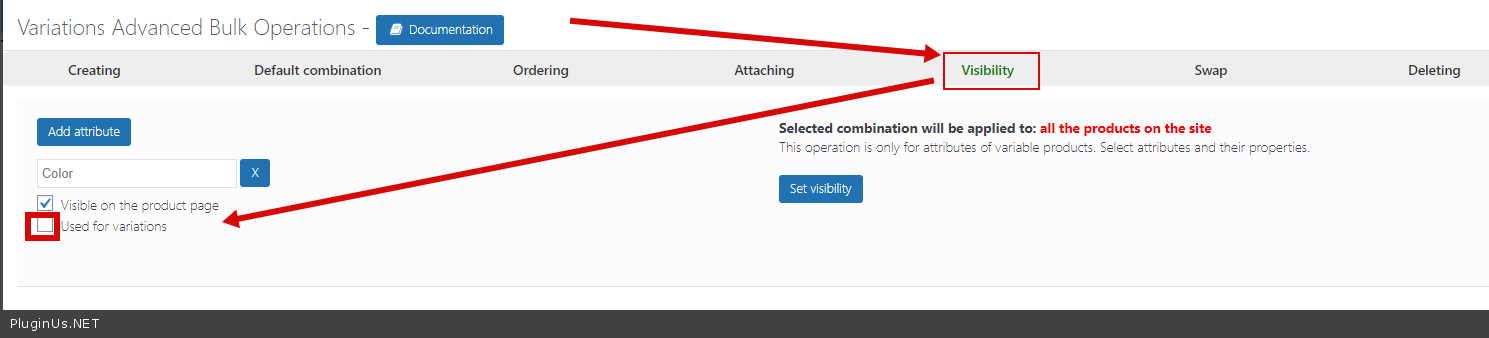
Please try to watch this video( it is very important! ) - https://bulk-editor.com/video-tutorials#video_2506 - Use tab visibility - https://c2n.me/4bEAIoB.png
Hello
Please try to watch this video( it is very important! ) - https://bulk-editor.com/video-tutorials#video_2506 - Use tab visibility - https://c2n.me/4bEAIoB.png