
I need to set category for first show product page
The support doesn work on Saturdays and Sundays, so some Friday requests can be answered on Monday. If you have problems with registration ask help on contact us page pleaseIf you not got email within 24~36 business hours, firstly check your spam box, and if no any email from the support there - back to the forum and read answer here. DO NOT ANSWER ON EMAILS [noreply@pluginus.net] FROM THE FORUM!! Emails are just for your info, all answers should be published only here.
The support doesn work on Saturdays and Sundays, so some Friday requests can be answered on Monday.

Quote from worldtradedisplay on September 18, 2020, 15:23I am testing WooCommerce Products Filter free version.
I need to show, first time only, selected category and relative products on page.
I test to set in html page the code:
$("input.woof_radio_term_xxx").prop('checked', true); // xxx is my category ID
or
document.querySelectorAll("input.woof_radio_term_xxx")[0].click(); // xxx is my category ID
but they doesn't work.
But if I type these code in browser Console, it works fine.
How to do?
I am testing WooCommerce Products Filter free version.
I need to show, first time only, selected category and relative products on page.
I test to set in html page the code:
$("input.woof_radio_term_xxx").prop('checked', true); // xxx is my category ID
or
document.querySelectorAll("input.woof_radio_term_xxx")[0].click(); // xxx is my category ID
but they doesn't work.
But if I type these code in browser Console, it works fine.
How to do?

Quote from Pablo Borysenco on September 21, 2020, 11:19Hello
Are you sure that the code is executed after the page is fully loaded
Hello
Are you sure that the code is executed after the page is fully loaded
Quote from worldtradedisplay on September 21, 2020, 14:41Yes ... I have tested various methods
For example the classic method:
$( document ).ready(function() {
document.querySelectorAll("input.woof_radio_term_41")[0].click();
});
Yes ... I have tested various methods
For example the classic method:
$( document ).ready(function() {
document.querySelectorAll("input.woof_radio_term_41")[0].click();
});
Quote from worldtradedisplay on September 21, 2020, 14:46The strange thing is that on page the radio button appears clicked but the <li> of the subcategories does not open and the "-" and the red button "x" do not appear
The strange thing is that on page the radio button appears clicked but the <li> of the subcategories does not open and the"-" and the red button"x" do not appear
Quote from Pablo Borysenco on September 22, 2020, 11:18Hello
Please drop me exact link to the issue
Check option - https://c2n.me/49aomOG.png
Hello
Please drop me exact link to the issue
Check option - https://c2n.me/49aomOG.png

Quote from worldtradedisplay on September 22, 2020, 12:38in DESIGN > Radio and checkboxes skin .... I test various option and they do not affect ...
Isn't there a setting to show a category, the first time only show page, already open with its associated products and then the user can browse it but also have the other categories visible and selectable?
p.s.:
I was looking for a blue square button but I didn't find it, all round ... does it exist un square button ?
in DESIGN > Radio and checkboxes skin .... I test various option and they do not affect ...
Isn't there a setting to show a category, the first time only show page, already open with its associated products and then the user can browse it but also have the other categories visible and selectable?
p.s.:
I was looking for a blue square button but I didn't find it, all round ... does it exist un square button ?
Quote from worldtradedisplay on September 22, 2020, 17:54Momentarily I realized this solution putting a "display:none" to the unwanted categories:
http://172332wtd3223127.worldtradedisplay.com/wtd-products/touch-monitor
But the first time it appears correctly (style in development) but any subsequent request shows me some strange Tags:
[vc_row el_id=”wtd-products-woocommerce-title”][vc_column][vc_column_text] ... [/vc_column_text][/vc_column][/vc_row]
I work with WPBakery Visual Composer but it is not in use in this page.
Why this?
Momentarily I realized this solution putting a"display:none" to the unwanted categories:
http://172332wtd3223127.worldtradedisplay.com/wtd-products/touch-monitor
But the first time it appears correctly (style in development) but any subsequent request shows me some strange Tags:
[vc_row el_id=”wtd-products-woocommerce-title”][vc_column][vc_column_text] ... [/vc_column_text][/vc_column][/vc_row]
I work with WPBakery Visual Composer but it is not in use in this page.
Why this?
Quote from Pablo Borysenco on September 23, 2020, 11:47Hello
already open with its associated products and then the user can browse - Use links for these pages with filter values.
An example: https://your_site.com/shop/?swoof=1&product_cat=clothing
You use Visual Composer in product contents - https://c2n.me/49bkRc9.png - Try to disable ajax mode
Hello
already open with its associated products and then the user can browse - Use links for these pages with filter values.
An example: https://your_site.com/shop/?swoof=1&product_cat=clothing
You use Visual Composer in product contents - https://c2n.me/49bkRc9.png - Try to disable ajax mode
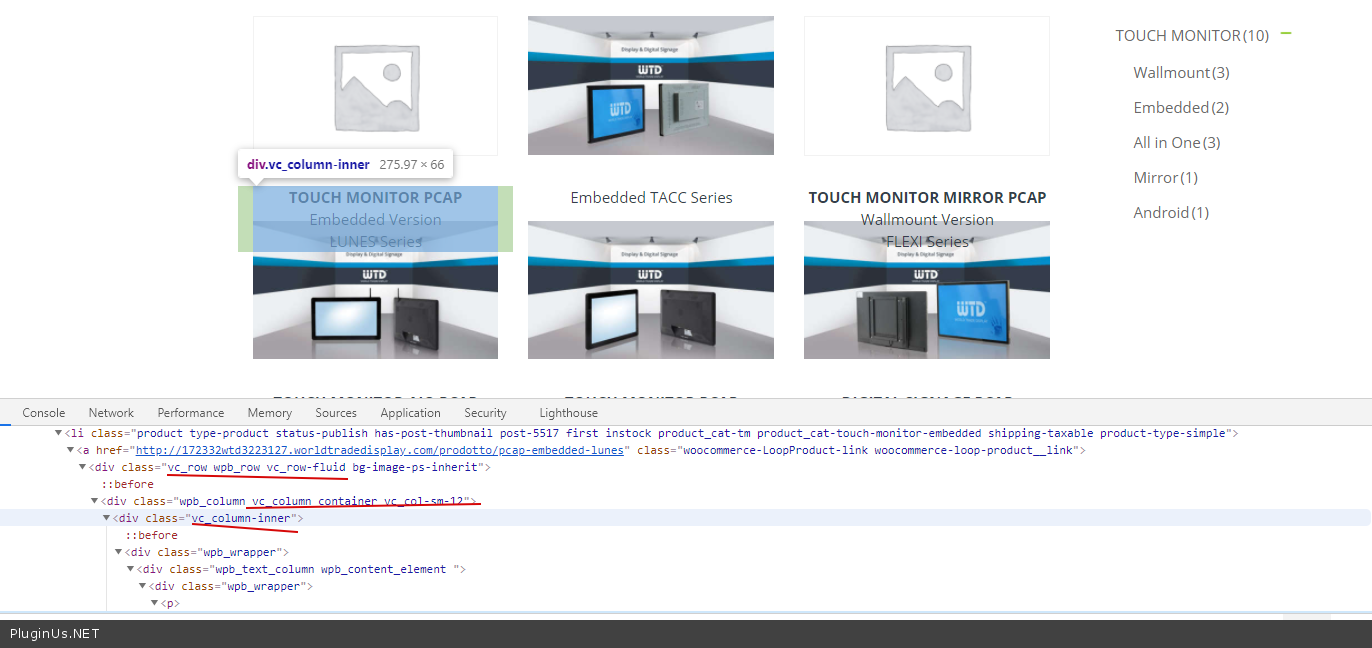
Quote from worldtradedisplay on September 25, 2020, 17:17Another question ... This is one of the pages with categories and subcategories on the right and products list on the left:
http://172332wtd3223127.worldtradedisplay.com/wtd-products/touch-monitor
I would like the order in which they appear in subcategories and in products list set by me your order, how is this possible?
Another question ... This is one of the pages with categories and subcategories on the right and products list on the left:
http://172332wtd3223127.worldtradedisplay.com/wtd-products/touch-monitor
I would like the order in which they appear in subcategories and in products list set by me your order, how is this possible?
Quote from Pablo Borysenco on September 28, 2020, 11:43Hello
My plugin does not affect product sorting
Hello
My plugin does not affect product sorting