

HUSKY Products filter pro - Problems with filter settings
The support doesn work on Saturdays and Sundays, so some Friday requests can be answered on Monday. If you have problems with registration ask help on contact us page pleaseIf you not got email within 24~36 business hours, firstly check your spam box, and if no any email from the support there - back to the forum and read answer here. DO NOT ANSWER ON EMAILS [noreply@pluginus.net] FROM THE FORUM!! Emails are just for your info, all answers should be published only here.
The support doesn work on Saturdays and Sundays, so some Friday requests can be answered on Monday.

Quote from Sergiusz on January 24, 2026, 19:23Good afternoon,
I purchased the plugin, but I cannot get it to work properly. Please help me configure it.
The menu is located on the page [spoiler]https://pressinspection.com/shop [/spoiler] . I faced with two problems:1) The Autosubmit function does not work properly. When I turn it off, the filter starts working. Ajaxification does not influence the result. But I definitely need this function. How can I enable it so that it works correctly?
2) I have noticed that the categories are not being counted correctly. The top category refuses to count all the products in the subcategories, and in some cases shows an incorrect value (for example, Consultations - 3, but the subcategories all show zeros).
I need the filter to count all products in subcategories and work when the user selects the MAIN category.
Each product can be linked to both a category and subcategories, but we have a marketplace, and it is impossible to force each user to select all categories and subcategories at the same time.3) How can I customise the appearance of the Filter / Reset buttons? Do I need to customise them through the plugin interface, or will I have to create separate CSS?
Thank you in advance for your help.
Good afternoon,
I purchased the plugin, but I cannot get it to work properly. Please help me configure it.
The menu is located on the page
1) The Autosubmit function does not work properly. When I turn it off, the filter starts working. Ajaxification does not influence the result. But I definitely need this function. How can I enable it so that it works correctly?
2) I have noticed that the categories are not being counted correctly. The top category refuses to count all the products in the subcategories, and in some cases shows an incorrect value (for example, Consultations - 3, but the subcategories all show zeros).
I need the filter to count all products in subcategories and work when the user selects the MAIN category.
Each product can be linked to both a category and subcategories, but we have a marketplace, and it is impossible to force each user to select all categories and subcategories at the same time.
3) How can I customise the appearance of the Filter / Reset buttons? Do I need to customise them through the plugin interface, or will I have to create separate CSS?
Thank you in advance for your help.

Quote from Alex Dovlatov on January 26, 2026, 14:26Hello
- Disable please all kinds of cache on the site and make tests. I just looked your site
filtering is working fine, you need to enable Autosubmit and disable ajaxification. If you not understand you can provide wp-admin access to the site in the private area of this ticket
2. Here problem can be: in products marked child category, but not parent one, you need normalize data base: https://products-filter.com/how-to-fix-category-hierarchy-filtering-in-woocommerce-shop/
3. use CSS, here is an example: (place it into file functions.php of the current wp theme)
add_action('wp_footer', function() {
    ?>
    <style>
        .woof_childs_list_li{border-bottom: none !important}
        /* Filter button styling */
        .woof_submit_search_form_container button[type="submit"],
        .woof_submit_search_form_container .woof_submit_search_form {
            background-color: #your-color !important;
            color: #ffffff !important;
            border: none !important;
            padding: 12px 30px !important;
            border-radius: 5px !important;
            font-size: 16px !important;
            font-weight: 600 !important;
            cursor: pointer !important;
            transition: all 0.3s ease !important;
        }

        .woof_submit_search_form_container button[type="submit"]:hover,
        .woof_submit_search_form_container .woof_submit_search_form:hover {
            background-color: #your-hover-color !important;
            transform: translateY(-2px) !important;
        }

        /* Reset button styling */
        .woof_reset_search_form_container button,
        .woof_reset_search_form_container .woof_reset_search_form {
            background-color: transparent !important;
            color: #666666 !important;
            border: 1px solid #cccccc !important;
            padding: 12px 30px !important;
            border-radius: 5px !important;
            font-size: 16px !important;
            cursor: pointer !important;
            transition: all 0.3s ease !important;
        }

        .woof_reset_search_form_container button:hover,
        .woof_reset_search_form_container .woof_reset_search_form:hover {
            background-color: #f5f5f5 !important;
            border-color: #999999 !important;
        }
    </style>
    <?php
}, 999);
Place please actual purchase code of the plugin into the private area of this ticket:
https://share.pluginus.net/image/i20230222134241.png
https://share.pluginus.net/image/i20230222134615.png
https://share.pluginus.net/image/i20230222134511.png
Hello
- Disable please all kinds of cache on the site and make tests. I just looked your site
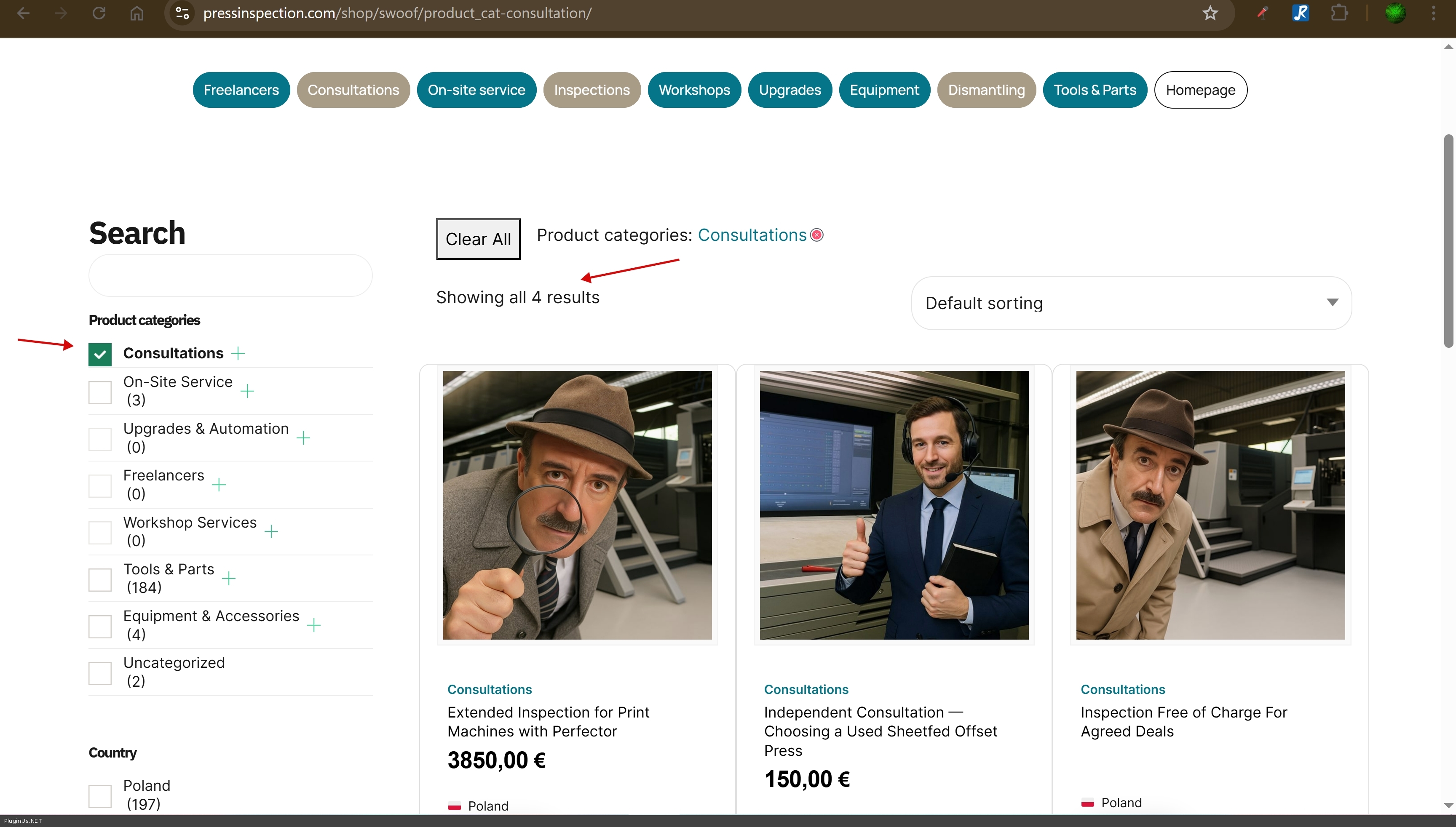
filtering is working fine, you need to enable Autosubmit and disable ajaxification. If you not understand you can provide wp-admin access to the site in the private area of this ticket
2. Here problem can be: in products marked child category, but not parent one, you need normalize data base: https://products-filter.com/how-to-fix-category-hierarchy-filtering-in-woocommerce-shop/
3. use CSS, here is an example: (place it into file functions.php of the current wp theme)
add_action('wp_footer', function() {
    ?>
    <style>
        .woof_childs_list_li{border-bottom: none !important}
        /* Filter button styling */
        .woof_submit_search_form_container button[type="submit"],
        .woof_submit_search_form_container .woof_submit_search_form {
            background-color: #your-color !important;
            color: #ffffff !important;
            border: none !important;
            padding: 12px 30px !important;
            border-radius: 5px !important;
            font-size: 16px !important;
            font-weight: 600 !important;
            cursor: pointer !important;
            transition: all 0.3s ease !important;
        }

        .woof_submit_search_form_container button[type="submit"]:hover,
        .woof_submit_search_form_container .woof_submit_search_form:hover {
            background-color: #your-hover-color !important;
            transform: translateY(-2px) !important;
        }

        /* Reset button styling */
        .woof_reset_search_form_container button,
        .woof_reset_search_form_container .woof_reset_search_form {
            background-color: transparent !important;
            color: #666666 !important;
            border: 1px solid #cccccc !important;
            padding: 12px 30px !important;
            border-radius: 5px !important;
            font-size: 16px !important;
            cursor: pointer !important;
            transition: all 0.3s ease !important;
        }

        .woof_reset_search_form_container button:hover,
        .woof_reset_search_form_container .woof_reset_search_form:hover {
            background-color: #f5f5f5 !important;
            border-color: #999999 !important;
        }
    </style>
    <?php
}, 999);
Place please actual purchase code of the plugin into the private area of this ticket:
https://share.pluginus.net/image/i20230222134241.png
https://share.pluginus.net/image/i20230222134615.png
https://share.pluginus.net/image/i20230222134511.png


Quote from Sergiusz on January 26, 2026, 20:04Hello,
Autosubmit is definitely enabled in my settings, and 'Try to Ajaxify' is disabled. However, after selecting a category, I still need to click the Find results button.
I have compiled the categories, thank you for the advice.But I would like autosubmit to work automatically.
And this is how the sidebar menu looks (I need to press 'Find results' to start filtering
Hello,
Autosubmit is definitely enabled in my settings, and 'Try to Ajaxify' is disabled. However, after selecting a category, I still need to click the Find results button.
I have compiled the categories, thank you for the advice.
But I would like autosubmit to work automatically.
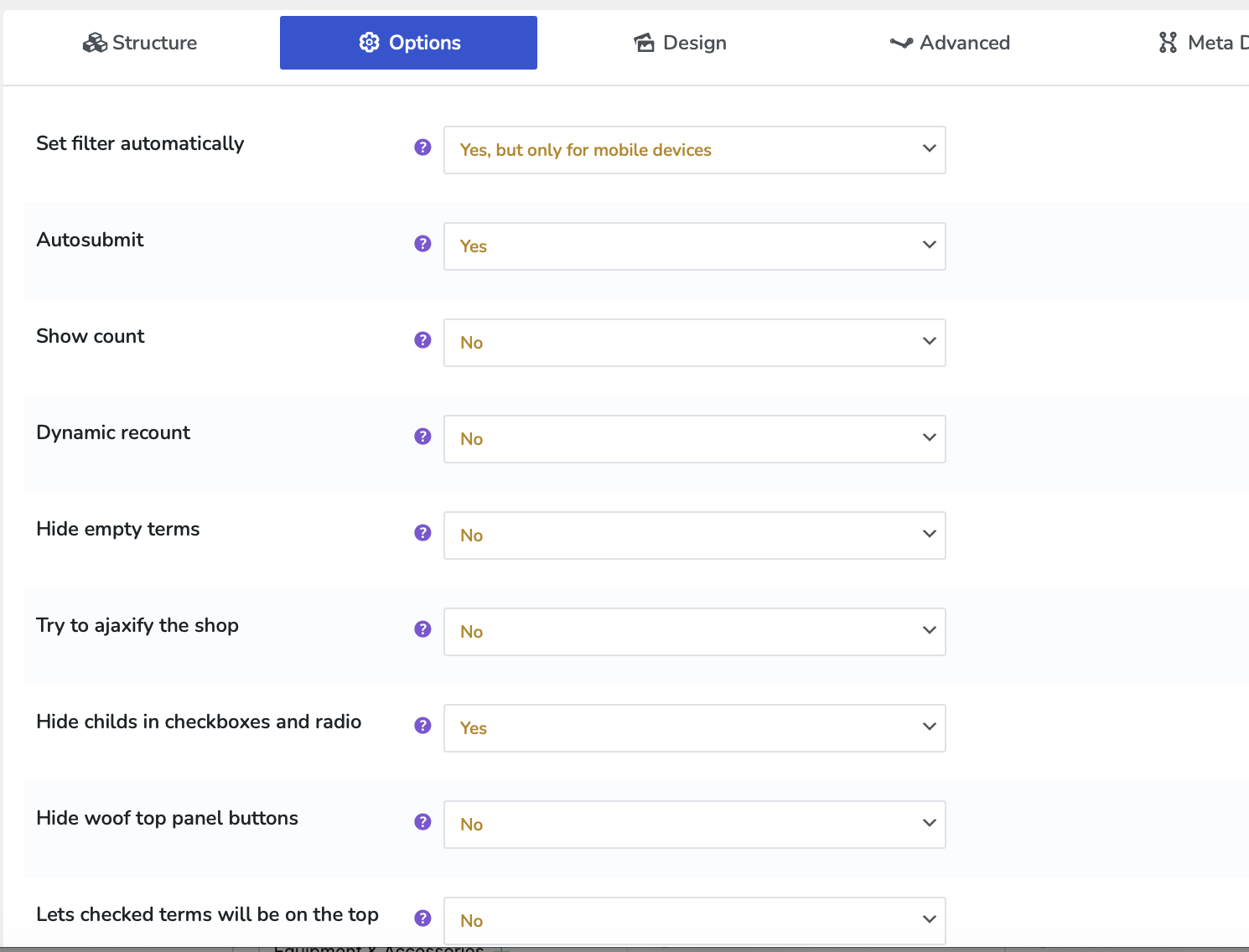
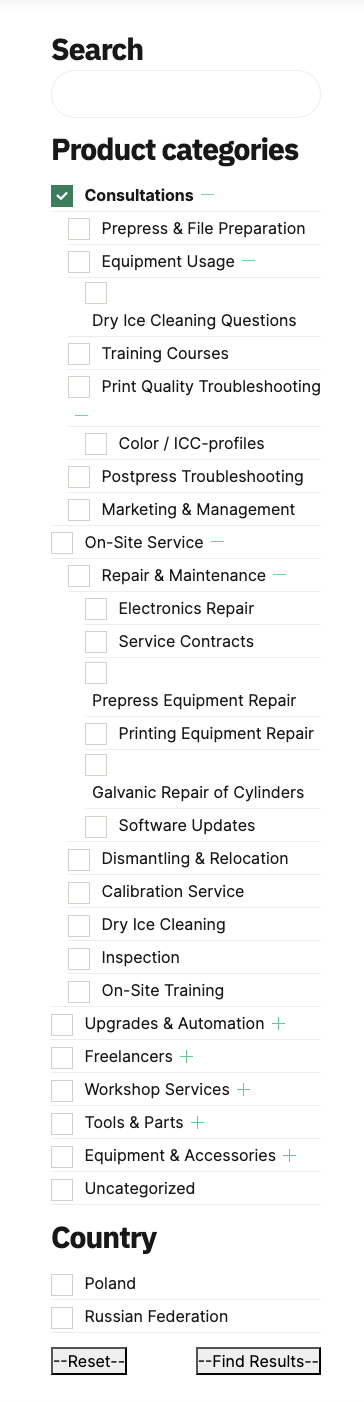
And this is how the sidebar menu looks (I need to press 'Find results' to start filtering
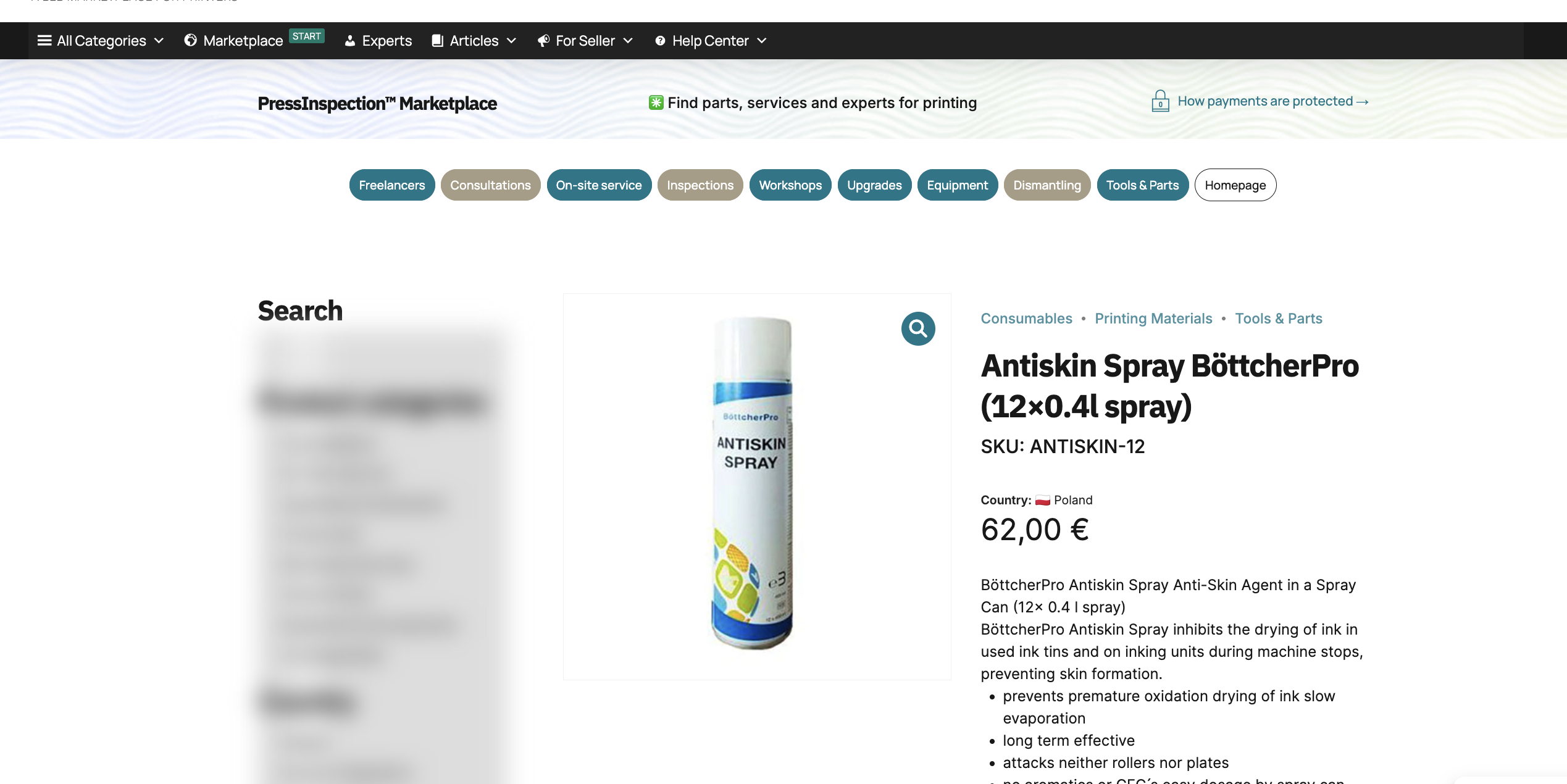
Quote from Sergiusz on January 26, 2026, 22:11Besides, I noted that HUSKY menu disappears of single product page
Besides, I noted that HUSKY menu disappears of single product page
Quote from Sergiusz on January 26, 2026, 23:03I added access credentials to the website to the private data. I will be strongly appreciate if you help me to adjust properly.
I added access credentials to the website to the private data. I will be strongly appreciate if you help me to adjust properly.
Quote from Alex Dovlatov on January 27, 2026, 16:13Hello
I found what was the problem: https://share.pluginus.net/image/i20260127160857.png -> "Form AJAX redrawing: Yes Redraws search form by AJAX, and to start filtering "Filter" button should be pressed. Useful when uses hierarchical drop-down for example" -> here should be "No" - Now its works as you asked
On the singlr page I see filter is, if not - be sure that widget "Shop Sidebar" is presneted on that page, just add any text widget with "Hello World" text to see
Hello
I found what was the problem: https://share.pluginus.net/image/i20260127160857.png ->"Form AJAX redrawing: Yes Redraws search form by AJAX, and to start filtering"Filter" button should be pressed. Useful when uses hierarchical drop-down for example" -> here should be"No" - Now its works as you asked

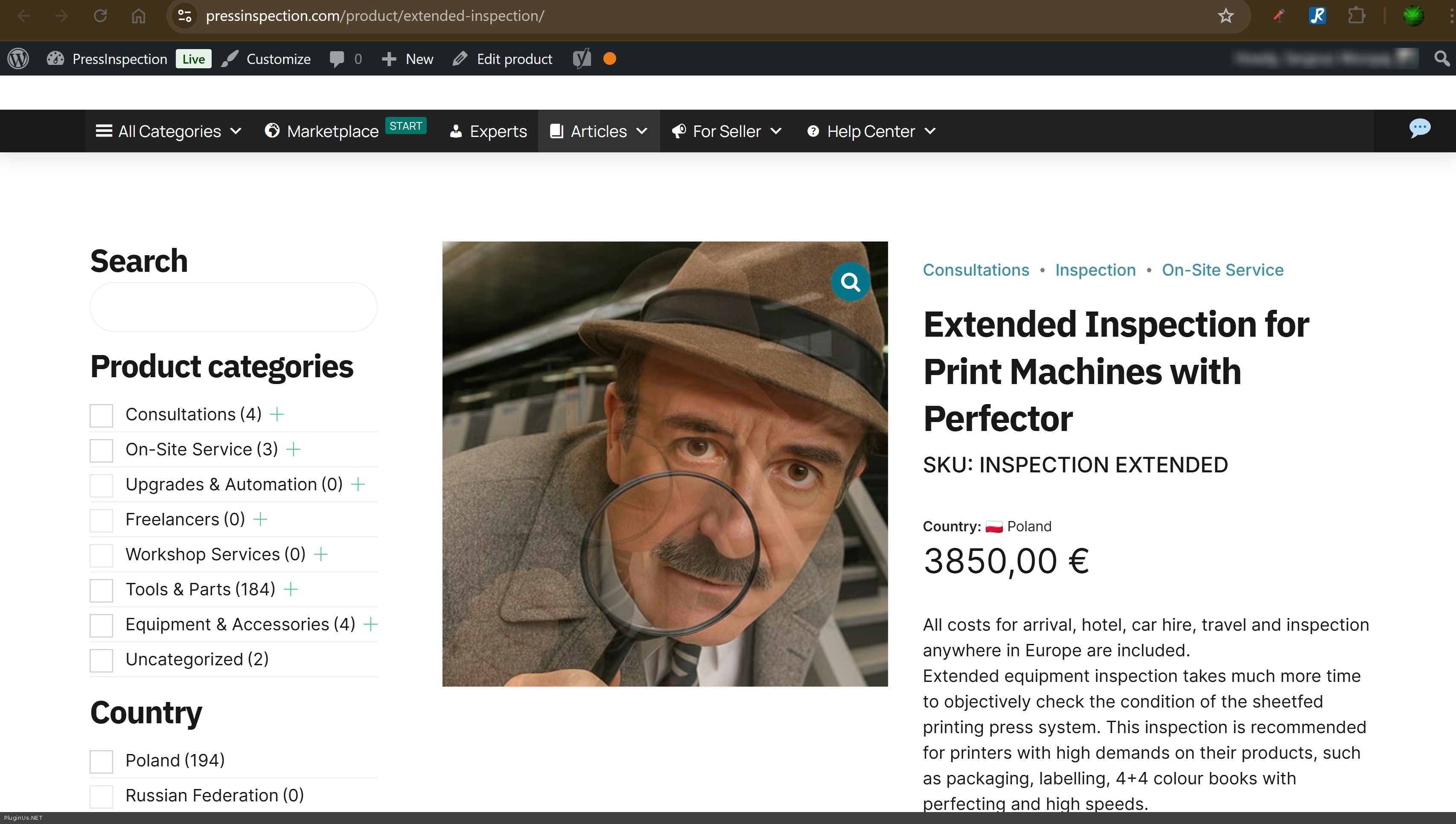
On the singlr page I see filter is, if not - be sure that widget"Shop Sidebar" is presneted on that page, just add any text widget with"Hello World" text to see
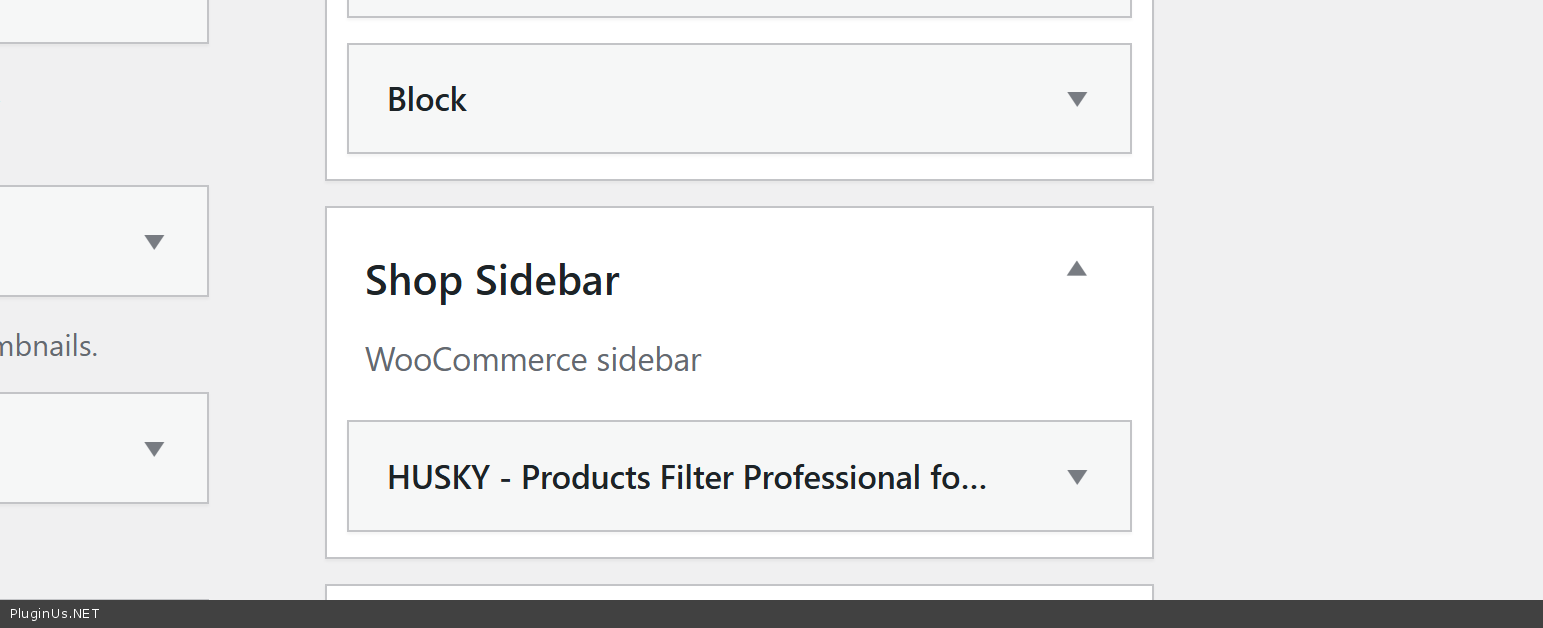
Quote from Sergiusz on January 28, 2026, 10:41Thank you very much for your support!
Thank you very much for your support!
Quote from Alex Dovlatov on January 28, 2026, 20:00You are Welcome :)
You are Welcome :)