
How to style
The support doesn work on Saturdays and Sundays, so some Friday requests can be answered on Monday. If you have problems with registration ask help on contact us page pleaseIf you not got email within 24~36 business hours, firstly check your spam box, and if no any email from the support there - back to the forum and read answer here. DO NOT ANSWER ON EMAILS [noreply@pluginus.net] FROM THE FORUM!! Emails are just for your info, all answers should be published only here.
The support doesn work on Saturdays and Sundays, so some Friday requests can be answered on Monday.

Quote from gs-webcreator on August 11, 2020, 14:58Hello,
I have a small problem that I need help with.
I use the filter in 3 categories and in the first category the search fields are 5 and in the other categories the search fields are 4.
When I started filtering with the filter from a category with 4 search fields, everything is ok, but when I started filtering from the category with 5 search fields, one field is in the second row.
How can I make it so that when I filter from a page with 5 search boxes they come out on one line aligned centrally and this does not affect the categories with 4 search boxes.
I guess if category 5 fields have their own results page will it help?
Thank you very much
Hello,
I have a small problem that I need help with.
I use the filter in 3 categories and in the first category the search fields are 5 and in the other categories the search fields are 4.
When I started filtering with the filter from a category with 4 search fields, everything is ok, but when I started filtering from the category with 5 search fields, one field is in the second row.
How can I make it so that when I filter from a page with 5 search boxes they come out on one line aligned centrally and this does not affect the categories with 4 search boxes.
I guess if category 5 fields have their own results page will it help?
Thank you very much

Quote from Pablo Borysenco on August 12, 2020, 11:08Hello
Please drop me exact link to the issue
Hello
Please drop me exact link to the issue
Quote from gs-webcreator on August 12, 2020, 12:47Hello,
The link that I will send you is a test version which is a copy of the original site which is currently locked. The copy was made yesterday so it is exactly the same as the original.
My request is when you make changes to explain to me what, where and what you did so that I can apply it to the real site.
When a customer comes to a shop page there is no filter. What do I need to do to put all the search criteria in one filter to display in the shop page? I was thinking about step by step but I don't know how to set it up. Can I have a bit of help?
I will send you the link and access to the site.
Greetings
Hello,
The link that I will send you is a test version which is a copy of the original site which is currently locked. The copy was made yesterday so it is exactly the same as the original.
My request is when you make changes to explain to me what, where and what you did so that I can apply it to the real site.
When a customer comes to a shop page there is no filter. What do I need to do to put all the search criteria in one filter to display in the shop page? I was thinking about step by step but I don't know how to set it up. Can I have a bit of help?
I will send you the link and access to the site.
Greetings
Quote from Pablo Borysenco on August 13, 2020, 11:31Hello
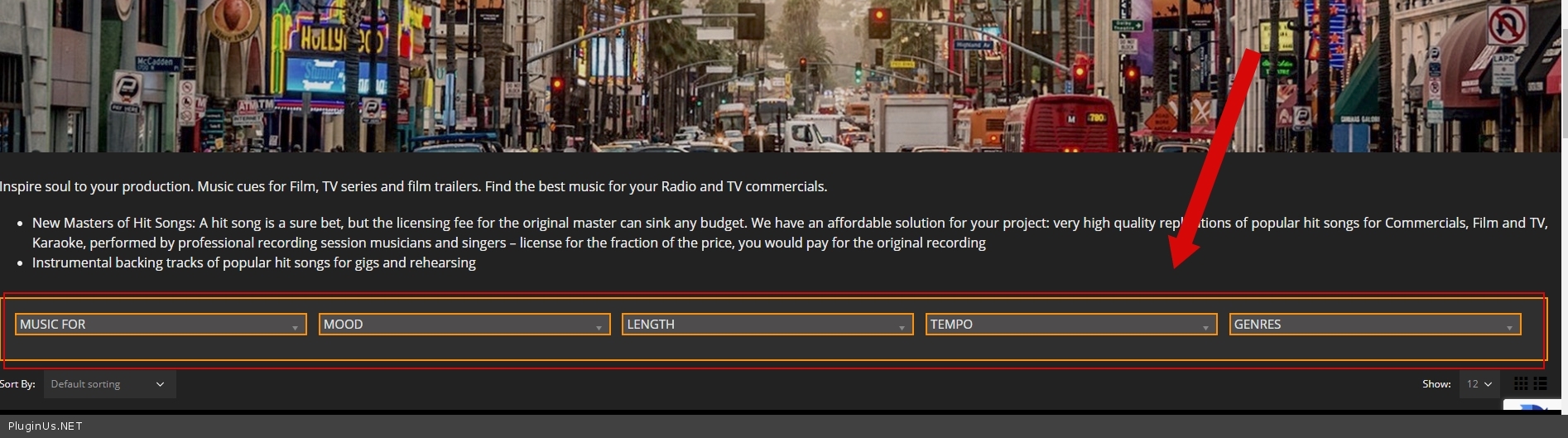
I was thinking about step by step but I don't know how to set it up. - https://c2n.me/48JMDus.png - Contact to the support of this third-party plugin
https://c2n.me/48JMMPi.jpg - it looks like you solved this problem
Hello
I was thinking about step by step but I don't know how to set it up. - https://c2n.me/48JMDus.png - Contact to the support of this third-party plugin
https://c2n.me/48JMMPi.jpg - it looks like you solved this problem
Quote from gs-webcreator on August 13, 2020, 12:30Hello and thanks for the reply.
The problem is not on this page, but it appears when you start filtering products.
The search fields are displayed on two rows in a music library and the other sfx library categories are not centered.
That's the problem.
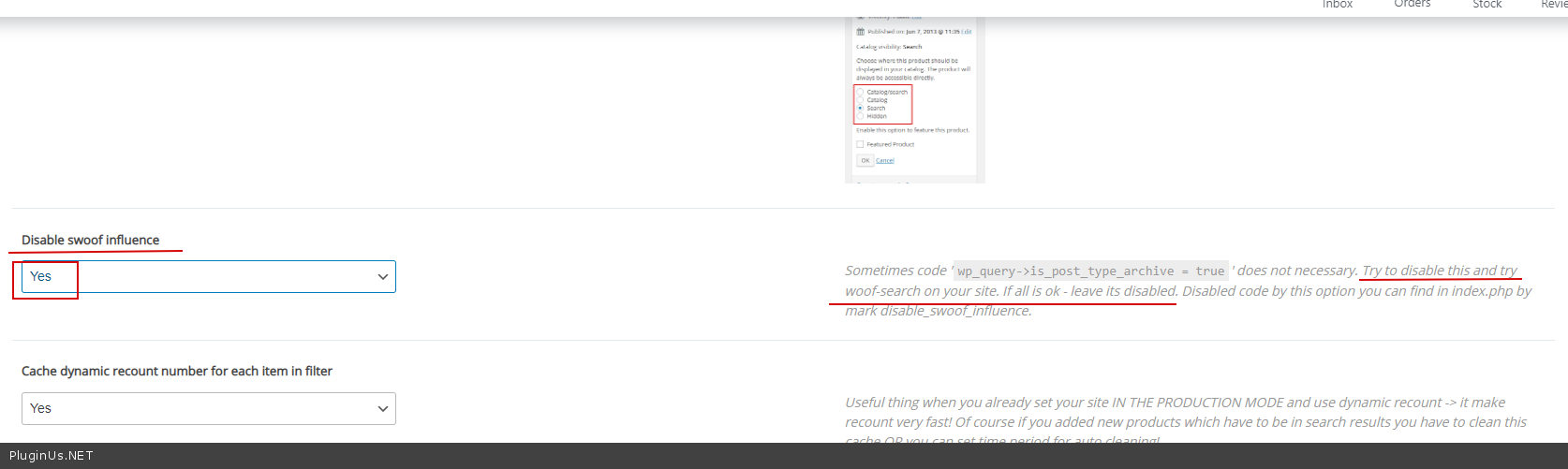
Is there an option for the search results to remain on the category page and not go to the shop?
Greetings
Hello and thanks for the reply.
The problem is not on this page, but it appears when you start filtering products.
The search fields are displayed on two rows in a music library and the other sfx library categories are not centered.
That's the problem.
Is there an option for the search results to remain on the category page and not go to the shop?
Greetings
Quote from Pablo Borysenco on August 14, 2020, 11:38Hello
You can add this css:
.woof_redraw_zone{
text-align: center;
}
Result - https://c2n.me/48Kv0PO.png
Is there an option for the search results to remain on the category page and not go to the shop? - Try in Advanced->Options - https://c2n.me/48KvbzT.png
Hello
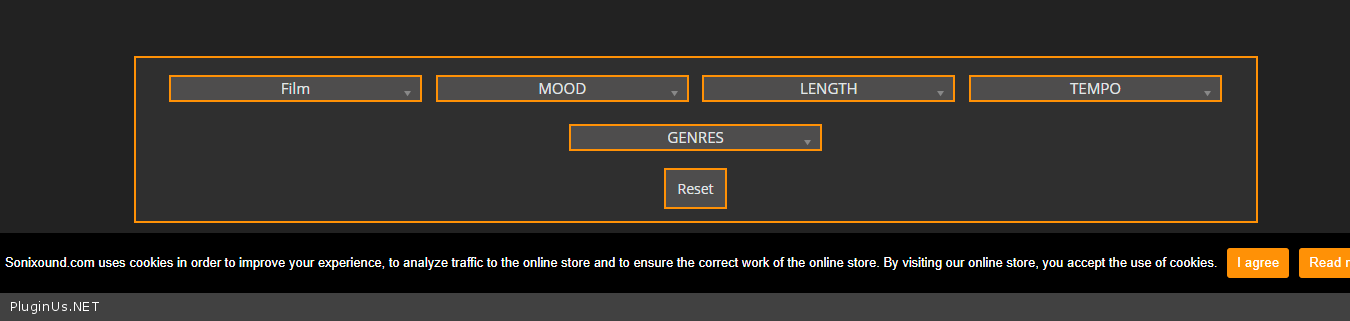
You can add this css:
.woof_redraw_zone{
text-align: center;
}
Result - https://c2n.me/48Kv0PO.png
Is there an option for the search results to remain on the category page and not go to the shop? - Try in Advanced->Options - https://c2n.me/48KvbzT.png
Quote from gs-webcreator on August 20, 2020, 11:58Hello,
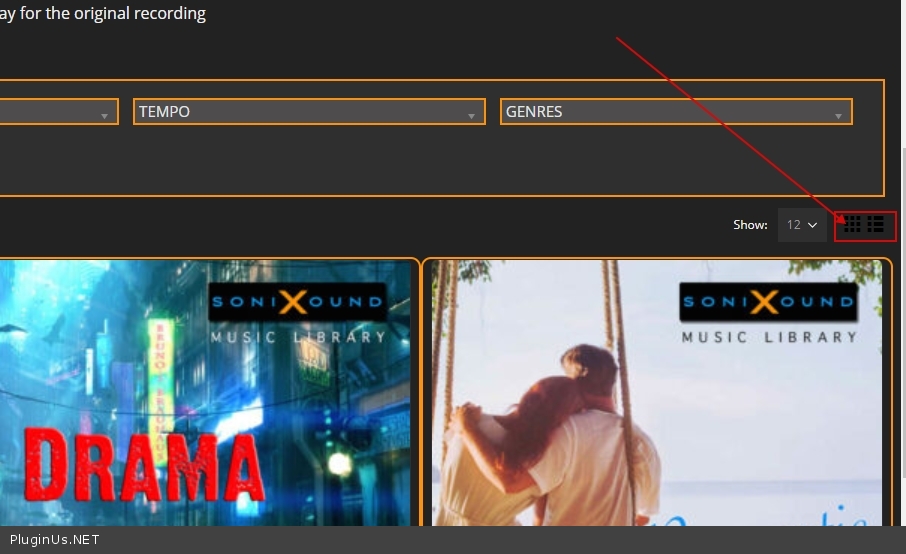
I apologize for the late answer but there is a small problem that I tried to fix but failed. The problem comes from the fact that when we filter the page, we do not want it to be refreshed and go back from the beginning and stay where the filter is. I checked "Try to ajaxify the shop" and now it works, it doesn't refresh the page but it brings the results to the grid and we would like it to be in the list as well as the reset button by pressing all the products on the grid again. Can this be repaired in any way? The access to the site is the same.
Greetings
Hello,
I apologize for the late answer but there is a small problem that I tried to fix but failed. The problem comes from the fact that when we filter the page, we do not want it to be refreshed and go back from the beginning and stay where the filter is. I checked"Try to ajaxify the shop" and now it works, it doesn't refresh the page but it brings the results to the grid and we would like it to be in the list as well as the reset button by pressing all the products on the grid again. Can this be repaired in any way? The access to the site is the same.
Greetings
Quote from Pablo Borysenco on August 20, 2020, 12:43Hello
Read this please - https://products-filter.com/auto-scroll-to-products-after-their-filtering-in-redirect-mode/
https://c2n.me/48OcP3p.jpg - This is not a standard functionality, and it may be incompatible with ajax mode
Hello
Read this please - https://products-filter.com/auto-scroll-to-products-after-their-filtering-in-redirect-mode/
https://c2n.me/48OcP3p.jpg - This is not a standard functionality, and it may be incompatible with ajax mode
Quote from gs-webcreator on September 3, 2020, 18:29Hello,
I have a small problem with the filter which only appears on safari. The browser version is Version 13.1.2.
The problem is that when I open the Music Library page and go to the Music field and click on it, the criteria that fall behind the product photo. This is done only on this page and only on safari. It is ok on other browsers as well as on other pages on the site.
There was a requirement here that the search fields be 5 instead of the standard 4. Could the problem come from there?
I am attaching access and video with the problem.https://dox.abv.bg/download?id=b636120985# - Линк за сваляне
Greetings
Hello,
I have a small problem with the filter which only appears on safari. The browser version is Version 13.1.2.
The problem is that when I open the Music Library page and go to the Music field and click on it, the criteria that fall behind the product photo. This is done only on this page and only on safari. It is ok on other browsers as well as on other pages on the site.
There was a requirement here that the search fields be 5 instead of the standard 4. Could the problem come from there?
I am attaching access and video with the problem.
https://dox.abv.bg/download?id=b636120985# - Линк за сваляне
Greetings
Quote from Pablo Borysenco on September 4, 2020, 12:01Hello
Please try to add CSS
.product-image .inner, .product-image img{
z-index:2;
}
.woof.woof_sid_flat_dark{
z-index:999;
}
Hello
Please try to add CSS
.product-image .inner, .product-image img{
z-index:2;
}
.woof.woof_sid_flat_dark{
z-index:999;
}