

How to setup filter to change based on category you are in
The support doesn work on Saturdays and Sundays, so some Friday requests can be answered on Monday. If you have problems with registration ask help on contact us page pleaseIf you not got email within 24~36 business hours, firstly check your spam box, and if no any email from the support there - back to the forum and read answer here. DO NOT ANSWER ON EMAILS [noreply@pluginus.net] FROM THE FORUM!! Emails are just for your info, all answers should be published only here.
The support doesn work on Saturdays and Sundays, so some Friday requests can be answered on Monday.

Quote from hdwebpros on November 16, 2020, 17:48I have products in multiple categories with different values. Example
Category A
– Product A (extra field width 12)
– Product B (extra field width 24)Category B
– Product C (extra field width 36)
– Product D (extra field width 48)First, I don’t know how to make a filter that when you are viewing page with just Category A, it only allows you to filter with 12 or 24 width as options (checkbox would be nice), but then if you are in Category B, 36 and 48 width are your options.
I have products in multiple categories with different values. Example
Category A
– Product A (extra field width 12)
– Product B (extra field width 24)
Category B
– Product C (extra field width 36)
– Product D (extra field width 48)
First, I don’t know how to make a filter that when you are viewing page with just Category A, it only allows you to filter with 12 or 24 width as options (checkbox would be nice), but then if you are in Category B, 36 and 48 width are your options.

Quote from Pablo Borysenco on November 17, 2020, 13:24Hello
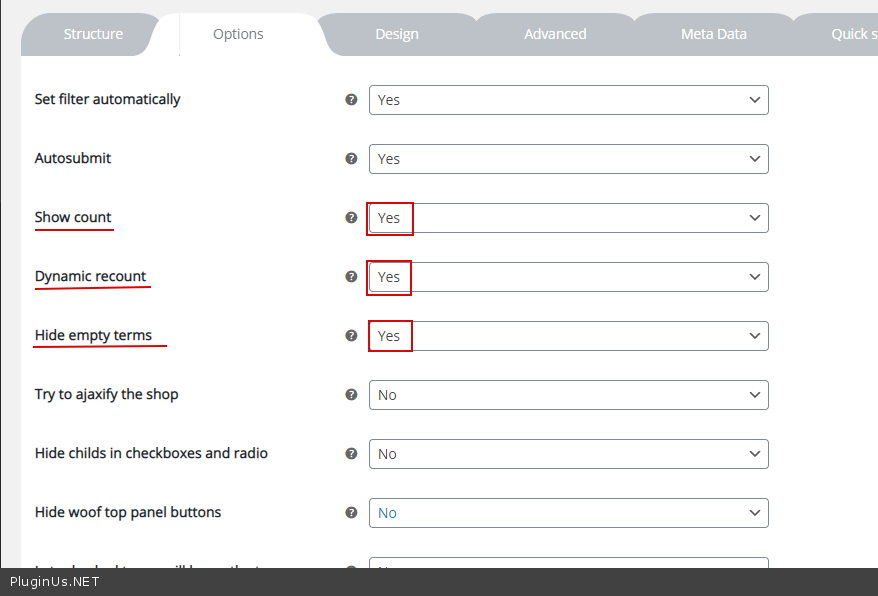
On the category page, the filter will show only relevant attributes(Where counter is greater than zero).
Check option - https://c2n.me/49R3lfT.png
Hello
On the category page, the filter will show only relevant attributes(Where counter is greater than zero).
Check option - https://c2n.me/49R3lfT.png
Quote from hdwebpros on November 17, 2020, 15:07That didn’t work.
Here’s my options: https://nimb.ws/9UEBGw
We’re using product meta to filter with, this is the structure: https://nimb.ws/GOgxTIThe category page (showing subcategories) looks like this: https://nimb.ws/dclwu7
Finally, when viewing a category with a product, it looks like this: https://nimb.ws/MVpHi7
That didn’t work.
Here’s my options: https://nimb.ws/9UEBGw
We’re using product meta to filter with, this is the structure: https://nimb.ws/GOgxTI
The category page (showing subcategories) looks like this: https://nimb.ws/dclwu7
Finally, when viewing a category with a product, it looks like this: https://nimb.ws/MVpHi7
Quote from Pablo Borysenco on November 18, 2020, 12:18Hello
Paste your license key here - https://c2n.me/43SC6rb.png -> https://c2n.me/42HBIt7.png
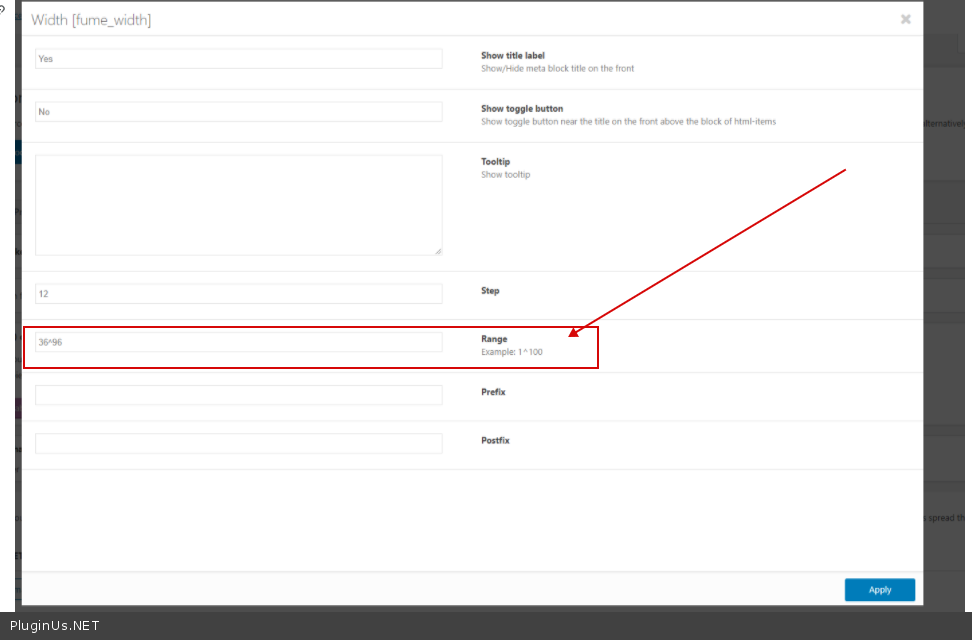
The range of metadata is set in the settings - https://c2n.me/49RTGSh.png - and it doesn't change. Also, the plugin has no range checkboxes.
Hello
Paste your license key here - https://c2n.me/43SC6rb.png -> https://c2n.me/42HBIt7.png


The range of metadata is set in the settings - https://c2n.me/49RTGSh.png - and it doesn't change. Also, the plugin has no range checkboxes.
Quote from hdwebpros on November 18, 2020, 14:42I don't want a range. If you look at my pictures, I want checkboxes but don't know how to show them and only show what's available
I don't want a range. If you look at my pictures, I want checkboxes but don't know how to show them and only show what's available
Quote from Pablo Borysenco on November 19, 2020, 12:26Hello
Please paste your license key here - https://c2n.me/43SC6rb.png -> https://c2n.me/42HBIt7.png
Hello
Please paste your license key here - https://c2n.me/43SC6rb.png -> https://c2n.me/42HBIt7.png
Quote from hdwebpros on November 19, 2020, 18:56@pavlo_borysenco provided!
@pavlo_borysenco provided!
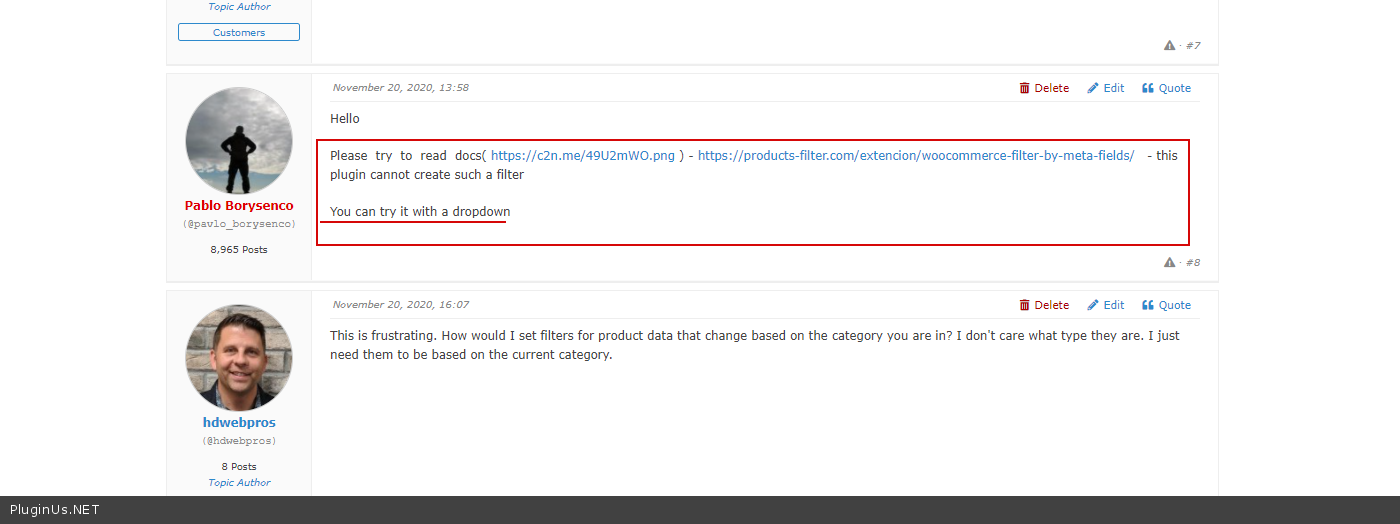
Quote from Pablo Borysenco on November 20, 2020, 13:58Hello
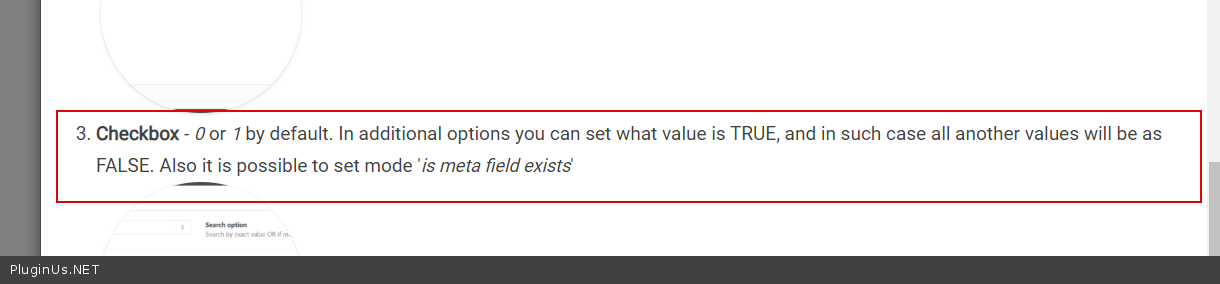
Please try to read docs( https://c2n.me/49U2mWO.png ) - https://products-filter.com/extencion/woocommerce-filter-by-meta-fields/ - this plugin cannot create such a filter
You can try it with a dropdown
Hello
Please try to read docs( https://c2n.me/49U2mWO.png ) - https://products-filter.com/extencion/woocommerce-filter-by-meta-fields/ - this plugin cannot create such a filter
You can try it with a dropdown
Quote from hdwebpros on November 20, 2020, 16:07This is frustrating. How would I set filters for product data that change based on the category you are in? I don't care what type they are. I just need them to be based on the current category.
This is frustrating. How would I set filters for product data that change based on the category you are in? I don't care what type they are. I just need them to be based on the current category.
Quote from Pablo Borysenco on November 23, 2020, 13:20Hello
as I wrote above - https://c2n.me/49R3lfT.png
If no luck - please drop me wp-admin access - https://c2n.me/43SC6rb.png ->https://c2n.me/42BAoj4.png
Hello
as I wrote above - https://c2n.me/49R3lfT.png
If no luck - please drop me wp-admin access - https://c2n.me/43SC6rb.png ->https://c2n.me/42BAoj4.png

Quote from hdwebpros on November 23, 2020, 22:50I've added an account for you and shared the info in the private data. Thanks!
I've added an account for you and shared the info in the private data. Thanks!
Quote from Pablo Borysenco on November 24, 2020, 14:53Hello
Please install the paid version (delete the free version) - because i cant do it with free version
Plugin is not configured
Please create meta filter "width" as drop-down - https://products-filter.com/extencion/woocommerce-filter-by-meta-fields/
And check options - https://c2n.me/49R3lfT.png
then the filter on the category page will show only the actual values
Hello
Please install the paid version (delete the free version) - because i cant do it with free version
Plugin is not configured
Please create meta filter"width" as drop-down - https://products-filter.com/extencion/woocommerce-filter-by-meta-fields/
And check options - https://c2n.me/49R3lfT.png
then the filter on the category page will show only the actual values
Quote from hdwebpros on November 24, 2020, 18:35Hi.
I deleted the free version and installed the paid version.
I enabled the meta filter.
I created the width field I wanted as drop-down. This is confusing since it asks for values, but I want it to be dynamic. I'm not sure what to put in the textarea where it says
Use comma as in example: 1,2,3,4,5. If you want structure like title->value use next syntax example: France^1,Germany^2,USA^3. Countries are titles here.
I checked the options you suggested as well.
Nothing shows.
Hi.
I deleted the free version and installed the paid version.
I enabled the meta filter.
I created the width field I wanted as drop-down. This is confusing since it asks for values, but I want it to be dynamic. I'm not sure what to put in the textarea where it says
Use comma as in example: 1,2,3,4,5. If you want structure like title->value use next syntax example: France^1,Germany^2,USA^3. Countries are titles here.
I checked the options you suggested as well.
Nothing shows.
Quote from Pablo Borysenco on November 25, 2020, 14:11Hello
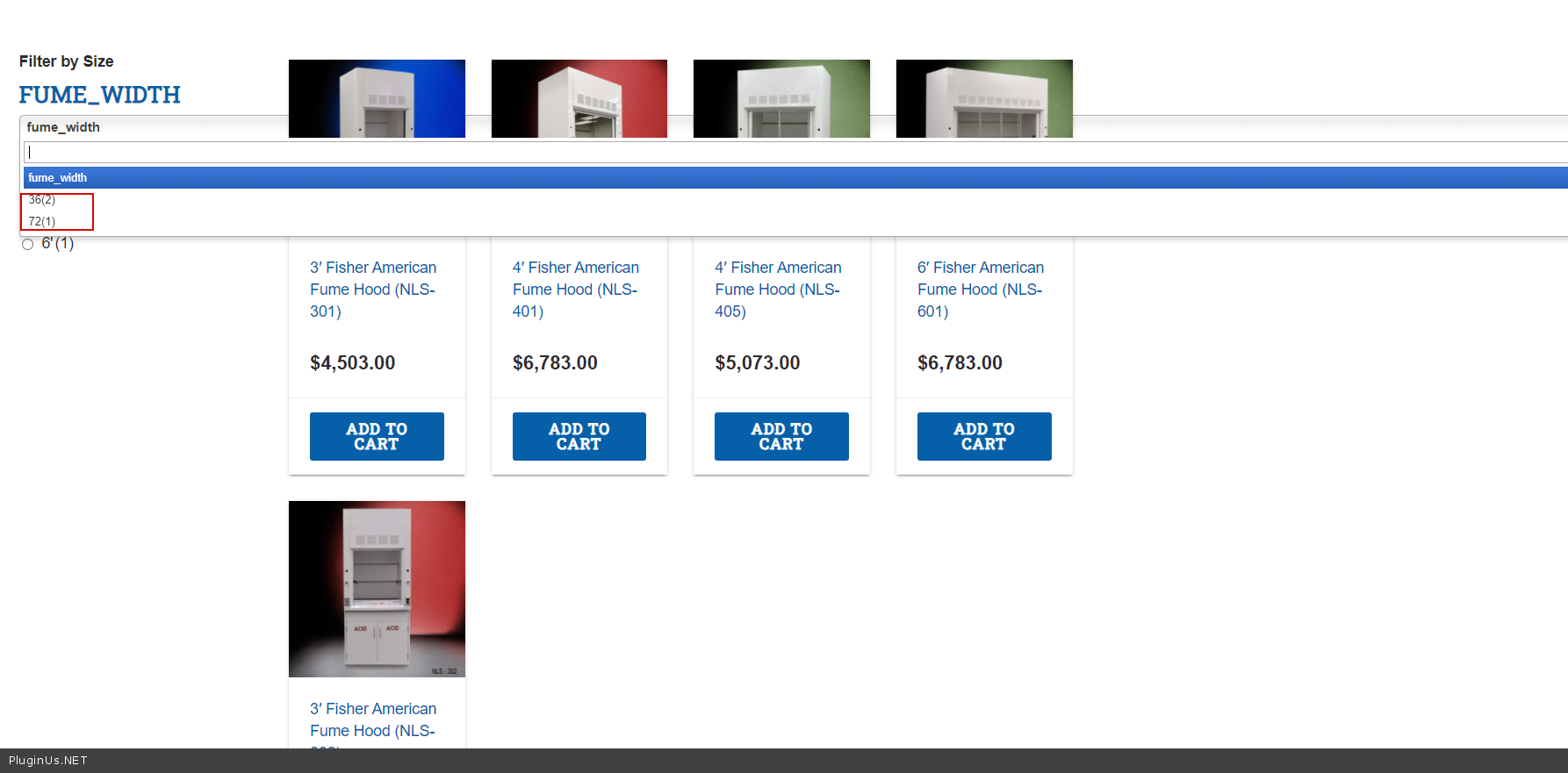
I'm not sure what to put in the textarea where it says - You should insert the values by which you will search and which you set here - https://c2n.me/49XWBaA.png
Example - https://c2n.me/49XXeas.png
Result - https://c2n.me/49XXh6I.png\
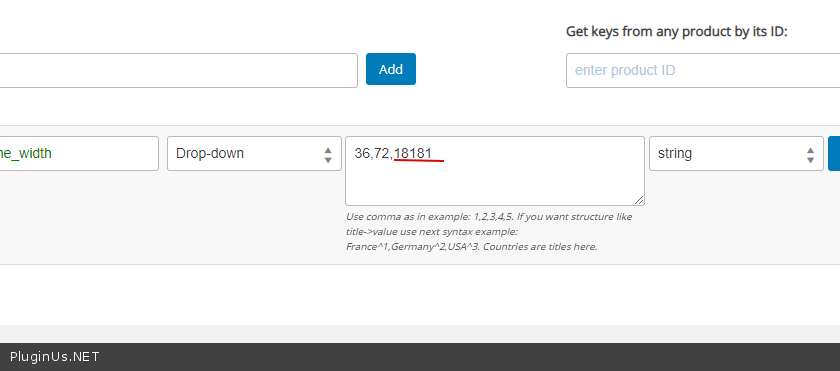
I added a value that cannot be - https://c2n.me/49XXsr9.png - And as you can see it is not displayed - https://c2n.me/49XXvNJ.png
Hello
I'm not sure what to put in the textarea where it says - You should insert the values by which you will search and which you set here - https://c2n.me/49XWBaA.png
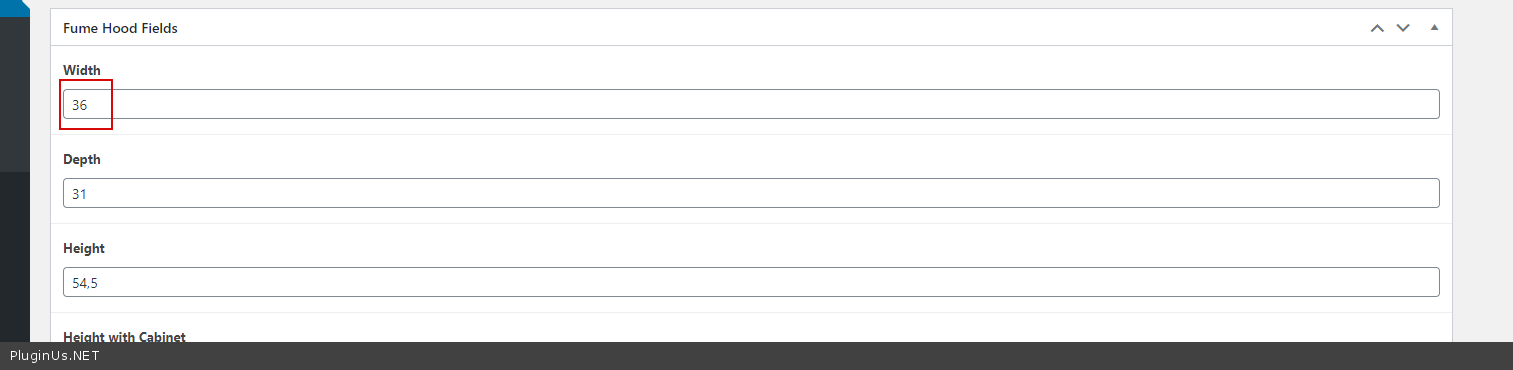
Example - https://c2n.me/49XXeas.png
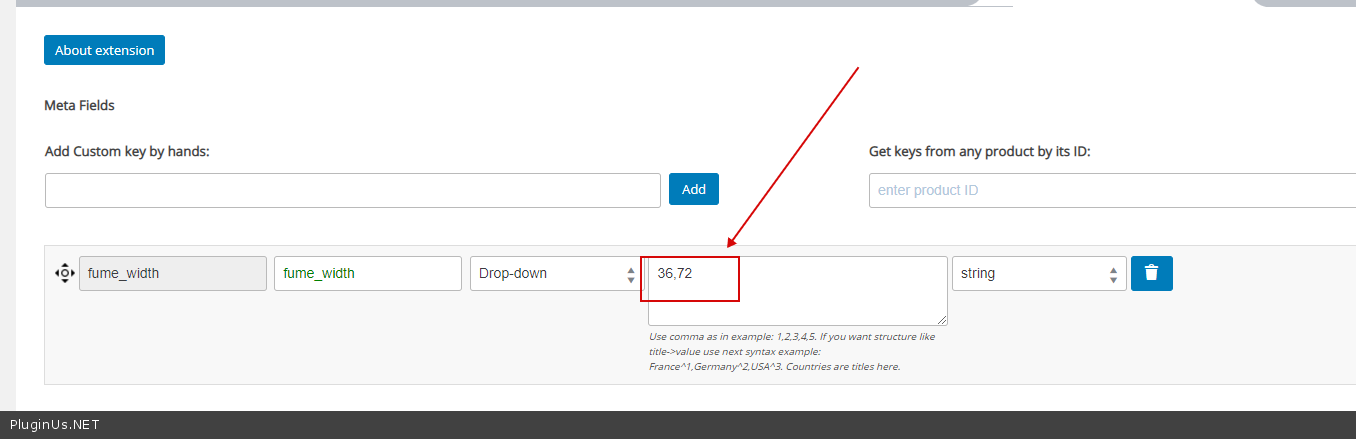
Result - https://c2n.me/49XXh6I.png\
I added a value that cannot be - https://c2n.me/49XXsr9.png - And as you can see it is not displayed - https://c2n.me/49XXvNJ.png
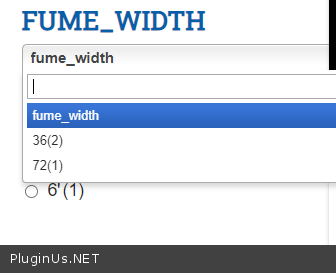
Quote from hdwebpros on November 25, 2020, 17:12Thanks for your help so far.
My original request was to have checkboxes or radios for the filters. You can see that right now it works that way, but we are using tags to achieve that.
Is there a way to use checkboxes or radios with the meta data in that same way?
Thanks for your help so far.
My original request was to have checkboxes or radios for the filters. You can see that right now it works that way, but we are using tags to achieve that.
Is there a way to use checkboxes or radios with the meta data in that same way?
Quote from Pablo Borysenco on November 26, 2020, 12:17Hello
I wrote this already - https://c2n.me/49YOp8s.png
In this case, only dropdown will work for meta fields
Hello
I wrote this already - https://c2n.me/49YOp8s.png
In this case, only dropdown will work for meta fields