

Hiding empty terms without dynamic recount
The support doesn work on Saturdays and Sundays, so some Friday requests can be answered on Monday. If you have problems with registration ask help on contact us page pleaseIf you not got email within 24~36 business hours, firstly check your spam box, and if no any email from the support there - back to the forum and read answer here. DO NOT ANSWER ON EMAILS [noreply@pluginus.net] FROM THE FORUM!! Emails are just for your info, all answers should be published only here.
The support doesn work on Saturdays and Sundays, so some Friday requests can be answered on Monday.

Quote from Levi on December 29, 2020, 12:04Hello,
I'm trying to hide empty terms but i don't want to use the dynamic recount option.
Is there a way to achieve this?
Best regards,
Levi
Hello,
I'm trying to hide empty terms but i don't want to use the dynamic recount option.
Is there a way to achieve this?
Best regards,
Levi

Quote from Pablo Borysenco on December 29, 2020, 14:30Hello Levi
Paste your license key here - https://c2n.me/43SC6rb.png -> https://c2n.me/42HBIt7.png
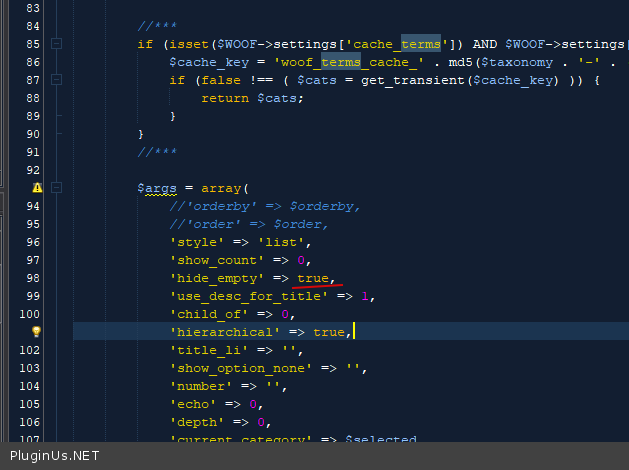
Try in file - \wp-content\plugins\woocommerce-products-filter\classes\helper.php - change code - https://c2n.me/4apjoAs.png
Hello Levi
Paste your license key here - https://c2n.me/43SC6rb.png -> https://c2n.me/42HBIt7.png


Try in file - \wp-content\plugins\woocommerce-products-filter\classes\helper.php - change code - https://c2n.me/4apjoAs.png
Quote from Levi on December 29, 2020, 15:19Hi Pablo,
The license key is now there.
I've tried your solution by altering the hide_empty value in helper.php but that doesn't seem to change anything. Also the counter shows that there should be 10 products but there aren't any items in there.
I also use the hide empty stock filter, i tought that it could be a problem and turned it of but that doesn't seem to do anything either.
Best regards,
Levi
Hi Pablo,
The license key is now there.
I've tried your solution by altering the hide_empty value in helper.php but that doesn't seem to change anything. Also the counter shows that there should be 10 products but there aren't any items in there.
I also use the hide empty stock filter, i tought that it could be a problem and turned it of but that doesn't seem to do anything either.
Best regards,
Levi
Quote from Pablo Borysenco on December 30, 2020, 12:42Hello Levi
It looks like you do not understand correctly how dynamic recount works.
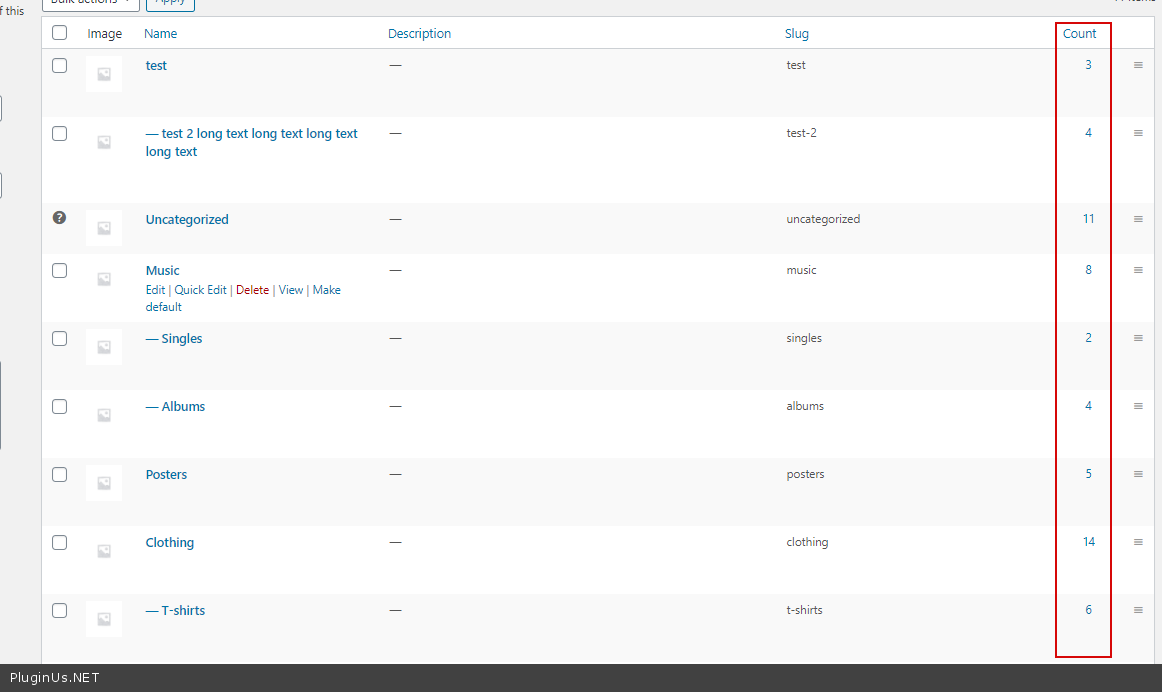
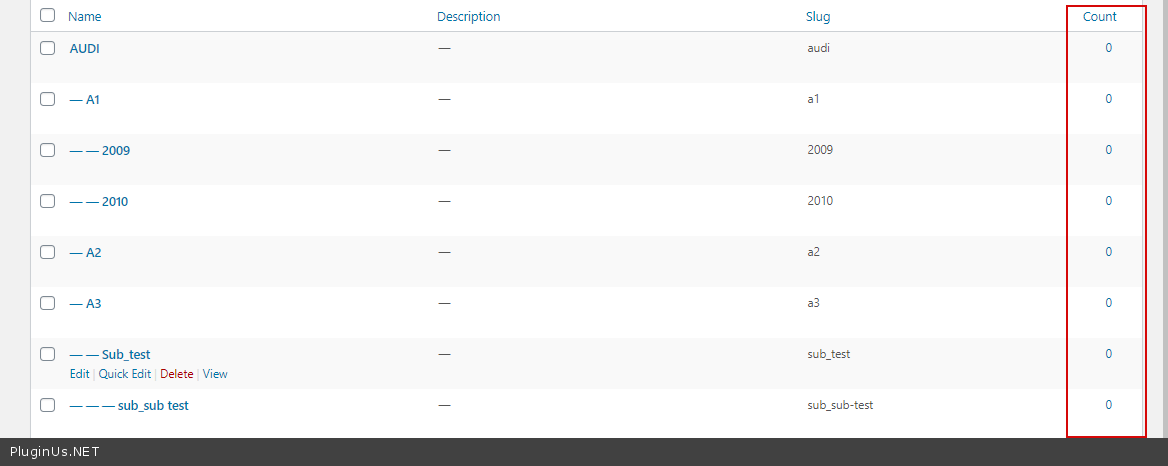
If you set - dynamic recount - to NO - The filter will show a counter of all existing categories, regardless of the current page and the search query( https://c2n.me/4apYNdW.png ) -I've tried your solution by altering the hide_empty value in helper.php - it will not show the terms in which the counter is zero - https://c2n.me/4apZ65F.png
Hello Levi
It looks like you do not understand correctly how dynamic recount works.
If you set - dynamic recount - to NO - The filter will show a counter of all existing categories, regardless of the current page and the search query( https://c2n.me/4apYNdW.png ) -I've tried your solution by altering the hide_empty value in helper.php - it will not show the terms in which the counter is zero - https://c2n.me/4apZ65F.png
Quote from Levi on December 30, 2020, 15:23Hi Pablo,
Okay. So we are clear i want to achieve the following:
Have the dynamic recount set to NO and hide empty terms. I can't use the setting "Hide empty terms" because this depends on the dynamic recount.
So my question is if there is another way to hide the empty terms?
As you suggested i've set did the following: 'hide_empty' => true, in the file: \wp-content\plugins\woocommerce-products-filter\classes\helper.php
This didn't change anything. The problem i'm having is that i have the following filter: (my filter) here you can see the size 46.5 but when i select this size i should be seeing products but instead i have a page without any products (image of result)
In this case i would like to remove 46.5 out of the filter list because it's empty.
I hope this clarifies the issue :)
Best regards,
Levi
Hi Pablo,
Okay. So we are clear i want to achieve the following:
Have the dynamic recount set to NO and hide empty terms. I can't use the setting "Hide empty terms" because this depends on the dynamic recount.
So my question is if there is another way to hide the empty terms?
As you suggested i've set did the following: 'hide_empty' => true, in the file: \wp-content\plugins\woocommerce-products-filter\classes\helper.php
This didn't change anything. The problem i'm having is that i have the following filter: (my filter) here you can see the size 46.5 but when i select this size i should be seeing products but instead i have a page without any products (image of result)
In this case i would like to remove 46.5 out of the filter list because it's empty.
I hope this clarifies the issue :)
Best regards,
Levi
Quote from Pablo Borysenco on December 31, 2020, 12:12Hello Levi
: (my filter) here you can see the size 46.5 - As you can see this is not an empty attribute! It cannot be hidden without dynamic recalculation.
to hide this term at all - please use an option - https://c2n.me/4aqxPOD.png
Please warch a video - https://products-filter.com/video-tutorials/#video_beGT6p_look
Hello Levi
: (my filter) here you can see the size 46.5 - As you can see this is not an empty attribute! It cannot be hidden without dynamic recalculation.
to hide this term at all - please use an option - https://c2n.me/4aqxPOD.png

Please warch a video - https://products-filter.com/video-tutorials/#video_beGT6p_look