PluginUs.Net - Business Tools for WooCommerce and WordPress

[realize your idea - make your dreams come true]

Support Forum

You need to log-in to create request (topic) to the support

Hide non present filters / Divi theme

The support doesn work on Saturdays and Sundays, so some Friday requests can be answered on Monday. If you have problems with registration ask help on contact us page please
If you not got email within 24~36 business hours, firstly check your spam box, and if no any email from the support there - back to the forum and read answer here. DO NOT ANSWER ON EMAILS [noreply@pluginus.net] FROM THE FORUM!! Emails are just for your info, all answers should be published only here.
The support doesn work on Saturdays and Sundays, so some Friday requests can be answered on Monday.

Hello guys ! I added to my website some filters based on product tags.

But even in categories where the tags aren't present, they're still shown in the dropdown I added with the shortcode [woof].

How to hide them ?

Second question : how to conserve the style of my pages when using filters ? When clicking on a tag filter, the entire page change for a classical one : white background, 4 products row, etc... I use a very different style. How to use change products only in the module"shop" by divi, and not the entire page css style ?

Thanks !

Hello

Please  drop  me  exact  link to  the  issue

Check it out : https://kula-tactical.com/gorka-suits

The tags are available for products that are even not in the category

Hello

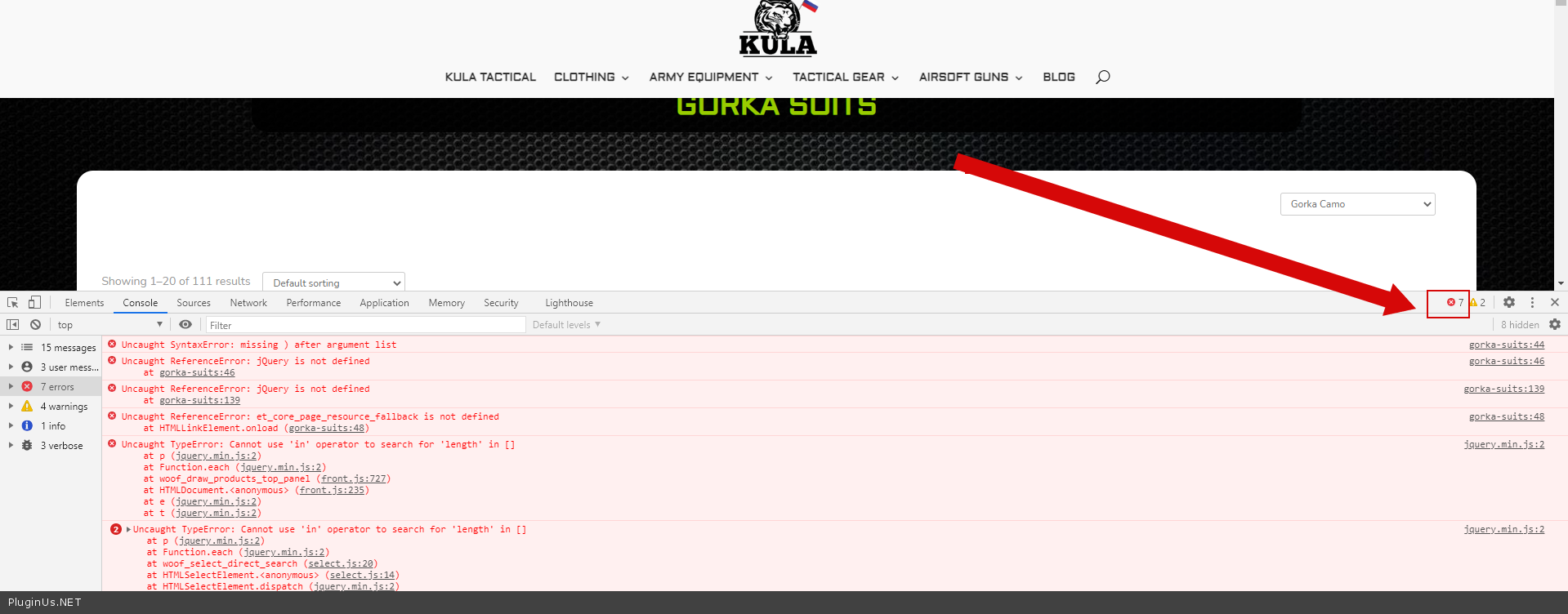
Please  fix  this  error - https://c2n.me/4aKd3zP.png

Paste your license key here - https://c2n.me/43SC6rb.png -> https://c2n.me/42HBIt7.png

I don't know how to fix that. It's your plugin that creates these error! Maybe you can have a check ?

I'll wait for your answer and desactivate the plugin for now.

Hello

It's your plugin that creates these error! - No! My plugin has nothing to do with these JS errors.

You  can  drop  me wp-admin access - https://c2n.me/43SC6rb.png ->https://c2n.me/42BAoj4.png

Can  I  disable  plugins/theme  to  test?

It's done. Be careful when deactivating plugins ! You'll touch a working website, our sales don't have to be impacted by some errors created by inattention.

Hello, did you found from where the problem comes from ?

Hello

Ok!  Please  add  access  to your  test site.  If you don't have the test site, make it with this plugin  -  https://wordpress.org/plugins/duplicator/


I doesn't have a replicated test website. Here is the test website I use : https://woocommerce-399661-1662607.cloudwaysapps.com/

Hello

Ok!  Drop  me access to this  test  site. Does this test site have the same errors?