PluginUs.Net - Business Tools for WooCommerce and WordPress

[realize your idea - make your dreams come true]

Support Forum

You need to log-in to create request (topic) to the support

Help with viewing options for hierarchy in Woof

The support doesn work on Saturdays and Sundays, so some Friday requests can be answered on Monday. If you have problems with registration ask help on contact us page please
If you not got email within 24~36 business hours, firstly check your spam box, and if no any email from the support there - back to the forum and read answer here. DO NOT ANSWER ON EMAILS [noreply@pluginus.net] FROM THE FORUM!! Emails are just for your info, all answers should be published only here.
The support doesn work on Saturdays and Sundays, so some Friday requests can be answered on Monday.

Hi Guys

We are using Woof to create a distributor section and are using the hierarchy to display categories with conditional logic.

What we are really after if its possible is to display the options are per below. We want that to display without having to click, so as soon as you land on the page we want it to be visible.

Options

What we have at the moment is this

If this is custom code that is required, please let us know as we are very eager to get this working.

Thank you

Hayden

Hello Hayden

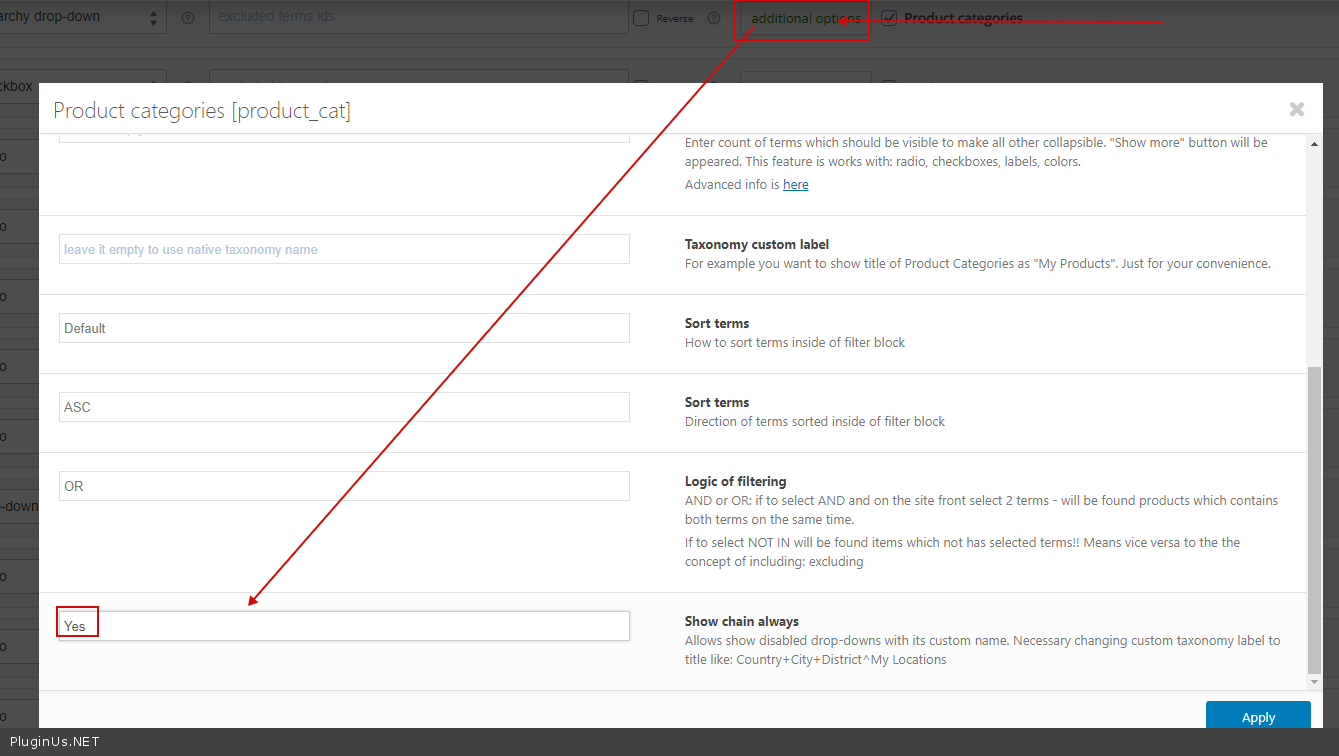
You can display the parent taxonomy visible - https://c2n.me/488LUpO.png But you can not click on the Dropdown child - because the filter does not know what terms are displayed until you select the parent category

Hi Pablo

I already have it set like this. I just want to be able to see all of the options without clicking. At least for the first column, although I do understand why you can't do it with the second until something in the first is selected. If I could just have more options visible in my first column that would be great, but the option you mention is already set in my settings.

Hello Hayden

Paste your license key here - https://c2n.me/43SC6rb.png -> https://c2n.me/42HBIt7.png

In the first column, the plugin should display all of your parent taxonomies.

If it is not. Drop  me  exact  link to the  issue + wp-admin  access