

Flatsome and Woof Products filter Compatability
The support doesn work on Saturdays and Sundays, so some Friday requests can be answered on Monday. If you have problems with registration ask help on contact us page pleaseIf you not got email within 24~36 business hours, firstly check your spam box, and if no any email from the support there - back to the forum and read answer here. DO NOT ANSWER ON EMAILS [noreply@pluginus.net] FROM THE FORUM!! Emails are just for your info, all answers should be published only here.
The support doesn work on Saturdays and Sundays, so some Friday requests can be answered on Monday.

Quote from zerophoid on February 4, 2021, 13:50Good day Please can you assist i seem to have issues with the product filter and the Flatsome theme it displays the code only the filter does not display
Good day Please can you assist i seem to have issues with the product filter and the Flatsome theme it displays the code only the filter does not display

Quote from Pablo Borysenco on February 5, 2021, 12:35Hello
Please drop me exact link to the issue
Hello
Please drop me exact link to the issue
Quote from zerophoid on February 5, 2021, 14:17Herewith the home page copy with the woof filter https://wildtracks.co.za/home/
login details in the private data section
Herewith the home page copy with the woof filter https://wildtracks.co.za/home/
login details in the private data section
Quote from Pablo Borysenco on February 8, 2021, 11:53Hello
After I logged into your site, I still see this page - https://c2n.me/4aRuUlX.jpg - Possible problem with user role
Hello
After I logged into your site, I still see this page - https://c2n.me/4aRuUlX.jpg - Possible problem with user role

Quote from zerophoid on February 8, 2021, 13:30I Hav removed the under construction for the time being please retry
I Hav removed the under construction for the time being please retry
Quote from zerophoid on February 9, 2021, 09:13Will Create a second support ticket with regards to what we are hoping to achieve
Will Create a second support ticket with regards to what we are hoping to achieve
Quote from Pablo Borysenco on February 9, 2021, 13:15Hello
Paste your license key here - https://c2n.me/43SC6rb.png -> https://c2n.me/42HBIt7.png
I see filter (not code) - https://c2n.me/4aSAzYH.jpg
Hello
Paste your license key here - https://c2n.me/43SC6rb.png -> https://c2n.me/42HBIt7.png


I see filter (not code) - https://c2n.me/4aSAzYH.jpg
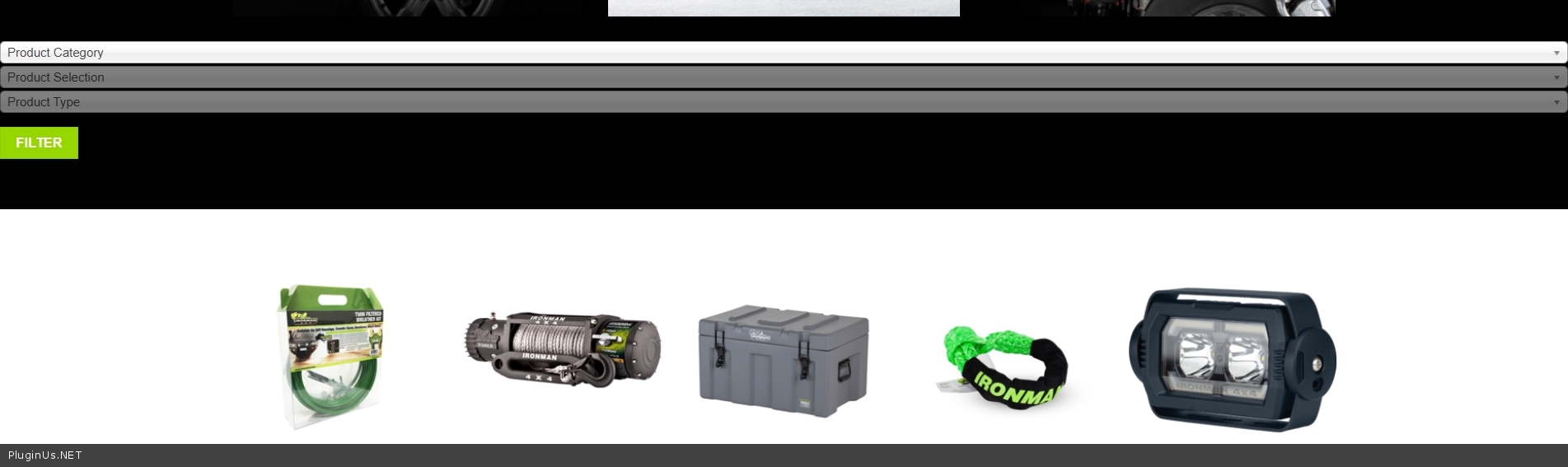
Quote from zerophoid on February 11, 2021, 09:08Good day, Thank you for your assistance, I need to ask for more assistance as we have tried to customize the woof plugin and we have done it before but it was on a different theme. please see the below image found on https://www.ironman4x4.co.za/
however the client advised that the filter does not work according to their needs, they liked the filter found on https://www.frontrunneroutfitters.com/en/za/ (shop by vehicle)
we do understand that the second image and example is built using magento, we have the means of adding the filter terms but this is Ultimately the goal we wish to achieve using the woof filter
Good day, Thank you for your assistance, I need to ask for more assistance as we have tried to customize the woof plugin and we have done it before but it was on a different theme. please see the below image found on https://www.ironman4x4.co.za/

however the client advised that the filter does not work according to their needs, they liked the filter found on https://www.frontrunneroutfitters.com/en/za/ (shop by vehicle)

we do understand that the second image and example is built using magento, we have the means of adding the filter terms but this is Ultimately the goal we wish to achieve using the woof filter
Quote from Pablo Borysenco on February 11, 2021, 13:19Hello
You are using a very old version of the plugin. please update it - https://products-filter.com/how-to-make-auto-update-for-wordpress-plugins-and-themes-bought-on-envato/
I cannot determine what you need from these links.
what difference I see:
- Style
- Your taxonomies are configured differently (different hierarchy structure)
Hello
You are using a very old version of the plugin. please update it - https://products-filter.com/how-to-make-auto-update-for-wordpress-plugins-and-themes-bought-on-envato/
I cannot determine what you need from these links.
what difference I see:
- Style
- Your taxonomies are configured differently (different hierarchy structure)
Quote from zerophoid on February 15, 2021, 12:26I have checked Envato we seem to have the latest update installed, i have changed your permissions on the website to the administrator, please check if plugin is correct now, we will update the Taxinomies accordingly please refer to documentation for styling and correct taxinomies
I have checked Envato we seem to have the latest update installed, i have changed your permissions on the website to the administrator, please check if plugin is correct now, we will update the Taxinomies accordingly please refer to documentation for styling and correct taxinomies
Quote from Pablo Borysenco on February 15, 2021, 14:15Hello
Please watch a video - https://products-filter.com/video-tutorials/#video_beGT6p_look and read this - https://products-filter.com/extencion/hierarchy-drop-down/
https://c2n.me/4aXsSGp.png - it looks like the correct hierarchy
You should hire a CSS developer to change the style of your filter.
Hello
Please watch a video - https://products-filter.com/video-tutorials/#video_beGT6p_look and read this - https://products-filter.com/extencion/hierarchy-drop-down/
https://c2n.me/4aXsSGp.png - it looks like the correct hierarchy
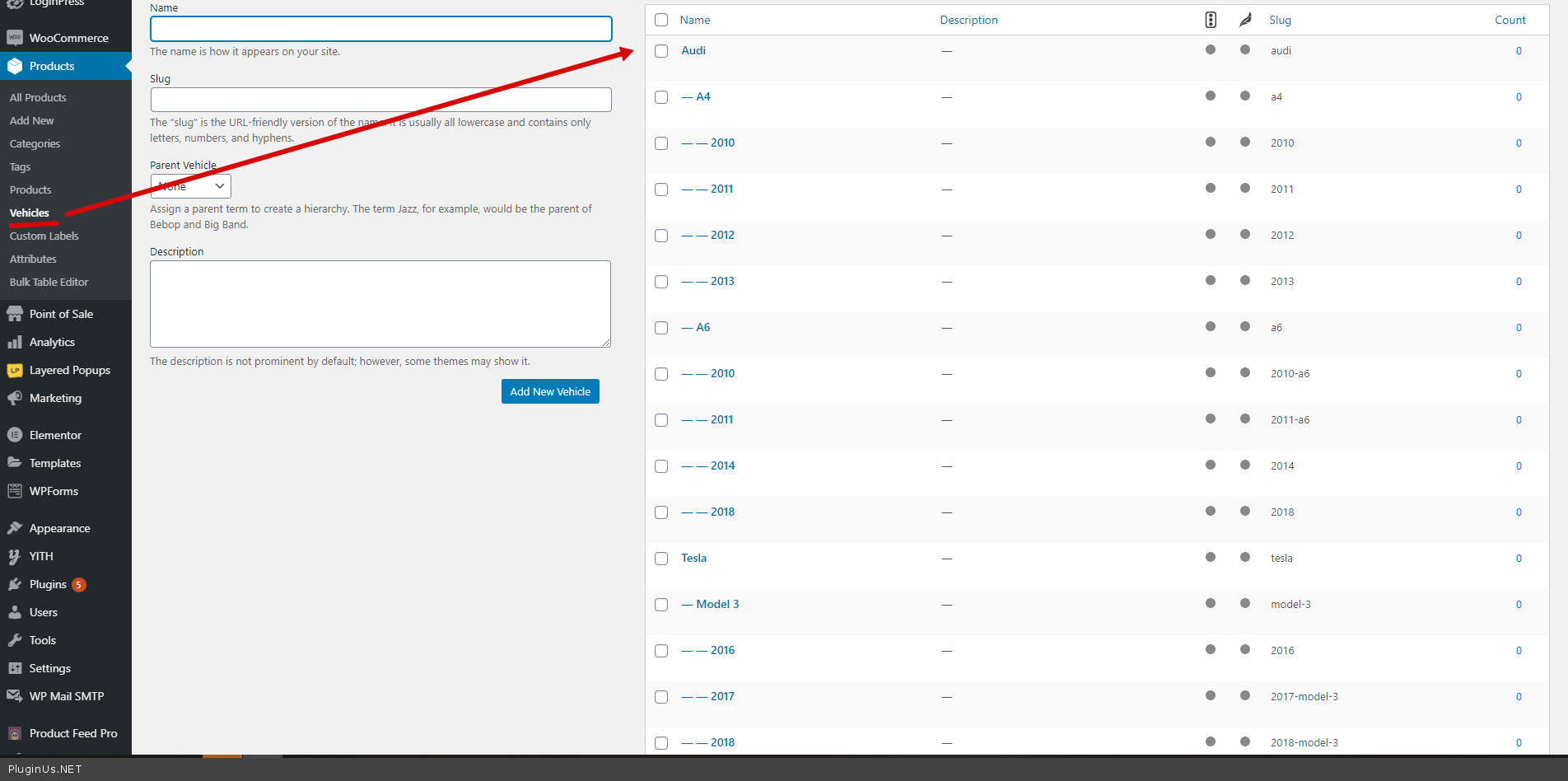
You should hire a CSS developer to change the style of your filter.
Quote from zerophoid on February 17, 2021, 11:47Hi i managed to style the website layout but as soon as I select a drop-down item the filter begins to search how do I disable that?
Hi i managed to style the website layout but as soon as I select a drop-down item the filter begins to search how do I disable that?
Quote from Pablo Borysenco on February 17, 2021, 13:12Hello
Please use this attribute ajax_redraw='1' in shortcode [woof]
Hello
Please use this attribute ajax_redraw='1' in shortcode [woof]
Quote from zerophoid on February 17, 2021, 13:55it has been added but still disappears do i need to populate taxinomies to more products?
it has been added but still disappears do i need to populate taxinomies to more products?
Quote from zerophoid on February 17, 2021, 14:26[woof sid="home_page" tax_only="models" autosubmit="1" ajax_redraw="1" is_ajax="1"]
[woof sid="home_page" tax_only="models" autosubmit="1" ajax_redraw="1" is_ajax="1"]
Quote from Pablo Borysenco on February 18, 2021, 12:14Hello
Please disable this third-party plugin - https://c2n.me/4b0eiPO.png
My test - https://c2n.me/4b0eoWk
Hello
Please disable this third-party plugin - https://c2n.me/4b0eiPO.png
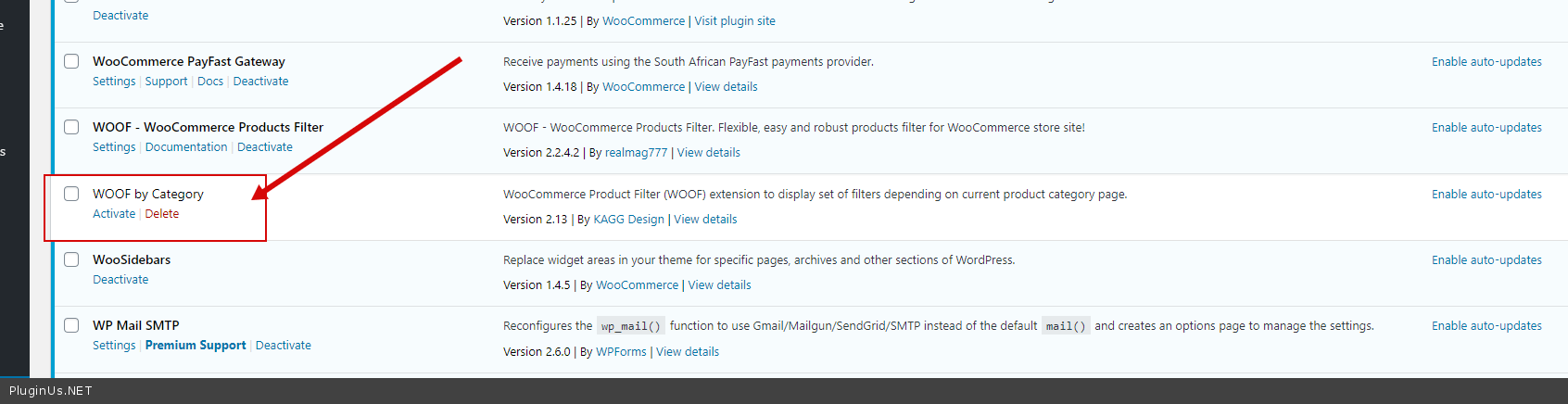
My test - https://c2n.me/4b0eoWk