Pablo Borysenco(@pavlo_borysenco)
34,196 Posts
Quote from Pablo Borysenco on March 7, 2022, 12:13
Hello Fabien
Unfortunately your link is not working, please check it out
You can create a video with the issue
Hello Fabien
Unfortunately your link is not working, please check it out
You can create a video with the issue
Pablo Borysenco(@pavlo_borysenco)
34,196 Posts
Quote from Pablo Borysenco on March 8, 2022, 12:17
Hello
Please paste your license key here - https://share.pluginus.net/image/i20210618130558.png -> https://share.pluginus.net/image/i20210618130614.png
Please disable JS optimization clear all cache and do a test
Hello
Please paste your license key here - https://share.pluginus.net/image/i20210618130558.png -> https://share.pluginus.net/image/i20210618130614.png
Please disable JS optimization clear all cache and do a test
Pablo Borysenco(@pavlo_borysenco)
34,196 Posts
Quote from Pablo Borysenco on March 9, 2022, 12:37
Hello
Please add wp-admin +FTP access - https://share.pluginus.net/image/i20210618130558.png ->https://share.pluginus.net/image/i20210618130637.png - I will check it
Can I disable plugins/theme to test?
Hello
Please add wp-admin +FTP access - https://share.pluginus.net/image/i20210618130558.png ->https://share.pluginus.net/image/i20210618130637.png - I will check it
Can I disable plugins/theme to test?
Pablo Borysenco(@pavlo_borysenco)
34,196 Posts
Pablo Borysenco(@pavlo_borysenco)
34,196 Posts
Pablo Borysenco(@pavlo_borysenco)
34,196 Posts
Quote from Pablo Borysenco on March 31, 2022, 18:35
Hello
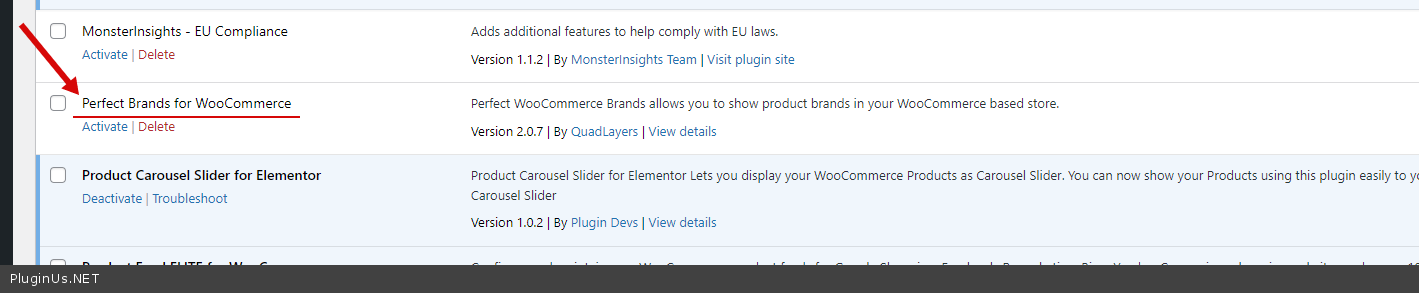
I disabled this plugin - https://c2n.me/4fjkdGO.png
My test - https://c2n.me/4fjkhzz
Hello
I disabled this plugin - https://c2n.me/4fjkdGO.png
My test - https://c2n.me/4fjkhzz
Pablo Borysenco(@pavlo_borysenco)
34,196 Posts
Quote from Pablo Borysenco on April 1, 2022, 12:58
Hello
Unfortunately no, this third party plugin interferes with the request and overrides the product display template. I can't change it
The best solution is to create brands as attributes or custom taxonomies
Hello
Unfortunately no, this third party plugin interferes with the request and overrides the product display template. I can't change it
The best solution is to create brands as attributes or custom taxonomies