

Filter Menu Keeps Changing on Subcategory pages
The support doesn work on Saturdays and Sundays, so some Friday requests can be answered on Monday. If you have problems with registration ask help on contact us page pleaseIf you not got email within 24~36 business hours, firstly check your spam box, and if no any email from the support there - back to the forum and read answer here. DO NOT ANSWER ON EMAILS [noreply@pluginus.net] FROM THE FORUM!! Emails are just for your info, all answers should be published only here.
The support doesn work on Saturdays and Sundays, so some Friday requests can be answered on Monday.

Quote from rhyswynne on January 28, 2026, 16:05Hi There,
Having an odd problem whereby the Product Filter list keeps changing. It seems to occur on sub category pages.
The most reliable way I've found the bug is the following:-
- Go to https://www.sureset.co.uk/shop/
- Select an item and see the filter working (it does 👍)
- Go to https://www.sureset.co.uk/product-category/samples/
- Select any item
- The Category sidebar expands from 8 items, to include the whole category tree.
Ideally we'd like the category tree to stay the same, either the full one on all pages, or just the subcategory one that appears on page load. How do we do this?
So far we've disabled the caching on the shop, and set "Hide childs in checkboxes and radio" to "No". I took over this shop and I am the developer, and I'd welcome any suggestions :)
Hi There,
Having an odd problem whereby the Product Filter list keeps changing. It seems to occur on sub category pages.
The most reliable way I've found the bug is the following:-
- Go to https://www.sureset.co.uk/shop/
- Select an item and see the filter working (it does 👍)
- Go to https://www.sureset.co.uk/product-category/samples/
- Select any item
- The Category sidebar expands from 8 items, to include the whole category tree.
Ideally we'd like the category tree to stay the same, either the full one on all pages, or just the subcategory one that appears on page load. How do we do this?
So far we've disabled the caching on the shop, and set"Hide childs in checkboxes and radio" to"No". I took over this shop and I am the developer, and I'd welcome any suggestions :)

Quote from Alex Dovlatov on January 29, 2026, 20:45Hello
Looks like HUSKY is deaf here for the current category, by idea its should works as here: https://demo.products-filter.com/product-category/clothing/man/
Lets make some tests:
- disable AJAX mode and try, not all wp themes compatible with HUSKY and can add its own wp_query arguments
- disable object cache in your cache plugin Rocket and try
If the site is alive, please create clone of it using duplicator and share access there in the private area of this ticket to make tests
https://share.pluginus.net/image/i20230222134241.png
https://share.pluginus.net/image/i20230222134615.png
Hello
Looks like HUSKY is deaf here for the current category, by idea its should works as here: https://demo.products-filter.com/product-category/clothing/man/
Lets make some tests:
- disable AJAX mode and try, not all wp themes compatible with HUSKY and can add its own wp_query arguments
- disable object cache in your cache plugin Rocket and try
If the site is alive, please create clone of it using duplicator and share access there in the private area of this ticket to make tests
https://share.pluginus.net/image/i20230222134241.png
https://share.pluginus.net/image/i20230222134615.png


Quote from rhyswynne on January 30, 2026, 10:45Hi There,
I don't fully understand the message so apologies.
- I disabled AJAX mode and it broke the site, so I switched it back on (no products were being returned)
- Object Cache I've disabled all I can on my host.
Regarding Duplicator - I can but the site is 15 GB! I can maybe create a staging enviroment, or create one from a local setup, and send you a link?
Hi There,
I don't fully understand the message so apologies.
- I disabled AJAX mode and it broke the site, so I switched it back on (no products were being returned)
- Object Cache I've disabled all I can on my host.
Regarding Duplicator - I can but the site is 15 GB! I can maybe create a staging enviroment, or create one from a local setup, and send you a link?
Quote from Alex Dovlatov on January 30, 2026, 19:26Hello
Thanks for the details. This category tree expansion issue needs hands-on debugging to find the exact cause.
Here's what I need:
Please share in the private area of this ticket:
- WordPress admin access
- FTP/SFTP accessBefore giving access:
- Create a full backup of your site (database + files)
- Or if possible, create a staging/test environmentAbout the 15GB site:
That's likely mostly images. If you want to create a test site:
- You can exclude /wp-content/uploads/ folder
- Just keep a few sample products with the same category structure
- That would make it much smallerHowever, if creating a test site is too complicated, I can work directly on your live site:
- I'll be very careful
- I'll only modify HUSKY settings and test
- Won't touch theme or other plugins
- Can work during your off-hours if neededWhat I'll do:
Once I have access, I'll:
1. Check HUSKY settings for category filters
2. Debug the AJAX response to see what's being returned
3. Check for theme conflicts
4. Test different HUSKY options to fix the issue
5. Document exactly what was changedPrivate area:
You can share the access details in the private section here (there should be a "Private data" section in this ticket where only you and I can see the information).https://share.pluginus.net/image/i20230222134241.png
https://share.pluginus.net/image/i20230222134615.png
https://share.pluginus.net/image/i20230222134511.png
Hello
Thanks for the details. This category tree expansion issue needs hands-on debugging to find the exact cause.
Here's what I need:
Please share in the private area of this ticket:
- WordPress admin access
- FTP/SFTP access
Before giving access:
- Create a full backup of your site (database + files)
- Or if possible, create a staging/test environment
About the 15GB site:
That's likely mostly images. If you want to create a test site:
- You can exclude /wp-content/uploads/ folder
- Just keep a few sample products with the same category structure
- That would make it much smaller
However, if creating a test site is too complicated, I can work directly on your live site:
- I'll be very careful
- I'll only modify HUSKY settings and test
- Won't touch theme or other plugins
- Can work during your off-hours if needed
What I'll do:
Once I have access, I'll:
1. Check HUSKY settings for category filters
2. Debug the AJAX response to see what's being returned
3. Check for theme conflicts
4. Test different HUSKY options to fix the issue
5. Document exactly what was changed
Private area:
You can share the access details in the private section here (there should be a"Private data" section in this ticket where only you and I can see the information).
https://share.pluginus.net/image/i20230222134241.png
https://share.pluginus.net/image/i20230222134615.png
https://share.pluginus.net/image/i20230222134511.png

Quote from rhyswynne on February 4, 2026, 12:52I've attached to the "Private" area a snapshot of the site (without images or order data).
I've attached to the"Private" area a snapshot of the site (without images or order data).
Quote from Alex Dovlatov on February 4, 2026, 22:30Hello
Thank you for cooperation, install it please on your hosting using test subdomain, something like tester.sureset.co.uk/shop and provide please in the secret area wp-admin and ftp access there
Hello
Thank you for cooperation, install it please on your hosting using test subdomain, something like tester.sureset.co.uk/shop and provide please in the secret area wp-admin and ftp access there
Quote from rhyswynne on February 6, 2026, 18:08Hi There,
For security reasons I'm not giving you access to the staging I use, so I've created one on some other hosting. I've including the login and FTP details within the private area.
Hi There,
For security reasons I'm not giving you access to the staging I use, so I've created one on some other hosting. I've including the login and FTP details within the private area.
Quote from Alex Dovlatov on February 9, 2026, 13:51Hello
Thank you for cooperation, please check wp-admin acess:
ftp works fine
Hello
Thank you for cooperation, please check wp-admin acess:
ftp works fine
Quote from Alex Dovlatov on February 9, 2026, 13:52Note: wp-admin works fine, sorry my bad, this week we will investigate it and and I will back to this ticket, thank you!
Note: wp-admin works fine, sorry my bad, this week we will investigate it and and I will back to this ticket, thank you!
Quote from Alex Dovlatov on February 9, 2026, 19:44Hello
This task been done today, this was likely due to the theme or plugin set, but was resolved by options:
- in tab Options -> "Try to ajaxify the shop" -> "No"
- in tab Advanced Options -> "Disable swoof influence" -> "Yes"
Now it works https://staging.dwinrhys.co.uk/sureset/product-category/samples/swoof/product_cat-recycled-other/
Please test it
p.s. as it stage site I also played with plugins disabling and themes changing
Hello
This task been done today, this was likely due to the theme or plugin set, but was resolved by options:
- in tab Options ->"Try to ajaxify the shop" ->"No"
- in tab Advanced Options ->"Disable swoof influence" ->"Yes"
Now it works https://staging.dwinrhys.co.uk/sureset/product-category/samples/swoof/product_cat-recycled-other/
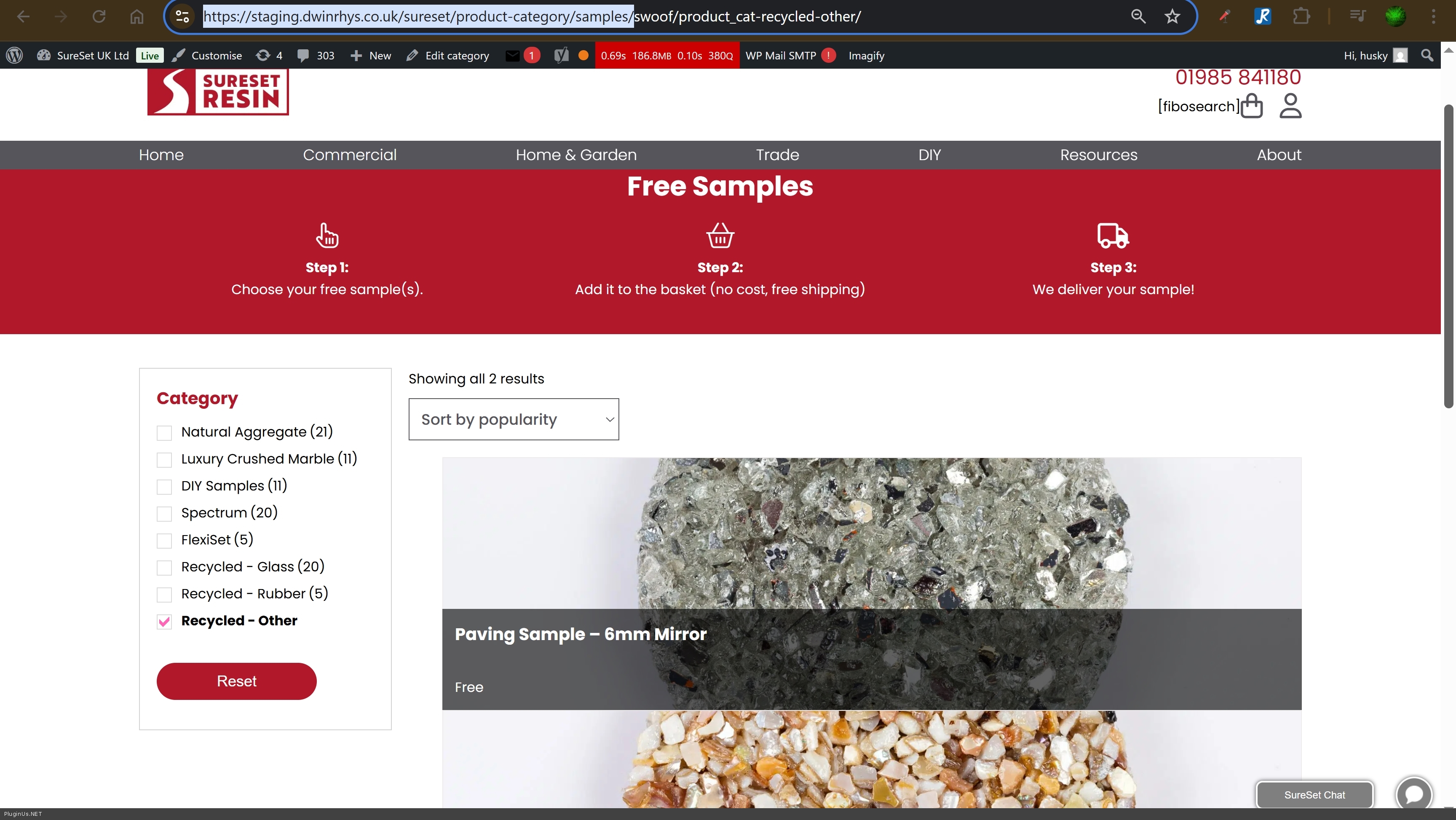
Please test it
p.s. as it stage site I also played with plugins disabling and themes changing
Quote from Alex Dovlatov on February 9, 2026, 19:47p.s. for any case into file functions.php added function: auto_mark_parent_categories - "Automatically mark all parent categories when product is saved"
p.s. for any case into file functions.php added function: auto_mark_parent_categories -"Automatically mark all parent categories when product is saved"
Quote from rhyswynne on February 10, 2026, 13:29Hi there,
Thank you for all your help so far, but I don't think it's working.
- Compare how the page here - https://staging.dwinrhys.co.uk/sureset/shop/ - looks here https://www.sureset.co.uk/shop/ - the main site is neat and has 3 items over the page. The staging doesn't.
- I'm getting a lot of empty categories. Go here - https://staging.dwinrhys.co.uk/sureset/shop/, select "Natural Aggregate (21)". I'm getting an empty category. There are 21 products in this category
Thanks
Hi there,
Thank you for all your help so far, but I don't think it's working.
- Compare how the page here - https://staging.dwinrhys.co.uk/sureset/shop/ - looks here https://www.sureset.co.uk/shop/ - the main site is neat and has 3 items over the page. The staging doesn't.
- I'm getting a lot of empty categories. Go here - https://staging.dwinrhys.co.uk/sureset/shop/, select"Natural Aggregate (21)". I'm getting an empty category. There are 21 products in this category
Thanks
Quote from Alex Dovlatov on February 10, 2026, 17:43Hello
I did tests, and found wp theme conflict, it works fine with storefront wp theme
I looked file dunctions.php of your current wp theme and find the root of issue and made fix there: https://share.pluginus.net/image/i20260210174227.png
function exclude_category_from_shop_page was modified, was added code:
if(is_woof_search_going()){
     return;
}
Now it works fine: https://staging.dwinrhys.co.uk/sureset/shop/swoof/product_cat-natural-aggregate/
Please test it ...
Hello
I did tests, and found wp theme conflict, it works fine with storefront wp theme
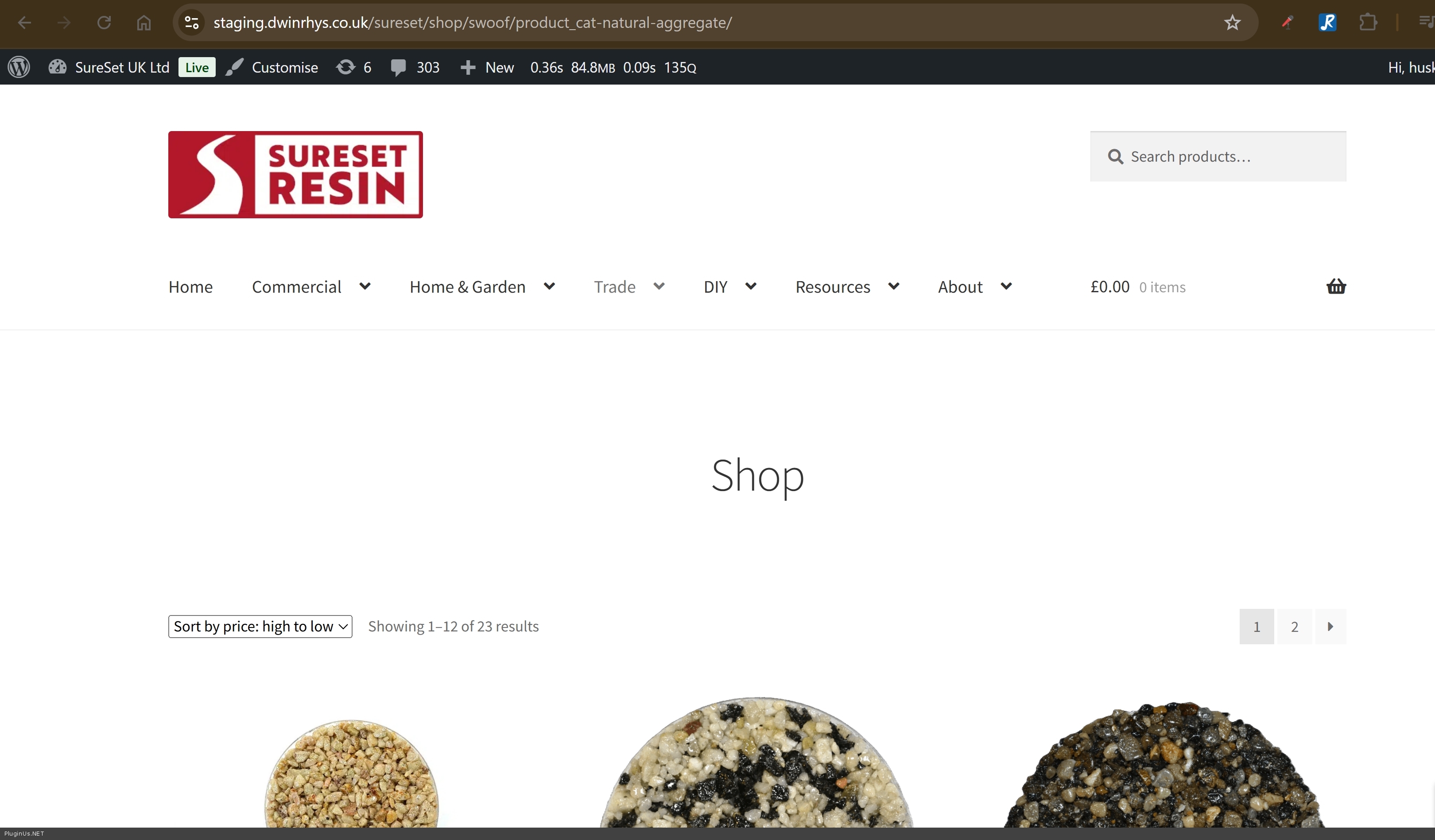
I looked file dunctions.php of your current wp theme and find the root of issue and made fix there: https://share.pluginus.net/image/i20260210174227.png

function exclude_category_from_shop_page was modified, was added code:
if(is_woof_search_going()){
     return;
}
Now it works fine: https://staging.dwinrhys.co.uk/sureset/shop/swoof/product_cat-natural-aggregate/
Please test it ...