seniormediamanager(@seniormediamanager)
2 Posts
Customers
Quote from seniormediamanager on May 26, 2020, 04:27
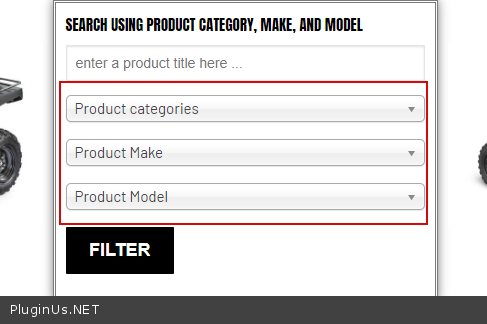
So my WOOF Filter is now fully functional and I really love what it does. The only problem for me is how to improve its presentation such as text, colors, etc. I wanted to create a hierarchy filter which is horizontal but I see no option to it.
This is my website and scroll down to see my filter.
https://amstarmanufacturing.com/
So my WOOF Filter is now fully functional and I really love what it does. The only problem for me is how to improve its presentation such as text, colors, etc. I wanted to create a hierarchy filter which is horizontal but I see no option to it.
This is my website and scroll down to see my filter.
https://amstarmanufacturing.com/

Pablo Borysenco(@pavlo_borysenco)
34,196 Posts
Quote from Pablo Borysenco on May 26, 2020, 14:08
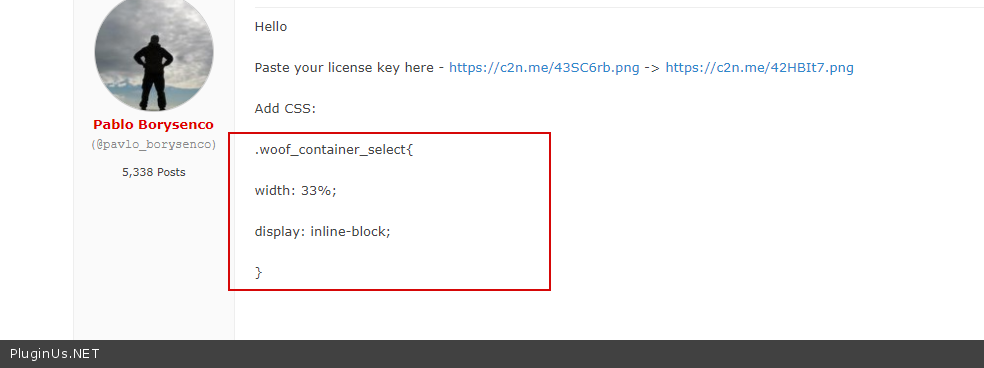
Hello
Paste your license key here - https://c2n.me/43SC6rb.png -> https://c2n.me/42HBIt7.png
Add CSS:
.woof_container_select{
width: 33%;
display: inline-block;
}
Hello
Paste your license key here - https://c2n.me/43SC6rb.png -> https://c2n.me/42HBIt7.png
Add CSS:
.woof_container_select{
width: 33%;
display: inline-block;
}
seniormediamanager(@seniormediamanager)
2 PostsTopic Author
Customers
Quote from seniormediamanager on May 26, 2020, 14:53
I am using Elementor so I can easily change the width, etc.
However I cannot change the typology, color, layout, etc.
This is the filter at my site: https://amstarmanufacturing.com/
I want to change the color, text, layout from vertical stack to horizontal, etc.
I am using Elementor so I can easily change the width, etc.
However I cannot change the typology, color, layout, etc.
This is the filter at my site: https://amstarmanufacturing.com/
I want to change the color, text, layout from vertical stack to horizontal, etc.
Pablo Borysenco(@pavlo_borysenco)
34,196 Posts
Quote from Pablo Borysenco on May 27, 2020, 11:10
Hello
Ok! Why didn’t you add this CSS https://c2n.me/47IwRZ5.png ? this code put these dropdowns in line - https://c2n.me/47IwTXr.png
I cannot change the typology, color, - you need CSS customization
Hello
Ok! Why didn’t you add this CSS https://c2n.me/47IwRZ5.png ? this code put these dropdowns in line - https://c2n.me/47IwTXr.png
I cannot change the typology, color, - you need CSS customization