

Filter has stopped working
The support doesn work on Saturdays and Sundays, so some Friday requests can be answered on Monday. If you have problems with registration ask help on contact us page pleaseIf you not got email within 24~36 business hours, firstly check your spam box, and if no any email from the support there - back to the forum and read answer here. DO NOT ANSWER ON EMAILS [noreply@pluginus.net] FROM THE FORUM!! Emails are just for your info, all answers should be published only here.
The support doesn work on Saturdays and Sundays, so some Friday requests can be answered on Monday.

Quote from jamespp2 on February 11, 2026, 19:48Hello. My filter buttons have recently stopped working on desktop chrome browser. Weirdly it is still working in Safari on my iOS devices. You can see this behavior on this page: https://hdgear.tv/equipment-catalog/?result=1&product_cat=zoom
I can click and unclick the filtering buttons, but nothing happens.
Thanks,
James
Hello. My filter buttons have recently stopped working on desktop chrome browser. Weirdly it is still working in Safari on my iOS devices. You can see this behavior on this page: https://hdgear.tv/equipment-catalog/?result=1&product_cat=zoom
I can click and unclick the filtering buttons, but nothing happens.
Thanks,
James
Quote from jamespp2 on February 11, 2026, 20:21One other item I forgot to mention. The first Category "Cameras" has also stopped appearing. https://hdgear.tv/equipment-catalog/
One other item I forgot to mention. The first Category"Cameras" has also stopped appearing. https://hdgear.tv/equipment-catalog/

Quote from Alex Dovlatov on February 12, 2026, 14:04Hello James
Just looked the site and javascript error appeared there
The issue is caused by LiteSpeed Cache JavaScript optimization. When LiteSpeed combines/minifies JS files, it's breaking WOOF's script dependencies.
Solution - Exclude WOOF scripts from JS optimization:
Go to LiteSpeed Cache → Page Optimization → JS Settings
In the JS Excludes field, add these script handles (one per line):
woof_front
woof_checkbox_html_items
woof_radio_html_items
woof_select_html_items
woof_mselect_html_items
Alternatively, you can exclude by URL pattern. Add to JS Excludes: wp-content/plugins/woocommerce-products-filter/js/
After adding exclusions:
- Save settings
- Go to LiteSpeed Cache → Toolbox
- Click Purge All to clear cache
- Test your filters
Why this happens: WOOF loads multiple JavaScript files with specific dependencies. The function
woof_init_checkboxes()is defined incheckbox.jsbut the combined file either excludes it or loads it in wrong order.Alternative if exclusions don't work: Disable JS combination completely:
- Go to LiteSpeed Cache → Page Optimization → JS Settings
- Set JS Combine to OFF
- Purge cache and test
Let me know if this resolves the issue!
Hello James
Just looked the site and javascript error appeared there
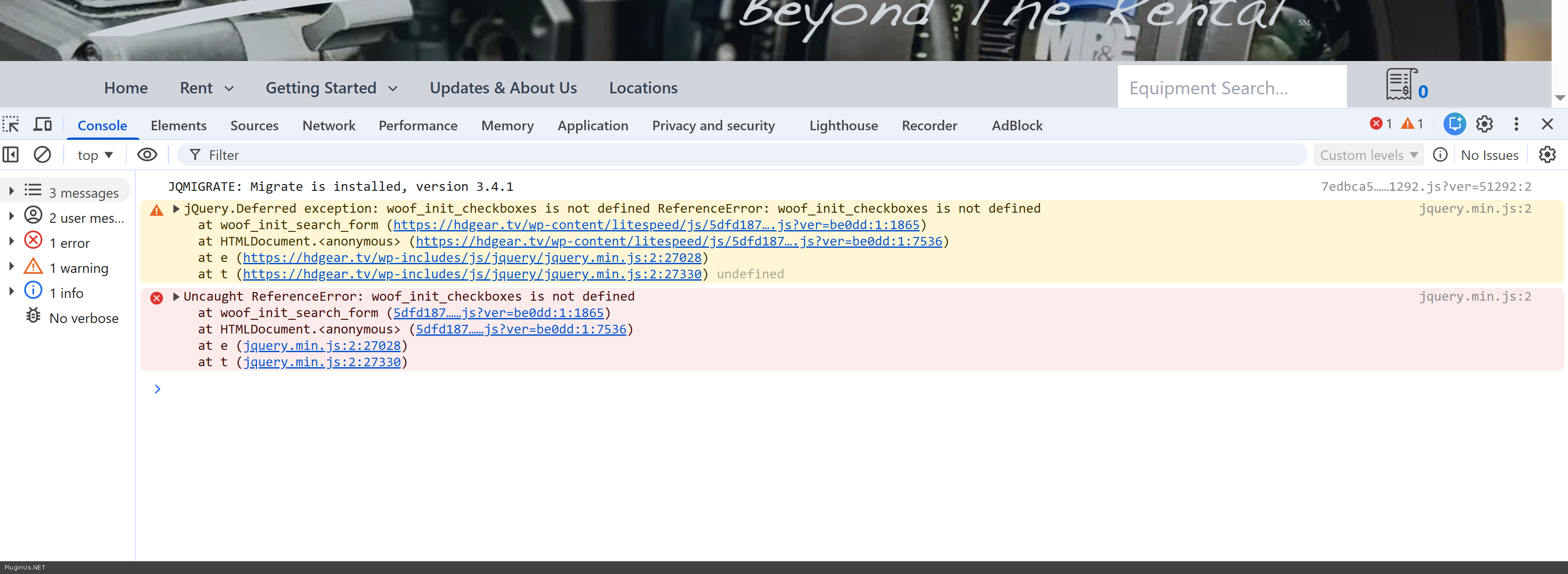
The issue is caused by LiteSpeed Cache JavaScript optimization. When LiteSpeed combines/minifies JS files, it's breaking WOOF's script dependencies.
Solution - Exclude WOOF scripts from JS optimization:
Go to LiteSpeed Cache → Page Optimization → JS Settings
In the JS Excludes field, add these script handles (one per line):
woof_front
woof_checkbox_html_items
woof_radio_html_items
woof_select_html_items
woof_mselect_html_items
Alternatively, you can exclude by URL pattern. Add to JS Excludes: wp-content/plugins/woocommerce-products-filter/js/
After adding exclusions:
- Save settings
- Go to LiteSpeed Cache → Toolbox
- Click Purge All to clear cache
- Test your filters
Why this happens: WOOF loads multiple JavaScript files with specific dependencies. The function woof_init_checkboxes() is defined in checkbox.js but the combined file either excludes it or loads it in wrong order.
Alternative if exclusions don't work: Disable JS combination completely:
- Go to LiteSpeed Cache → Page Optimization → JS Settings
- Set JS Combine to OFF
- Purge cache and test
Let me know if this resolves the issue!
Quote from Alex Dovlatov on February 12, 2026, 14:05Place please actual purchase code of the plugin into the private area of this ticket:
https://share.pluginus.net/image/i20230222134241.png
https://share.pluginus.net/image/i20230222134615.png
https://share.pluginus.net/image/i20230222134511.png
Place please actual purchase code of the plugin into the private area of this ticket:
https://share.pluginus.net/image/i20230222134241.png
https://share.pluginus.net/image/i20230222134615.png
https://share.pluginus.net/image/i20230222134511.png


Quote from Alex Dovlatov on February 12, 2026, 15:52Hello James
Looks like it was the issue in the plugin code - now its fixed, please update to the latest version and give us know how is it.
Note: do not forget to reset all types of caches after the plugin update
Hello James
Looks like it was the issue in the plugin code - now its fixed, please update to the latest version and give us know how is it.
Note: do not forget to reset all types of caches after the plugin update
Quote from jamespp2 on February 12, 2026, 18:48Hi Alex,
After the update the buttons are working again. However, I still have the issue of my first category not appearing. "Cameras" should be above "Lenses" on this page. https://hdgear.tv/equipment-catalog/
Thank you,
James
Hi Alex,
After the update the buttons are working again. However, I still have the issue of my first category not appearing."Cameras" should be above"Lenses" on this page. https://hdgear.tv/equipment-catalog/
Thank you,
James
Quote from Alex Dovlatov on February 13, 2026, 12:38Hello James
I could login into the site admin part, but I can not navigate there, each time I get
But I have time to see what category you mean "Cameras"
I have an idea that daata base need normalization: https://products-filter.com/how-to-fix-category-hierarchy-filtering-in-woocommerce-shop
Share ftp access to the site and will be good if you will add some more RAM to the site
Hello James
I could login into the site admin part, but I can not navigate there, each time I get
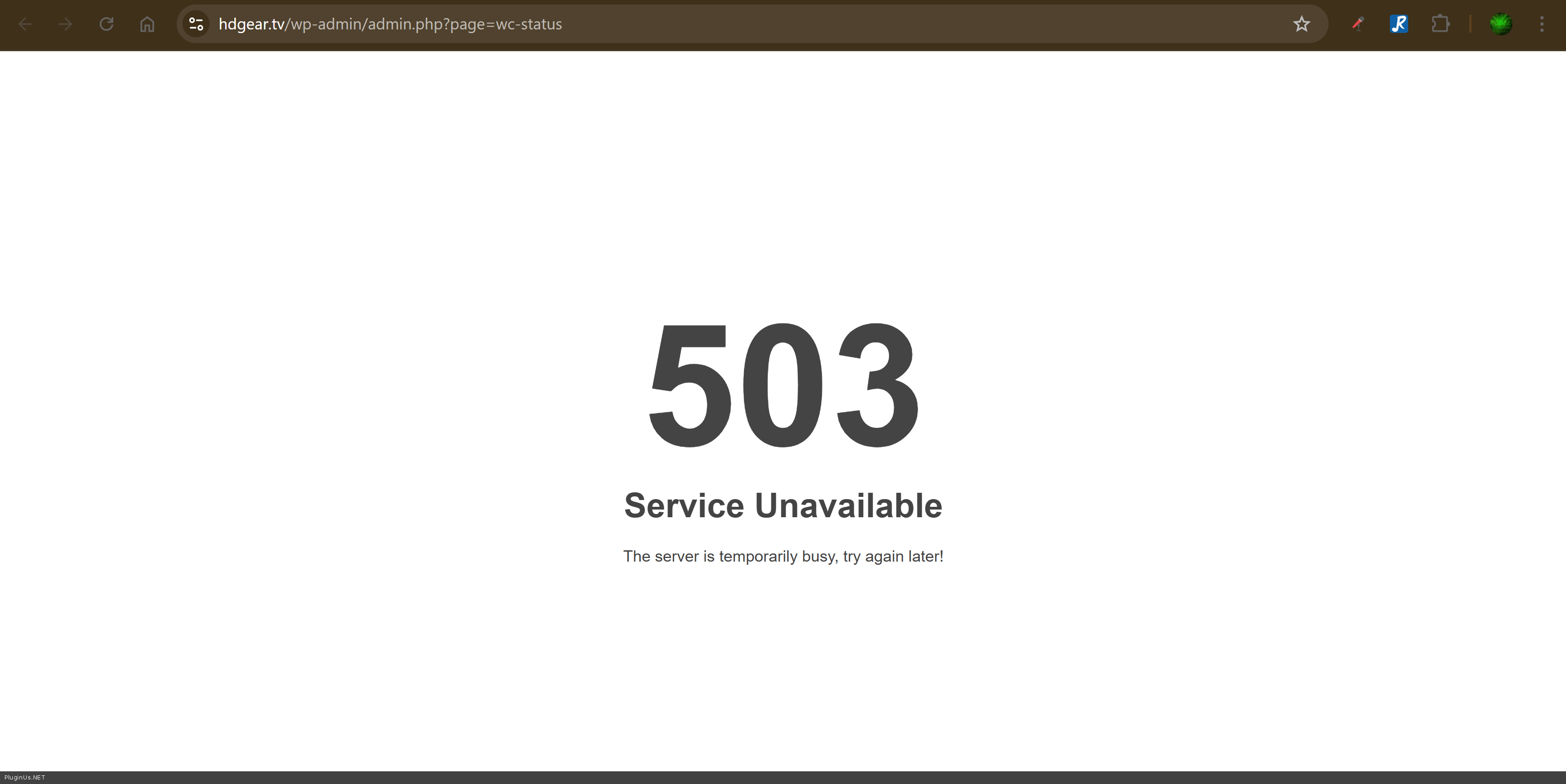
But I have time to see what category you mean"Cameras"
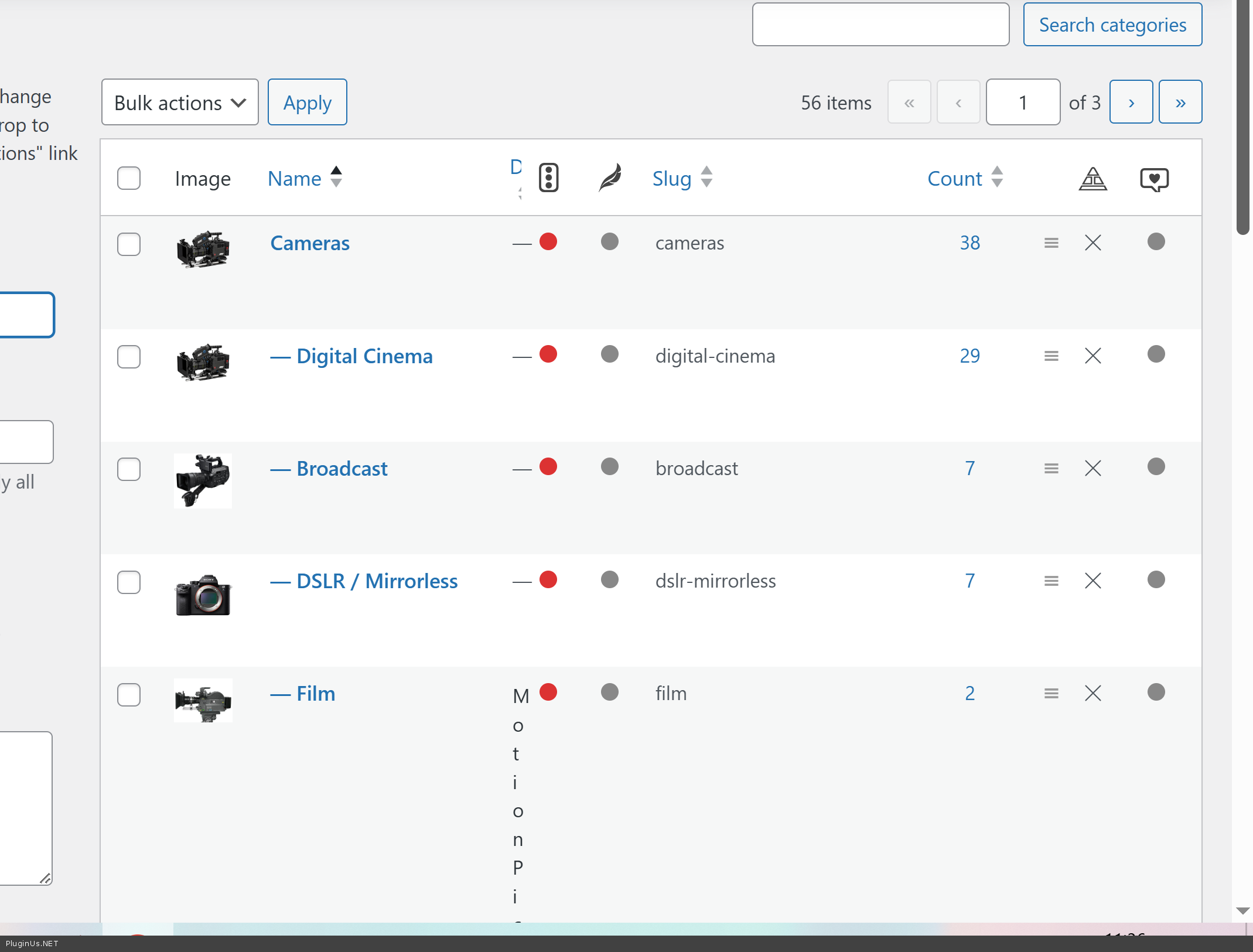
I have an idea that daata base need normalization: https://products-filter.com/how-to-fix-category-hierarchy-filtering-in-woocommerce-shop
Share ftp access to the site and will be good if you will add some more RAM to the site
Quote from jamespp2 on February 13, 2026, 18:51That is not the issue. Every camera has the category "Camera" and an appropriate sub-category "Digital Cinema, Broadcast, etc" assigned to it. You can also tell by the behavior on this page. https://hdgear.tv/equipment-catalog/?result=1&product_cat=cameras
That is not the issue. Every camera has the category"Camera" and an appropriate sub-category"Digital Cinema, Broadcast, etc" assigned to it. You can also tell by the behavior on this page. https://hdgear.tv/equipment-catalog/?result=1&product_cat=cameras
Quote from jamespp2 on February 13, 2026, 19:02Where are you logging in from? You may be in a place that my firewall is blocking.
Where are you logging in from? You may be in a place that my firewall is blocking.
Quote from Alex Dovlatov on February 16, 2026, 12:19Hello James
Country is: Spain
Ignore my previous answer. But I just tried to investigate site pages and its loading very slow, please make it fast, I mean admin panel, its takes a lot of time to make simple things
Hello James
Country is: Spain
Ignore my previous answer. But I just tried to investigate site pages and its loading very slow, please make it fast, I mean admin panel, its takes a lot of time to make simple things