Pablo Borysenco(@pavlo_borysenco)
34,196 Posts
Quote from Pablo Borysenco on June 12, 2020, 14:27
Hello
Please drop me FTP access I will check it
Hello
Please drop me FTP access I will check it
Pablo Borysenco(@pavlo_borysenco)
34,196 Posts
Quote from Pablo Borysenco on June 16, 2020, 12:44
Hello
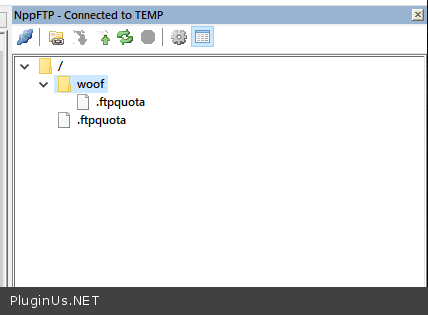
Please check your FTP access( folder/path )
Hello
Please check your FTP access( folder/path )
Pablo Borysenco(@pavlo_borysenco)
34,196 Posts
Quote from Pablo Borysenco on June 17, 2020, 11:21
Hello
I think is working properly now - https://c2n.me/481TFzL.png - Please check your FTP access
Should we expect a solution for this? - Yes of course! But without FTP access I can’t do anything
Hello
I think is working properly now - https://c2n.me/481TFzL.png - Please check your FTP access
Should we expect a solution for this? - Yes of course! But without FTP access I can’t do anything
Pablo Borysenco(@pavlo_borysenco)
34,196 Posts
Quote from Pablo Borysenco on June 17, 2020, 18:15
Hello
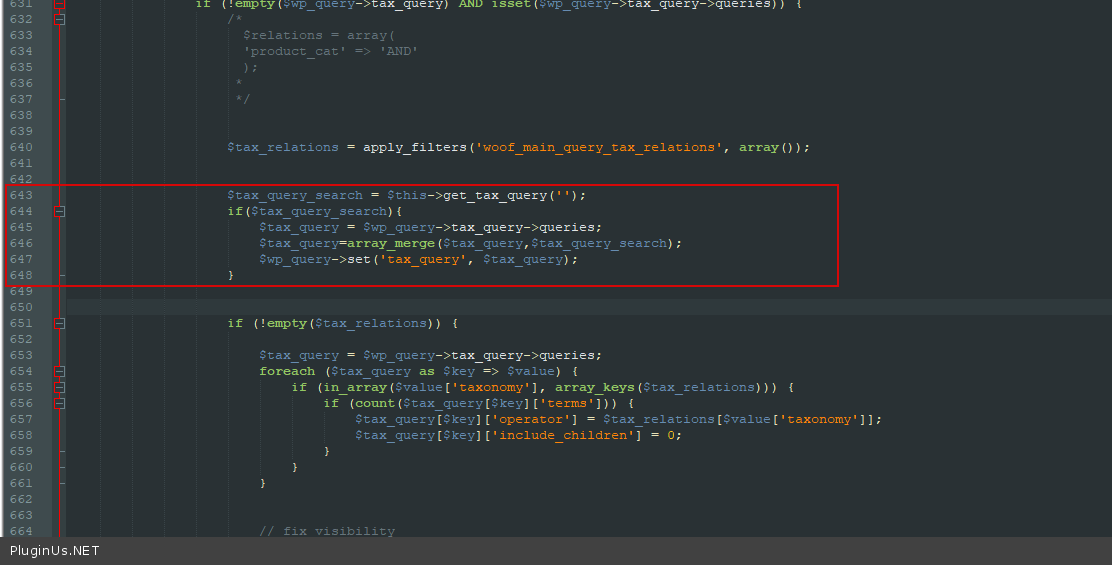
Try in file -\wp-content\plugins\woocommerce-products-filter\index.php - add code - https://c2n.me/482rKPv.png
$tax_query_search = $this->get_tax_query('');
if($tax_query_search){
$tax_query = $wp_query->tax_query->queries;
$tax_query=array_merge($tax_query,$tax_query_search);
$wp_query->set('tax_query', $tax_query);
}
And please do test
Hello
Try in file -\wp-content\plugins\woocommerce-products-filter\index.php - add code - https://c2n.me/482rKPv.png
$tax_query_search = $this->get_tax_query('');
if($tax_query_search){
$tax_query = $wp_query->tax_query->queries;
$tax_query=array_merge($tax_query,$tax_query_search);
$wp_query->set('tax_query', $tax_query);
}
And please do test
Pablo Borysenco(@pavlo_borysenco)
34,196 Posts
Quote from Pablo Borysenco on June 17, 2020, 18:19
Hello
I did it.
Please do test.
Hello
I did it.
Please do test.
Pablo Borysenco(@pavlo_borysenco)
34,196 Posts
Quote from Pablo Borysenco on June 18, 2020, 11:39
Hello
My test - https://c2n.me/4830irw
Hello
My test - https://c2n.me/4830irw
Pablo Borysenco(@pavlo_borysenco)
34,196 Posts
Quote from Pablo Borysenco on June 19, 2020, 11:48
Hello
Please pay attention in what order you have terms - https://c2n.me/4841F0X.mp4
First arrange them in the correct order then do the test
It can be resolved by drag and drop on the terms page:
Example
* go here wp-admin/edit-tags.php?taxonomy=pa_shoe-size&post_type=product
* by mouse set right order of terms
Reason: for WordPress all taxonomies tiles and slugs is just STRINGS so WOOF works with them as string, and appending idea to them that they are numbers is just human logic, but not for script
Hello
Please pay attention in what order you have terms - https://c2n.me/4841F0X.mp4
First arrange them in the correct order then do the test
It can be resolved by drag and drop on the terms page:
Example
* go here wp-admin/edit-tags.php?taxonomy=pa_shoe-size&post_type=product
* by mouse set right order of terms
Reason: for WordPress all taxonomies tiles and slugs is just STRINGS so WOOF works with them as string, and appending idea to them that they are numbers is just human logic, but not for script