Filter doesn`t use logic OR with Elementor
The support doesn work on Saturdays and Sundays, so some Friday requests can be answered on Monday. If you have problems with registration ask help on contact us page pleaseIf you not got email within 24~36 business hours, firstly check your spam box, and if no any email from the support there - back to the forum and read answer here. DO NOT ANSWER ON EMAILS [noreply@pluginus.net] FROM THE FORUM!! Emails are just for your info, all answers should be published only here.
The support doesn work on Saturdays and Sundays, so some Friday requests can be answered on Monday.

Quote from Олександр on June 1, 2023, 09:23Hi! First of all I set code for "Compatibility with Elementor". I was trying change "Logic of filtering" in additional options of attribute, but it doesn`t use logic OR (I can`t choice a few attribute values). Filter v.1.3.3. https://cyberyou.com.ua/
Hi! First of all I set code for"Compatibility with Elementor". I was trying change"Logic of filtering" in additional options of attribute, but it doesn`t use logic OR (I can`t choice a few attribute values). Filter v.1.3.3. https://cyberyou.com.ua/

Quote from Pablo Borysenco on June 1, 2023, 12:44Hello
Your link - https://c2n.me/4iEN1Vw.png
Try b to use this code:
// Make the Husky product filter work with page builder layoutsadd_action('pre_get_posts', function ($query) {if (is_object($query) AND isset($query->query['post_type'])) {if ($query->query['post_type'] === 'product' /* AND is_page(1867) */) {if ( isset($query->query['wc_query']) && 'product_query' == $query->query['wc_query']) {return $query;}global $WOOF;if (is_object($WOOF) AND !empty(woof()->get_request_data())) {woof()->woof_products_ids_prediction(true);$query->query_vars['post__in'] = $_REQUEST['woof_wp_query_ids'];}}}return $query;});
Hello
Your link - https://c2n.me/4iEN1Vw.png

Try b to use this code:
Quote from Олександр on June 1, 2023, 13:17Unfortunately, it didn't help. It is strange that the link gives a 502 error. I tried to access the site from different PCs, the site is displayed correctly.
Unfortunately, it didn't help. It is strange that the link gives a 502 error. I tried to access the site from different PCs, the site is displayed correctly.
Quote from Олександр on June 1, 2023, 13:19Additionally, I tried to turn "Try to ajaxify the shop" off. It didn't help too.
Additionally, I tried to turn"Try to ajaxify the shop" off. It didn't help too.
Quote from Pablo Borysenco on June 2, 2023, 09:22Hello
Where did you put this code?
I set code for"Compatibility with Elementor". - Are you sure you changed this code
Hello
Where did you put this code?
I set code for"Compatibility with Elementor". - Are you sure you changed this code
Quote from Pablo Borysenco on June 2, 2023, 09:44please drop me wp-admin access - https://share.pluginus.net/image/i20230222134241.png ->https://share.pluginus.net/image/i20230222134615.png
please drop me wp-admin access - https://share.pluginus.net/image/i20230222134241.png ->https://share.pluginus.net/image/i20230222134615.png


Quote from Олександр on June 2, 2023, 09:45Oh, I got it. I was just add to "Compatibility with Elementor" to work together. Now I replace it, and it works.
Thank you!
Oh, I got it. I was just add to"Compatibility with Elementor" to work together. Now I replace it, and it works.
Thank you!
Quote from Pablo Borysenco on June 2, 2023, 10:52Great! Welcome;)
Great! Welcome;)
Quote from Олександр on July 6, 2023, 17:03Hi! Site ( https://cyberyou.com.ua/ ) got some bugs with code (look it in previous posts "// Make the Husky product filter work with page builder layouts").
When I clear all filter check boxes, on page I can see only 10 products. It comes in normal condition after reload page
And, when I open admin page (all products) I can see only 10 items. To see all I need gust click on "Filter" or "Search" button without any set options/
Hi! Site ( https://cyberyou.com.ua/ ) got some bugs with code (look it in previous posts"// Make the Husky product filter work with page builder layouts").
When I clear all filter check boxes, on page I can see only 10 products. It comes in normal condition after reload page
And, when I open admin page (all products) I can see only 10 items. To see all I need gust click on"Filter" or"Search" button without any set options/
Quote from Pablo Borysenco on July 7, 2023, 12:35Hello
Try in Advanced->Options- set the correct per page - https://share.pluginus.net/image/i20230707133509.png
Hello
Try in Advanced->Options- set the correct per page - https://share.pluginus.net/image/i20230707133509.png

Quote from Олександр on July 7, 2023, 13:36I set 12, the same like on page settings. It looks better, but it is not show all products, and "next page" button doesn`t appeared. After, I set 15, I can see 12 items and "next page" button, but it doesn`t work.
I set 12, the same like on page settings. It looks better, but it is not show all products, and"next page" button doesn`t appeared. After, I set 15, I can see 12 items and"next page" button, but it doesn`t work.
Quote from Pablo Borysenco on July 10, 2023, 11:26Hello
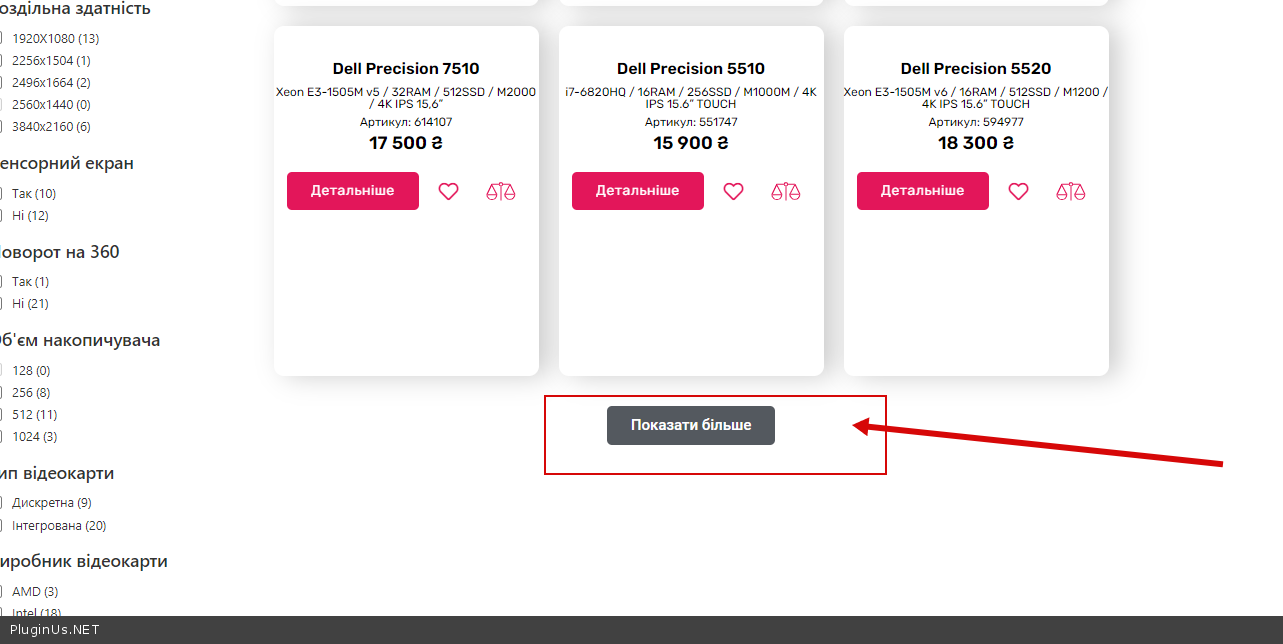
Please disable this third-party pagination - https://c2n.me/4iUMa4L.png
Hello
Please disable this third-party pagination - https://c2n.me/4iUMa4L.png