

Filter by category
The support doesn work on Saturdays and Sundays, so some Friday requests can be answered on Monday. If you have problems with registration ask help on contact us page pleaseIf you not got email within 24~36 business hours, firstly check your spam box, and if no any email from the support there - back to the forum and read answer here. DO NOT ANSWER ON EMAILS [noreply@pluginus.net] FROM THE FORUM!! Emails are just for your info, all answers should be published only here.
The support doesn work on Saturdays and Sundays, so some Friday requests can be answered on Monday.

Quote from samotekavec on February 19, 2021, 10:57I have filter (3 search fields) for products with attributes: width, height, brand. I have one subpage where I want that users search among width and height just for 1 brand (filter with 2 fields). How can I do that ?
2. question: on subpage I want that user searches among one specific category, please for further instruction. Thank you.
I have filter (3 search fields) for products with attributes: width, height, brand. I have one subpage where I want that users search among width and height just for 1 brand (filter with 2 fields). How can I do that ?
2. question: on subpage I want that user searches among one specific category, please for further instruction. Thank you.

Quote from Pablo Borysenco on February 19, 2021, 12:44Hello
Use shortcodes
1) In custom pages use shortcode - [woof_products] with attribute : taxonomies=product_cat:X Where X id your product category. OR taxonomies=pa_brand:X
2) In widgets use shortcode [woof] with attribute : * taxonomies=product_cat:X OR taxonomies=pa_brand:X
+
tax_only - write taxonomies or products slug using comma3) For show or hide widgets on different pages - http://www.woocommerce-filter.com/how-to-show-or-hide-widget-only-on-selected-site-pages/
You can read more about shortcodes - http://www.woocommerce-filter.com/documentation/#!/section_3_1
Hello
Use shortcodes
1) In custom pages use shortcode - [woof_products] with attribute : taxonomies=product_cat:X Where X id your product category. OR taxonomies=pa_brand:X
2) In widgets use shortcode [woof] with attribute : * taxonomies=product_cat:X OR taxonomies=pa_brand:X
+
tax_only - write taxonomies or products slug using comma
3) For show or hide widgets on different pages - http://www.woocommerce-filter.com/how-to-show-or-hide-widget-only-on-selected-site-pages/
You can read more about shortcodes - http://www.woocommerce-filter.com/documentation/#!/section_3_1
Quote from samotekavec on February 25, 2021, 19:21Hi,
I setted like this [woof taxonomies=product_cat:130 tax_only=pa_tip-pnevmatike, pa_sirina, pa_visina, pa_premer ] .... doesnt show me filter that can search with 4 terms (pa_tip-pnevmatike, pa_sirina, pa_visina, pa_premer) under category nu. 130.
If i add [woof tax_only=pa_tip-pnevmatike, pa_sirina, pa_visina, pa_premer ] shows filter form ok.
So i would like that these 4 paramteres are showing matches under category nu. 130
Hi,
I setted like this [woof taxonomies=product_cat:130 tax_only=pa_tip-pnevmatike, pa_sirina, pa_visina, pa_premer ] .... doesnt show me filter that can search with 4 terms (pa_tip-pnevmatike, pa_sirina, pa_visina, pa_premer) under category nu. 130.
If i add [woof tax_only=pa_tip-pnevmatike, pa_sirina, pa_visina, pa_premer ] shows filter form ok.
So i would like that these 4 paramteres are showing matches under category nu. 130
Quote from Pablo Borysenco on February 26, 2021, 13:09Hello
Please delete spaces - https://c2n.me/4b6zPAc.png
Drop me wp-admin access - https://c2n.me/43SC6rb.png ->https://c2n.me/42BAoj4.png and exact link to the issue
Hello
Please delete spaces - https://c2n.me/4b6zPAc.png

Drop me wp-admin access - https://c2n.me/43SC6rb.png ->https://c2n.me/42BAoj4.png and exact link to the issue


Quote from samotekavec on February 26, 2021, 13:33data added to private area
data added to private area
Quote from Pablo Borysenco on March 1, 2021, 13:02Hello
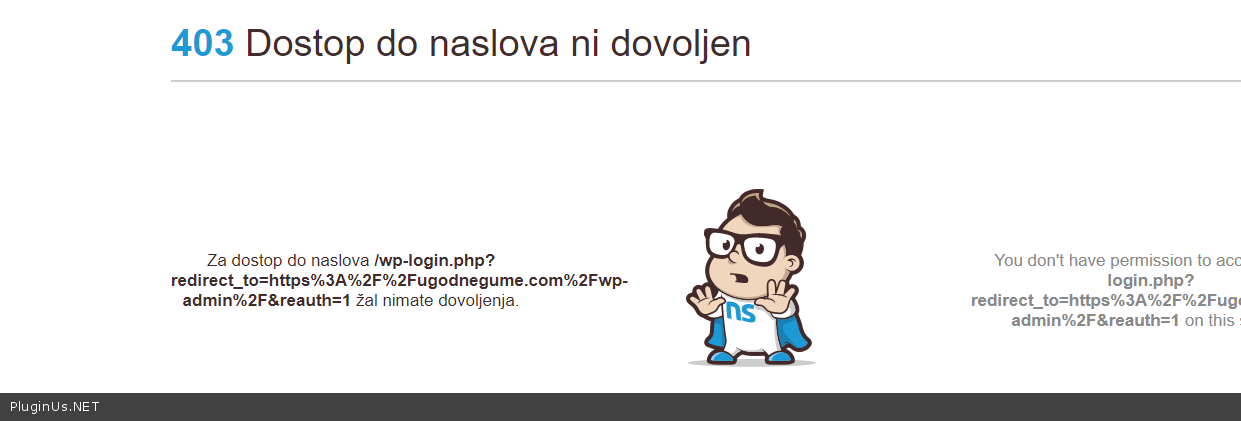
Your link - https://c2n.me/4b8k8KW.png
Hello
Your link - https://c2n.me/4b8k8KW.png
Quote from samotekavec on March 3, 2021, 00:28hi, sorry. please check one more time.
hi, sorry. please check one more time.
Quote from Pablo Borysenco on March 3, 2021, 12:41Hello
The same result
Hello
The same result
Quote from samotekavec on March 5, 2021, 09:49Please clear your cache. If that does not help, please send me your IP.
Please clear your cache. If that does not help, please send me your IP.
Quote from Pablo Borysenco on March 5, 2021, 13:40Hello
Now is oK!
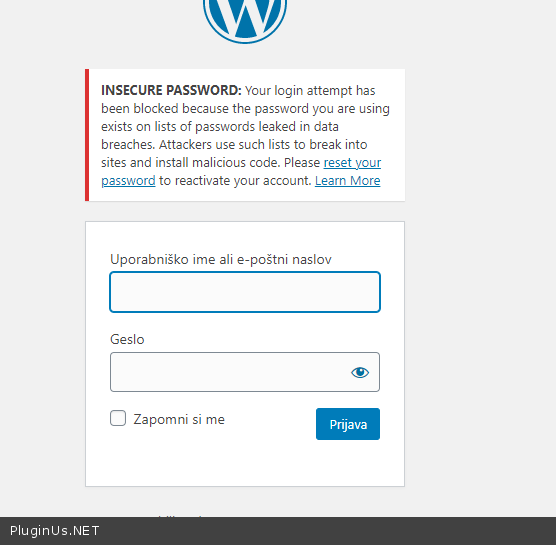
But please check access(login/pswd) - https://c2n.me/4bceIs7.png
Hello
Now is oK!
But please check access(login/pswd) - https://c2n.me/4bceIs7.png
Quote from samotekavec on March 5, 2021, 16:58i updated login data
i updated login data
Quote from Pablo Borysenco on March 8, 2021, 16:52Hello
Please update plugin to latest version - https://products-filter.com/how-to-make-auto-update-for-wordpress-plugins-and-themes-bought-on-envato/
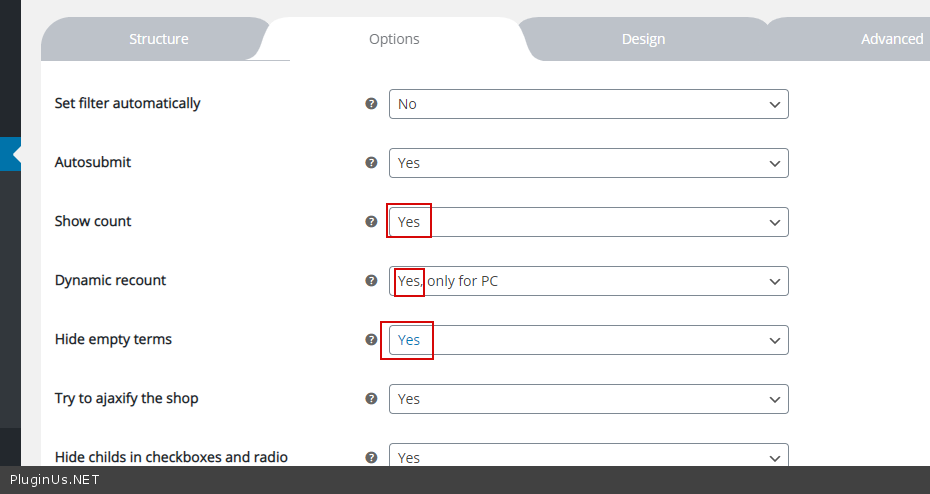
Check options - https://c2n.me/4bdJobo.png disable Turbo Mode and do a test
Hello
Please update plugin to latest version - https://products-filter.com/how-to-make-auto-update-for-wordpress-plugins-and-themes-bought-on-envato/
Check options - https://c2n.me/4bdJobo.png disable Turbo Mode and do a test
Quote from samotekavec on March 8, 2021, 17:29I have more than 100k products, disabling turbo mode is big problem for me, any alternatives?
I have more than 100k products, disabling turbo mode is big problem for me, any alternatives?
Quote from samotekavec on March 9, 2021, 10:16I follwed your instructions but problem still occures. What would be next possible option?
I follwed your instructions but problem still occures. What would be next possible option?
Quote from Pablo Borysenco on March 9, 2021, 14:13Hello
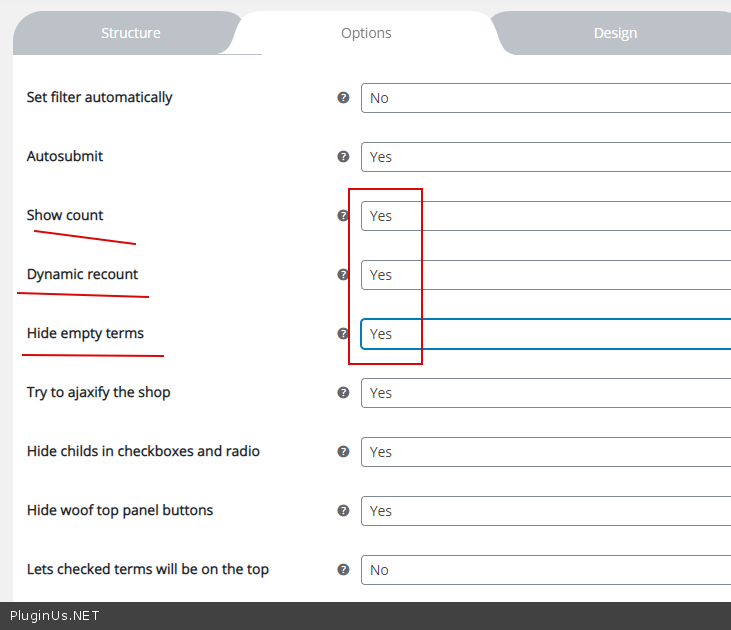
Check these options - https://c2n.me/4bemptr.png - and do a test
Hello
Check these options - https://c2n.me/4bemptr.png - and do a test
Quote from samotekavec on March 9, 2021, 14:49I added this options but same problem, can you login in administration and you solve that ?
I added this options but same problem, can you login in administration and you solve that ?
Quote from Pablo Borysenco on March 10, 2021, 12:37Hello
Ok! I did a test - https://c2n.me/4bfcwwi -everything works well
test page - https://Your_Site.com/test-woof/
Hello
Ok! I did a test - https://c2n.me/4bfcwwi -everything works well
test page - https://Your_Site.com/test-woof/