

Dynamic recount doesn't working
The support doesn work on Saturdays and Sundays, so some Friday requests can be answered on Monday. If you have problems with registration ask help on contact us page pleaseIf you not got email within 24~36 business hours, firstly check your spam box, and if no any email from the support there - back to the forum and read answer here. DO NOT ANSWER ON EMAILS [noreply@pluginus.net] FROM THE FORUM!! Emails are just for your info, all answers should be published only here.
The support doesn work on Saturdays and Sundays, so some Friday requests can be answered on Monday.

Quote from alixalen on March 2, 2021, 21:58Hi!
Although I set the Dynamic recount to Yes, for all devices, when I change from category (562 products) to subcategory (8 products), the products remains the same.
Also, in filter area, the number of products near the name of subcategory is not correct.
Best regards,
Alin
Hi!
Although I set the Dynamic recount to Yes, for all devices, when I change from category (562 products) to subcategory (8 products), the products remains the same.
Also, in filter area, the number of products near the name of subcategory is not correct.
Best regards,
Alin

Quote from Pablo Borysenco on March 3, 2021, 12:27Hello Alin
try to re-create file in turbo mode.
If no luck - please disable turbo mode
Hello Alin
try to re-create file in turbo mode.
If no luck - please disable turbo mode
Quote from alixalen on March 7, 2021, 14:31Hi!
I disabled Turbo Mode, but no luck.
Let's have an example:
I have a product category (id:672) with 642 products inside.
I am in the category page, front end.
If I use the [woof_products per_page=48 taxonomies=product_cat:672 is_ajax=1] shortcode, the products from category and the number of products in the shop loop are correct.
But if I use only [woof_products per_page=48 is_ajax=1] shortcode, than it doesn't filter the products from current category in the loop. Also, the number of products in the shop loop is 1365 (all products from database).
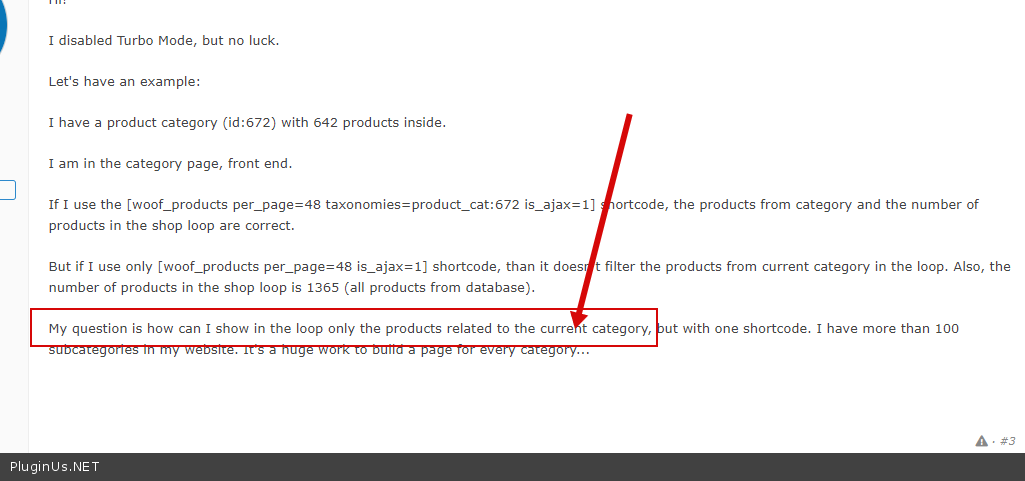
My question is how can I show in the loop only the products related to the current category, but with one shortcode. I have more than 100 subcategories in my website. It's a huge work to build a page for every category...
Hi!
I disabled Turbo Mode, but no luck.
Let's have an example:
I have a product category (id:672) with 642 products inside.
I am in the category page, front end.
If I use the [woof_products per_page=48 taxonomies=product_cat:672 is_ajax=1] shortcode, the products from category and the number of products in the shop loop are correct.
But if I use only [woof_products per_page=48 is_ajax=1] shortcode, than it doesn't filter the products from current category in the loop. Also, the number of products in the shop loop is 1365 (all products from database).
My question is how can I show in the loop only the products related to the current category, but with one shortcode. I have more than 100 subcategories in my website. It's a huge work to build a page for every category...
Quote from Pablo Borysenco on March 8, 2021, 12:41Hello
Of course this won't work because the shortcode doesn't know which category you want to show.
you need customization of the code
An Example:
$cat_id = 23; //use code to set correct ID
echo do_shortcode('[woof_products per_page=48 taxonomies=product_cat:'. $cat_id .' is_ajax=1]');
Hello
Of course this won't work because the shortcode doesn't know which category you want to show.
you need customization of the code
An Example:
$cat_id = 23; //use code to set correct ID
echo do_shortcode('[woof_products per_page=48 taxonomies=product_cat:'. $cat_id .' is_ajax=1]');
Quote from alixalen on March 10, 2021, 10:27Hello!
Can you provide documentation on how to use the code provided (where to include it - functions.php or somewhere else)?
Hello!
Can you provide documentation on how to use the code provided (where to include it - functions.php or somewhere else)?
Quote from Pablo Borysenco on March 10, 2021, 13:53Hello
In code of your template where you want to display products - https://c2n.me/4bfi5cj.png - it looks like your custom page because the standard category page displays products without shortcodes
Hello
In code of your template where you want to display products - https://c2n.me/4bfi5cj.png - it looks like your custom page because the standard category page displays products without shortcodes
Quote from alixalen on March 10, 2021, 14:30Hello!
That is not possible. I use Divi theme with Divi Builder and the archive template has some graphic customization. Is there a way to achieve this through functions.php? To pass the category ID to the shortcode through a function?
Hello!
That is not possible. I use Divi theme with Divi Builder and the archive template has some graphic customization. Is there a way to achieve this through functions.php? To pass the category ID to the shortcode through a function?
Quote from Pablo Borysenco on March 11, 2021, 12:09Hello
Perhaps, but this does not depend on me and my plugin.
You should contact a third-party template support to find out the hook with which you can display content
Hello
Perhaps, but this does not depend on me and my plugin.
You should contact a third-party template support to find out the hook with which you can display content
Quote from alixalen on March 12, 2021, 22:51Hello!
Can you tell me why is the header of page (the name of category is replaced by the name of shop) changing when using the filters?
Before using: https://demo10k.products-filter.com/product-category/clothing/tshirts/
After: https://demo10k.products-filter.com/product-category/clothing/tshirts/?swoof=1&product_visibility=featured&really_curr_tax=193-product_cat
Is it possible to keep the page name?
Thank you!
Hello!
Can you tell me why is the header of page (the name of category is replaced by the name of shop) changing when using the filters?
Before using: https://demo10k.products-filter.com/product-category/clothing/tshirts/
Is it possible to keep the page name?
Thank you!
Quote from Pablo Borysenco on March 15, 2021, 13:45Hello
Try in Advanced->Options- https://c2n.me/4bj39YO.png
Hello
Try in Advanced->Options- https://c2n.me/4bj39YO.png
