
Dynamic count is not working with WPML
The support doesn work on Saturdays and Sundays, so some Friday requests can be answered on Monday. If you have problems with registration ask help on contact us page pleaseIf you not got email within 24~36 business hours, firstly check your spam box, and if no any email from the support there - back to the forum and read answer here. DO NOT ANSWER ON EMAILS [noreply@pluginus.net] FROM THE FORUM!! Emails are just for your info, all answers should be published only here.
The support doesn work on Saturdays and Sundays, so some Friday requests can be answered on Monday.

Quote from CHiKa on August 3, 2020, 17:56Using the premium version of the Woof. When we change the language of the site via WPML dropdown, dynamic counts are showing incorrect. Sometimes all the counts are 0 for the secondary language. Please advise.
Using the premium version of the Woof. When we change the language of the site via WPML dropdown, dynamic counts are showing incorrect. Sometimes all the counts are 0 for the secondary language. Please advise.

Quote from Pablo Borysenco on August 4, 2020, 12:07Hello
Not all categories are translated. Custom taxonomies and attributes are not translated at all
Please fix it
Hello
Not all categories are translated. Custom taxonomies and attributes are not translated at all
Please fix it
Quote from CHiKa on August 10, 2020, 18:35All fixed. Still not working.
All fixed. Still not working.
Quote from Pablo Borysenco on August 11, 2020, 11:32Hello
I can't check it - https://prnt.sc/txnhtj
Hello
I can't check it - https://prnt.sc/txnhtj
Quote from CHiKa on August 11, 2020, 15:49Sorry it was my fault, Fixed the permalinks now. Please check. All Dynamic count is 0 or EN language shows some number, NL shows another. Both should be equal.
Also when you go to a category, you see 1,2,3,4,5,6,7,........... many pages. When you click on a paginate it says no products are available. Please check
Sorry it was my fault, Fixed the permalinks now. Please check. All Dynamic count is 0 or EN language shows some number, NL shows another. Both should be equal.
Also when you go to a category, you see 1,2,3,4,5,6,7,........... many pages. When you click on a paginate it says no products are available. Please check
Quote from Pablo Borysenco on August 12, 2020, 11:41Hello
https://c2n.me/48J5wry.png - you have not translated all the products. For the filter to show the same values, you should configure WPML correctly
pagination works well - https://c2n.me/48J5PeN
Hello
https://c2n.me/48J5wry.png - you have not translated all the products. For the filter to show the same values, you should configure WPML correctly
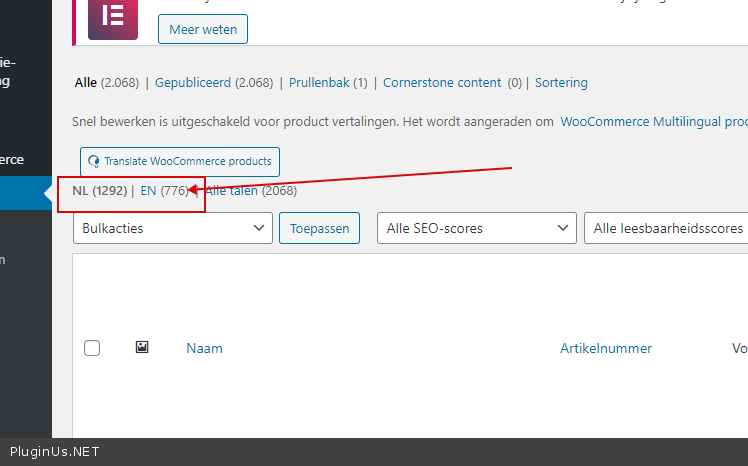
pagination works well - https://c2n.me/48J5PeN
Quote from CHiKa on August 12, 2020, 15:27Those are additional products, Even I don't get the correct count for what's translated. For EN language it shows (0) Zero.
For NL it shows some numbers.
Those are additional products, Even I don't get the correct count for what's translated. For EN language it shows (0) Zero.
For NL it shows some numbers.
Quote from Pablo Borysenco on August 13, 2020, 11:53Hello
or EN language it shows (0) Zero - I do not understand you. I checked your site, the counters are different - But that's because you have different number of products. You can see it on the video - https://c2n.me/48J5PeN
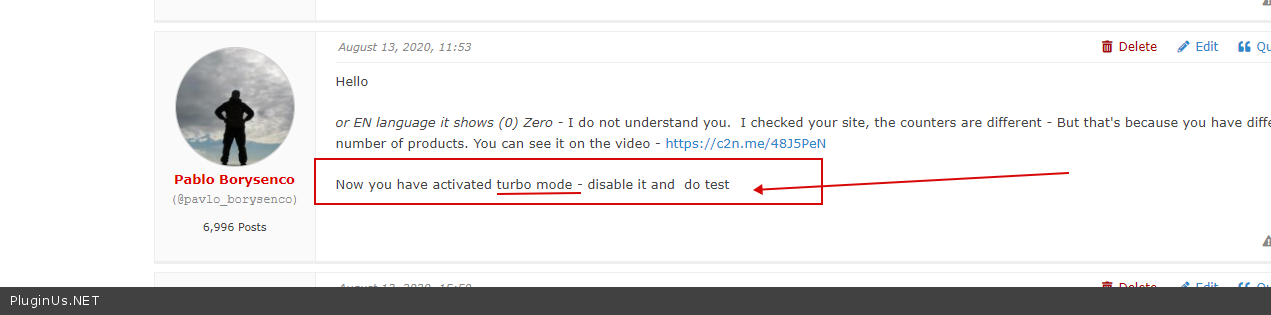
Now you have activated turbo mode - disable it and do test
Hello
or EN language it shows (0) Zero - I do not understand you. I checked your site, the counters are different - But that's because you have different number of products. You can see it on the video - https://c2n.me/48J5PeN
Now you have activated turbo mode - disable it and do test
Quote from CHiKa on August 13, 2020, 15:50Yes shop page is all good. Count is fine in this video as we don't offer some products for EN.
But check the category archives, they are little messed.
https://dev.businesslabels.nl/en/product-category/labels-and-tickets/thermal-direct-printer-media/NL language is good, all fine. But when we change the language to EN, all filters are showing the count as (0) Zero. I want to get it fixed.
Yes shop page is all good. Count is fine in this video as we don't offer some products for EN.
But check the category archives, they are little messed.
https://dev.businesslabels.nl/en/product-category/labels-and-tickets/thermal-direct-printer-media/
NL language is good, all fine. But when we change the language to EN, all filters are showing the count as (0) Zero. I want to get it fixed.
Quote from Pablo Borysenco on August 14, 2020, 11:45Hello
Please read my messages - https://c2n.me/48KvQJ5.png
Hello
Please read my messages - https://c2n.me/48KvQJ5.png
Quote from CHiKa on August 14, 2020, 17:33Well, we've tried disable Turbo/Enable Turbo both ways. Disabling it shows (0) Zero for both languages for
https://dev.businesslabels.nl/en/product-category/labels-and-tickets/thermal-direct-printer-media/
these pages at the initial load. When we click a number on pagination counts starts to show.Reproduce the matter;
Go to here - https://dev.businesslabels.nl/en/product-category/labels-and-tickets/thermal-direct-printer-media/
Check Filters, all Zero
Go to page 2, Filters are good
Change Language, All ZeroGo to page 2, Filters are good
Well, we've tried disable Turbo/Enable Turbo both ways. Disabling it shows (0) Zero for both languages for
https://dev.businesslabels.nl/en/product-category/labels-and-tickets/thermal-direct-printer-media/
these pages at the initial load. When we click a number on pagination counts starts to show.
Reproduce the matter;
Go to here - https://dev.businesslabels.nl/en/product-category/labels-and-tickets/thermal-direct-printer-media/
Check Filters, all Zero
Go to page 2, Filters are good
Change Language, All Zero
Go to page 2, Filters are good
Quote from Pablo Borysenco on August 17, 2020, 10:43Hello
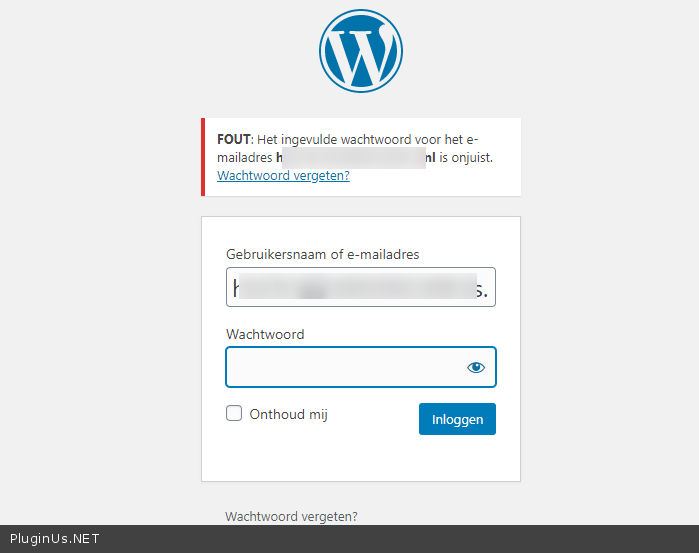
Please check access - https://c2n.me/48LNucO.png
Hello
Please check access - https://c2n.me/48LNucO.png
Quote from CHiKa on August 17, 2020, 18:01Login details updated, please check now
Login details updated, please check now
Quote from Pablo Borysenco on August 18, 2020, 12:03Hello
please drop me FTP access
Can I disable plugins/theme to test?
Hello
please drop me FTP access
Can I disable plugins/theme to test?
Quote from CHiKa on August 18, 2020, 12:31Added the credentials
Added the credentials
Quote from Pablo Borysenco on August 19, 2020, 16:35Hello
I tested it - https://c2n.me/48NEt0b - Looks like a problem with your current theme. More precisely, the problem with your custom code AND this plugin - https://c2n.me/48NFcpl.png - There are probably more conflicts with other plugins
Hello
I tested it - https://c2n.me/48NEt0b - Looks like a problem with your current theme. More precisely, the problem with your custom code AND this plugin - https://c2n.me/48NFcpl.png - There are probably more conflicts with other plugins
