

different filters depending on the category
The support doesn work on Saturdays and Sundays, so some Friday requests can be answered on Monday. If you have problems with registration ask help on contact us page pleaseIf you not got email within 24~36 business hours, firstly check your spam box, and if no any email from the support there - back to the forum and read answer here. DO NOT ANSWER ON EMAILS [noreply@pluginus.net] FROM THE FORUM!! Emails are just for your info, all answers should be published only here.
The support doesn work on Saturdays and Sundays, so some Friday requests can be answered on Monday.

Quote from DavidGrass on June 22, 2021, 18:11Hi! i have a lot of categories, i need to show the specific filters that are suited for that category, and not all the sliders.
for example if i have ovens and scales, wouldnt make sense to have the slider for "weight" when the client is browsing for ovens.
from what i understand:
- ideal would be to enable every filter in the structure menu, and then with the auto hide, to hide what is empty, but as far as i can see the sliders remain even if there are no items that have that attribute (the others are in fact being removed, only the sliders are an issue).
- if this is not possible, i assume the second option would be to keep the generic filters in the widget (hierarchy drop down, search by sku, and so on) and having the specific sliders on the category of the product, i tried setting up the widget this way, and doing [woof autohide=0 by_only='by_author,by_pa_2021-tamano-del-platillo-mm'] for example, but since i have to disable it so it doesnt show up in the widget, its not showing up on the shortcode either.
looking forward to your advice.
Hi! i have a lot of categories, i need to show the specific filters that are suited for that category, and not all the sliders.
for example if i have ovens and scales, wouldnt make sense to have the slider for"weight" when the client is browsing for ovens.
from what i understand:
- ideal would be to enable every filter in the structure menu, and then with the auto hide, to hide what is empty, but as far as i can see the sliders remain even if there are no items that have that attribute (the others are in fact being removed, only the sliders are an issue).
- if this is not possible, i assume the second option would be to keep the generic filters in the widget (hierarchy drop down, search by sku, and so on) and having the specific sliders on the category of the product, i tried setting up the widget this way, and doing [woof autohide=0 by_only='by_author,by_pa_2021-tamano-del-platillo-mm'] for example, but since i have to disable it so it doesnt show up in the widget, its not showing up on the shortcode either.
looking forward to your advice.

Quote from Pablo Borysenco on June 23, 2021, 10:03Hello
Please check this option - https://share.pluginus.net/image/i20210623110258.png
Hello
Please check this option - https://share.pluginus.net/image/i20210623110258.png

Quote from DavidGrass on June 23, 2021, 17:12good day, dynamic recount is activated, as i mentioned everything other than the slider is dissapearing.
its working fine for all other types (dropwdown, radio).
Also, can you confirm if what i said is possible? having the widget with some filters, and having the top part of the category with the specific sliders?
i have too many products, else it gets too slow.
best regards.
good day, dynamic recount is activated, as i mentioned everything other than the slider is dissapearing.
its working fine for all other types (dropwdown, radio).
Also, can you confirm if what i said is possible? having the widget with some filters, and having the top part of the category with the specific sliders?
i have too many products, else it gets too slow.
best regards.
Quote from DavidGrass on June 23, 2021, 17:14please check here what i mean https://new.cotecno.cl/categoria-de-producto/belltronic/balanzas-belltronic/?swoof=1&really_curr_tax=69-product_cat
please check here what i mean https://new.cotecno.cl/categoria-de-producto/belltronic/balanzas-belltronic/?swoof=1&really_curr_tax=69-product_cat
Quote from Pablo Borysenco on June 24, 2021, 10:16Hello
Please fix this error - https://share.pluginus.net/image/i20210624111345.png
Yes, the slider should be hidden if it is not needed in the current category
Please add wp-admin access - https://share.pluginus.net/image/i20210618130558.png ->https://share.pluginus.net/image/i20210618130637.png
Hello
Please fix this error - https://share.pluginus.net/image/i20210624111345.png

Yes, the slider should be hidden if it is not needed in the current category
Please add wp-admin access - https://share.pluginus.net/image/i20210618130558.png ->https://share.pluginus.net/image/i20210618130637.png


Quote from DavidGrass on June 24, 2021, 16:50good day, information has been updated with access name and password.
can you confirm if its possible to have different filters on widget than on the category itself? or it has to be a mirror?
best regards.
good day, information has been updated with access name and password.
can you confirm if its possible to have different filters on widget than on the category itself? or it has to be a mirror?
best regards.
Quote from Pablo Borysenco on June 25, 2021, 12:52Hello
https://share.pluginus.net/image/i20210625135205.png - Everything works correctly with the slider
can you confirm if its possible to have different filters on widget than on the category itself? or it has to be a mirror? - unfortunately I do not understand your question. But you can make different filters using the shortcode.
1) In category pages use shortcode - [woof_products] with attribute : taxonomies=product_cat:X Where X id your product category. ( if you use custom page )
2) In widgets use shortcode [woof] with attribute : * taxonomies=product_cat:X
+
tax_only - write taxonomies or products slug using comma
+
by_only - write any by-filter-elements there using comma: by_text,by_price,by_sku,by_author,by_insales,by_instock. Of course firstly user should enable extensions for that by-filter-elements
*- Do not forget set the same condition in [woof_products]3) For show or hide widgets on different pages - http://www.woocommerce-filter.com/how-to-show-or-hide-widget-only-on-selected-site-pages/
You can read more about shortcodes - http://www.woocommerce-filter.com/documentation/#!/section_3_1
Hello
https://share.pluginus.net/image/i20210625135205.png - Everything works correctly with the slider

can you confirm if its possible to have different filters on widget than on the category itself? or it has to be a mirror? - unfortunately I do not understand your question. But you can make different filters using the shortcode.
1) In category pages use shortcode - [woof_products] with attribute : taxonomies=product_cat:X Where X id your product category. ( if you use custom page )
2) In widgets use shortcode [woof] with attribute : * taxonomies=product_cat:X
+
tax_only - write taxonomies or products slug using comma
+
by_only - write any by-filter-elements there using comma: by_text,by_price,by_sku,by_author,by_insales,by_instock. Of course firstly user should enable extensions for that by-filter-elements
*- Do not forget set the same condition in [woof_products]
3) For show or hide widgets on different pages - http://www.woocommerce-filter.com/how-to-show-or-hide-widget-only-on-selected-site-pages/
You can read more about shortcodes - http://www.woocommerce-filter.com/documentation/#!/section_3_1
Quote from DavidGrass on June 25, 2021, 22:48good day, i mean like this
https://pasteboard.co/K8ifmLJ.png
on the widget, having JUST the sku and search by text filter, on the SHORTCODE that is different in each category, to have the sliders that correspond just to that category.
right now, i have the same filters both on the slider, and on the category with the shortcode.
i need only the filters that apply to everything on the widget, and the specifc ones on the category itself.
hope that makes sense.
good day, i mean like this
https://pasteboard.co/K8ifmLJ.png

on the widget, having JUST the sku and search by text filter, on the SHORTCODE that is different in each category, to have the sliders that correspond just to that category.
right now, i have the same filters both on the slider, and on the category with the shortcode.
i need only the filters that apply to everything on the widget, and the specifc ones on the category itself.
hope that makes sense.
Quote from DavidGrass on June 25, 2021, 22:58there is too many attributes and too many products, if i let it load all the attributes it takes for ever, so on the left in the widget i would have the hierachy category filter, and on the top of the category the sliders and filters for that category.
would be ideal to assign specific filters on the widget for each category, but i cant find a way to do that
there is too many attributes and too many products, if i let it load all the attributes it takes for ever, so on the left in the widget i would have the hierachy category filter, and on the top of the category the sliders and filters for that category.
would be ideal to assign specific filters on the widget for each category, but i cant find a way to do that
Quote from DavidGrass on June 25, 2021, 23:51Also, im having this issue also with how the widget is displayed when i use [woof] to generate the widget instead of the woof widget
https://new.cotecno.cl/categoria-de-producto/belltronic/deshumidificadores/

Also, im having this issue also with how the widget is displayed when i use [woof] to generate the widget instead of the woof widget
https://new.cotecno.cl/categoria-de-producto/belltronic/deshumidificadores/
Quote from DavidGrass on June 27, 2021, 02:49here you can see the slider not behaving as intended, its in the wrong category, if i put it as dropdown it doesnt show up since it has 0 terms, but with the slider it still shows up.
here you can see the slider not behaving as intended, its in the wrong category, if i put it as dropdown it doesnt show up since it has 0 terms, but with the slider it still shows up.
Quote from Pablo Borysenco on June 28, 2021, 12:51Hello
here you can see the slider not behaving as intended, its in the wrong category, if i put it as dropdown it doesnt show up since it has 0 terms, but with the slider it still shows up. - Please read my messages - https://share.pluginus.net/image/i20210628134640.png Please check it - https://share.pluginus.net/image/i20210628134904.png
You can display only one filter(widget or shortcode) on one page
Hello
here you can see the slider not behaving as intended, its in the wrong category, if i put it as dropdown it doesnt show up since it has 0 terms, but with the slider it still shows up. - Please read my messages - https://share.pluginus.net/image/i20210628134640.png Please check it - https://share.pluginus.net/image/i20210628134904.png


You can display only one filter(widget or shortcode) on one page
Quote from DavidGrass on June 29, 2021, 03:00ahh, i have to do it for each slider? the dynamic recount from the general settings does not apply to the sliders? best regards.
ahh, i have to do it for each slider? the dynamic recount from the general settings does not apply to the sliders? best regards.
Quote from Pablo Borysenco on June 29, 2021, 10:43hello
i have to do it for each slider? - Yes
the dynamic recount from the general settings does not apply to the sliders? - Yes! Reason - https://share.pluginus.net/image/i20210629114308.png
hello
i have to do it for each slider? - Yes
the dynamic recount from the general settings does not apply to the sliders? - Yes! Reason - https://share.pluginus.net/image/i20210629114308.png

Quote from DavidGrass on June 29, 2021, 23:21Excelent, now i get it!
and the last item, about having sku and text search on the widget, and the sliders in the category page? is it possible or both have to be the same?
my list of products is huge, if i put all in the widget and i make it dynamic recount, it will go crazy.
best regards.
Excelent, now i get it!
and the last item, about having sku and text search on the widget, and the sliders in the category page? is it possible or both have to be the same?
my list of products is huge, if i put all in the widget and i make it dynamic recount, it will go crazy.
best regards.
Quote from Pablo Borysenco on June 30, 2021, 13:05Hello
Unfortunately, I did not understand your question.
You can craeate witget with shortcode [woof] with a different set of filters:
1) In widgets use shortcode [woof] with attribute : * taxonomies=product_cat:X Where X id your product category.
+
tax_only - write taxonomies or products slug using comma
+
by_only - write any by-filter-elements there using comma: by_text,by_price,by_sku,by_author,by_insales,by_instock. Of course firstly user should enable extensions for that by-filter-elements2) For show or hide widgets on different pages - http://www.woocommerce-filter.com/how-to-show-or-hide-widget-only-on-selected-site-pages/
You can read more about shortcodes - http://www.woocommerce-filter.com/documentation/#!/section_3_1
By the way, you can enable sku search in text search - https://share.pluginus.net/image/i20210630140203.png
Hello
Unfortunately, I did not understand your question.
You can craeate witget with shortcode [woof] with a different set of filters:
1) In widgets use shortcode [woof] with attribute : * taxonomies=product_cat:X Where X id your product category.
+
tax_only - write taxonomies or products slug using comma
+
by_only - write any by-filter-elements there using comma: by_text,by_price,by_sku,by_author,by_insales,by_instock. Of course firstly user should enable extensions for that by-filter-elements
2) For show or hide widgets on different pages - http://www.woocommerce-filter.com/how-to-show-or-hide-widget-only-on-selected-site-pages/
You can read more about shortcodes - http://www.woocommerce-filter.com/documentation/#!/section_3_1
By the way, you can enable sku search in text search - https://share.pluginus.net/image/i20210630140203.png

Quote from DavidGrass on June 30, 2021, 17:08Good day, like explained here :
https://pasteboard.co/K8ifmLJ.png
to have different filters in the weidget, than in the category, right now both are the same.
basically the idea is for the server to run less queries, since when i have all my attributes uploaded it will be too many variables.
the plan is to have the search on the widget and some other "common" to everything fields, and the specific fields of the category on the category itself.
[woof] with attribute : * taxonomies=product_cat:X Where X id your product category this only works if i want to replace the X with a specific id if i understand correctly, so anytime it loads, it will check all variables with dynamic count and will take for ever.
Good day, like explained here :
https://pasteboard.co/K8ifmLJ.png
to have different filters in the weidget, than in the category, right now both are the same.
basically the idea is for the server to run less queries, since when i have all my attributes uploaded it will be too many variables.
the plan is to have the search on the widget and some other"common" to everything fields, and the specific fields of the category on the category itself.
[woof] with attribute : * taxonomies=product_cat:X Where X id your product category this only works if i want to replace the X with a specific id if i understand correctly, so anytime it loads, it will check all variables with dynamic count and will take for ever.
Quote from Pablo Borysenco on July 1, 2021, 11:58Hello
Please read my messages - https://share.pluginus.net/image/i20210701125431.png
if i understand correctly, so anytime it loads, it will check all variables with dynamic count and will take for ever. - Yes, But you can turn off dynamic calculation( https://c2n.me/4cyO45L.png ) - https://products-filter.com/shortcode/woof/
Hello
Please read my messages - https://share.pluginus.net/image/i20210701125431.png

if i understand correctly, so anytime it loads, it will check all variables with dynamic count and will take for ever. - Yes, But you can turn off dynamic calculation( https://c2n.me/4cyO45L.png ) - https://products-filter.com/shortcode/woof/
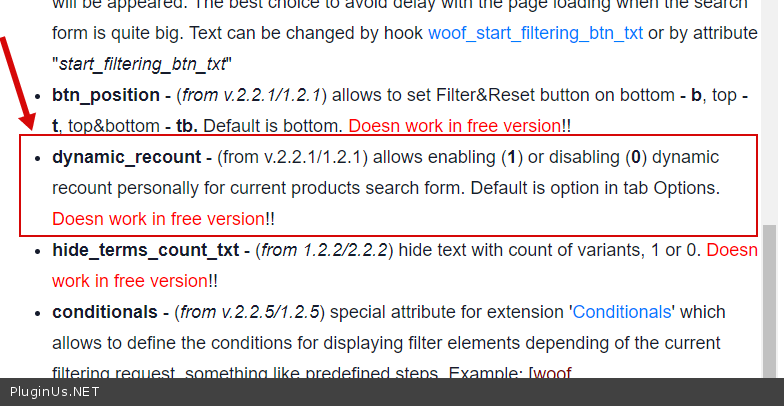
Quote from DavidGrass on July 8, 2021, 16:18Good day!
im a little confused with the application and differences of using the "tax only", "by_only" and "taxonomies" shortcodes.
Can you please give me an example of both and how they are different? from what i see both allow you to select the filters that appear in a specific page/category with the shortcode.
What i want to do is that each category, only shows the attributes from the products on that category, i could do recound and hide empty, but it would be too slow.
the idea is to put a shortcode on each category, indicating which attributes it should show in the search form.
it will be in woocommerce category, not from a "page".
best regards.
Good day!
im a little confused with the application and differences of using the"tax only","by_only" and"taxonomies" shortcodes.
Can you please give me an example of both and how they are different? from what i see both allow you to select the filters that appear in a specific page/category with the shortcode.
What i want to do is that each category, only shows the attributes from the products on that category, i could do recound and hide empty, but it would be too slow.
the idea is to put a shortcode on each category, indicating which attributes it should show in the search form.
it will be in woocommerce category, not from a"page".
best regards.
Quote from DavidGrass on July 8, 2021, 18:35it also seems for some reason, that the count and dynamic count is not working as intended, even though its activated in the settings
it also seems for some reason, that the count and dynamic count is not working as intended, even though its activated in the settings