

default text in dropdown
The support doesn work on Saturdays and Sundays, so some Friday requests can be answered on Monday. If you have problems with registration ask help on contact us page pleaseIf you not got email within 24~36 business hours, firstly check your spam box, and if no any email from the support there - back to the forum and read answer here. DO NOT ANSWER ON EMAILS [noreply@pluginus.net] FROM THE FORUM!! Emails are just for your info, all answers should be published only here.
The support doesn work on Saturdays and Sundays, so some Friday requests can be answered on Monday.

Quote from danconia on January 12, 2021, 19:22We would like to add default text to our dropdowns such as "Select oNe" or similar. Currently it shows the field title which is redundant. Is this possible. https://staging.englishgardens.com/plant-database-application/
We would like to add default text to our dropdowns such as"Select oNe" or similar. Currently it shows the field title which is redundant. Is this possible. https://staging.englishgardens.com/plant-database-application/

Quote from Pablo Borysenco on January 13, 2021, 12:03Hello
In file - wp-content\plugins\woocommerce-products-filter\views\html_types\select.php - add your code - https://c2n.me/4axd9CD.png
read this - https://products-filter.com/hook/woof_html_types_view_select/
Hello
In file - wp-content\plugins\woocommerce-products-filter\views\html_types\select.php - add your code - https://c2n.me/4axd9CD.png
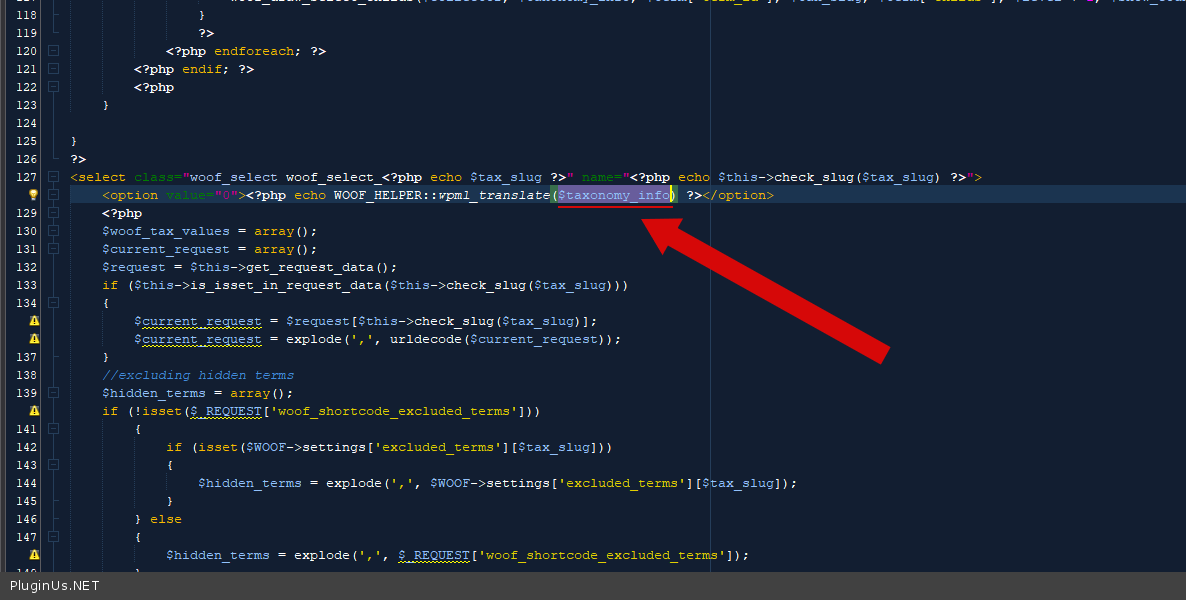
read this - https://products-filter.com/hook/woof_html_types_view_select/
Quote from danconia on January 13, 2021, 19:42What code am I adding here? This is not clear to me.
What code am I adding here? This is not clear to me.
Quote from Pablo Borysenco on January 14, 2021, 12:17Hello
An example - https://c2n.me/4ay8r80.png
Hello
An example - https://c2n.me/4ay8r80.png
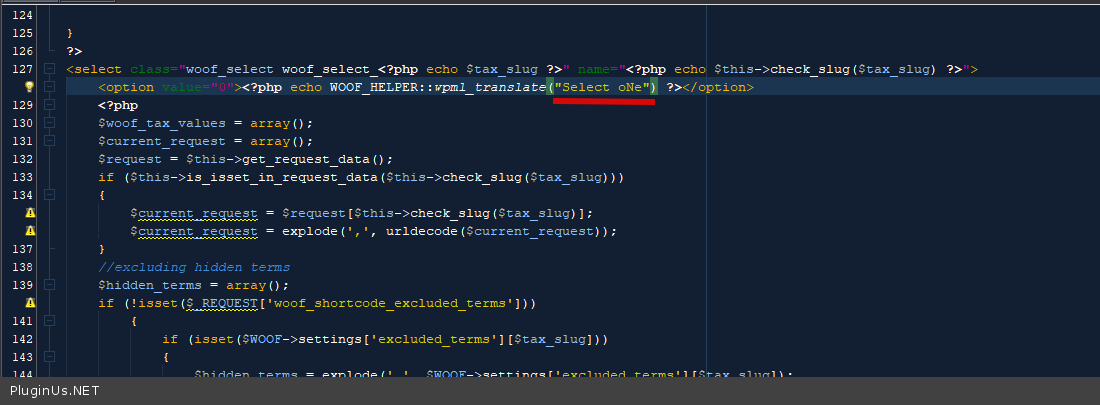
Quote from danconia on January 14, 2021, 15:12I have added this and I do not see any change.
I have added this and I do not see any change.
Quote from danconia on January 14, 2021, 15:54This is where I need to change the text...
This is where I need to change the text... 
Quote from Pablo Borysenco on January 15, 2021, 12:47Hello
Please drop me screenshots of your code
You can try to add FTP access - https://c2n.me/43SC6rb.png ->https://c2n.me/42BAoj4.png
Hello
Please drop me screenshots of your code
You can try to add FTP access - https://c2n.me/43SC6rb.png ->https://c2n.me/42BAoj4.png


Quote from danconia on January 19, 2021, 15:23I have added to private data
I have added to private data
Quote from danconia on January 19, 2021, 15:27Maybe I am not clear on the code that I need to place here. DO I need to add code for each instance? If so can you give e a more specific example.
Maybe I am not clear on the code that I need to place here. DO I need to add code for each instance? If so can you give e a more specific example.
Quote from Pablo Borysenco on January 20, 2021, 12:16Hello
Sorry, it looks like it's my fault. I did not notice that you are using meta data
In this case in file - \wp-content\plugins\woocommerce-products-filter\ext\meta_filter\html_types\select\views\woof.php change this code - https://c2n.me/4aCILd8.png
I did it - https://c2n.me/4aCIPns.png please do a test
Hello
Sorry, it looks like it's my fault. I did not notice that you are using meta data
In this case in file - \wp-content\plugins\woocommerce-products-filter\ext\meta_filter\html_types\select\views\woof.php change this code - https://c2n.me/4aCILd8.png
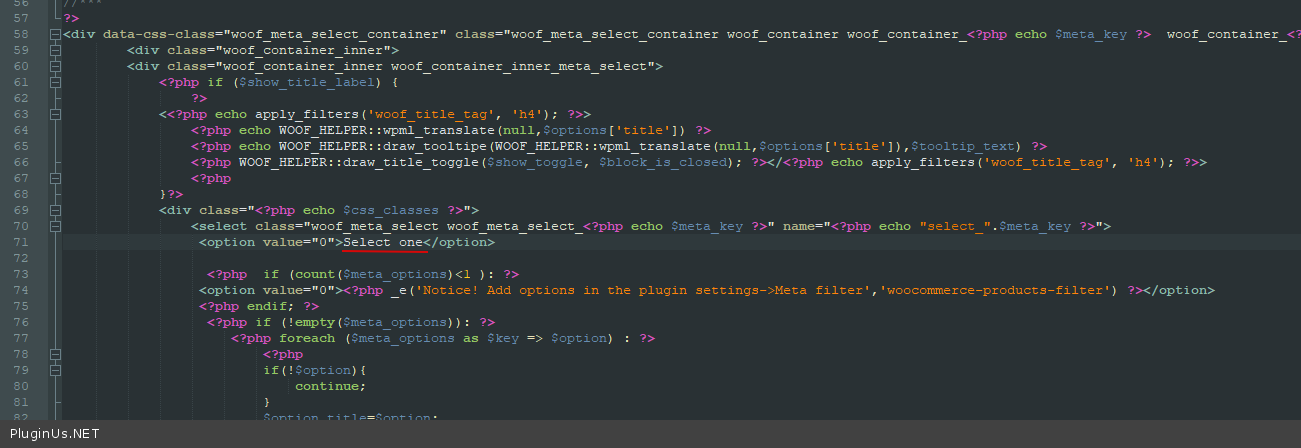
I did it - https://c2n.me/4aCIPns.png please do a test
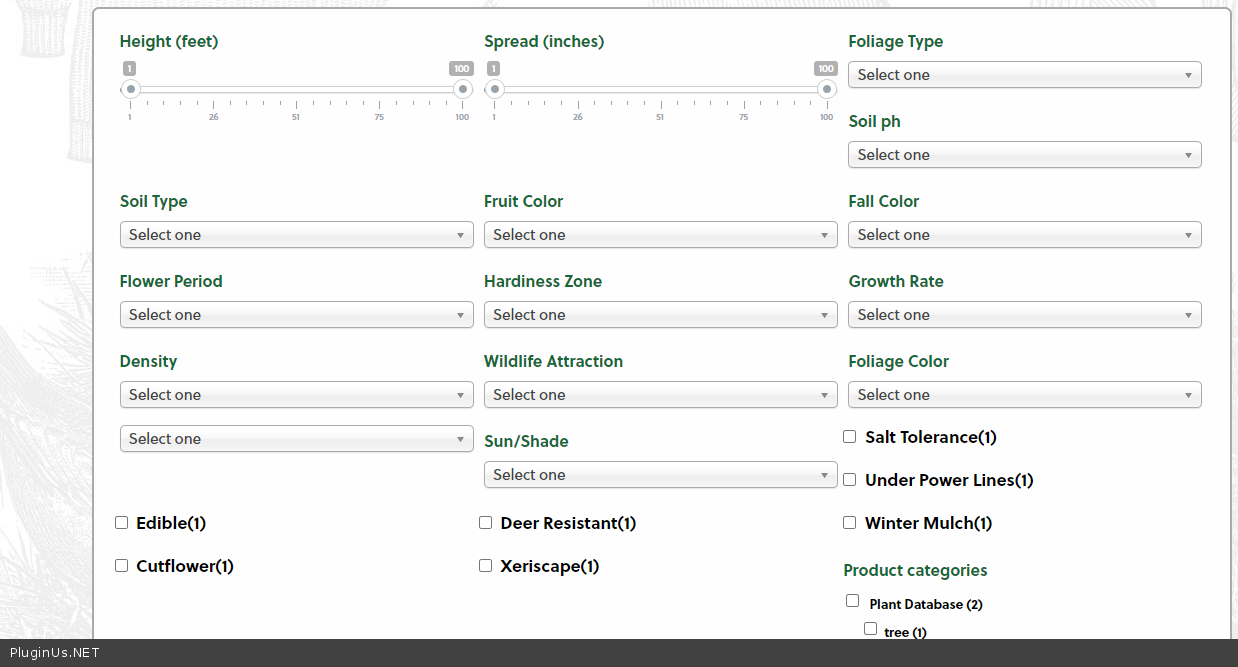
Quote from danconia on January 20, 2021, 15:10Perfect! Thank you! One last question. We would like to divide the filters into sections. Is it possible to insert headings to decipher between the filter groupings?
Perfect! Thank you! One last question. We would like to divide the filters into sections. Is it possible to insert headings to decipher between the filter groupings?
Quote from Pablo Borysenco on January 21, 2021, 11:51Hello
Unfortunately not. But we are preparing similar functionality for the next version - https://c2n.me/4aDEiRW
Hello
Unfortunately not. But we are preparing similar functionality for the next version - https://c2n.me/4aDEiRW
Quote from danconia on January 21, 2021, 16:51This will be great! Can you tell me when you expect to release the next version?
This will be great! Can you tell me when you expect to release the next version?
Quote from Pablo Borysenco on January 22, 2021, 12:36Hello
Unfortunately, I do not know. Development is still in progress.
But you can ask for a pre-release version for a test, and we will provide you as soon as it is ready (do not install the (pre-release)plugin on a live site, it may not be stable)
Hello
Unfortunately, I do not know. Development is still in progress.
But you can ask for a pre-release version for a test, and we will provide you as soon as it is ready (do not install the (pre-release)plugin on a live site, it may not be stable)
Quote from danconia on January 28, 2021, 19:46One additional issue we are seeing. The filtered product results require a double click to open the associated product page. This appears to only be happening on mobile. Is there a setting for this?
One additional issue we are seeing. The filtered product results require a double click to open the associated product page. This appears to only be happening on mobile. Is there a setting for this?
Quote from Pablo Borysenco on January 29, 2021, 13:26Hello
My plugin does not affect the product template.
Perhaps this is the incompatibility of the current theme with the Ajax mode
You can test it - try another theme OR disable ajax mode
Hello
My plugin does not affect the product template.
Perhaps this is the incompatibility of the current theme with the Ajax mode
You can test it - try another theme OR disable ajax mode