
Decimal places
The support doesn work on Saturdays and Sundays, so some Friday requests can be answered on Monday. If you have problems with registration ask help on contact us page pleaseIf you not got email within 24~36 business hours, firstly check your spam box, and if no any email from the support there - back to the forum and read answer here. DO NOT ANSWER ON EMAILS [noreply@pluginus.net] FROM THE FORUM!! Emails are just for your info, all answers should be published only here.
The support doesn work on Saturdays and Sundays, so some Friday requests can be answered on Monday.

Quote from Minsu on May 6, 2020, 12:34Hi there,
I have a question.
How can I round prices to two decimal places in bulk editing?
Regards,
Shawn
Hi there,
I have a question.
How can I round prices to two decimal places in bulk editing?
Regards,
Shawn

Quote from Pablo Borysenco on May 7, 2020, 09:41Hello Shawn
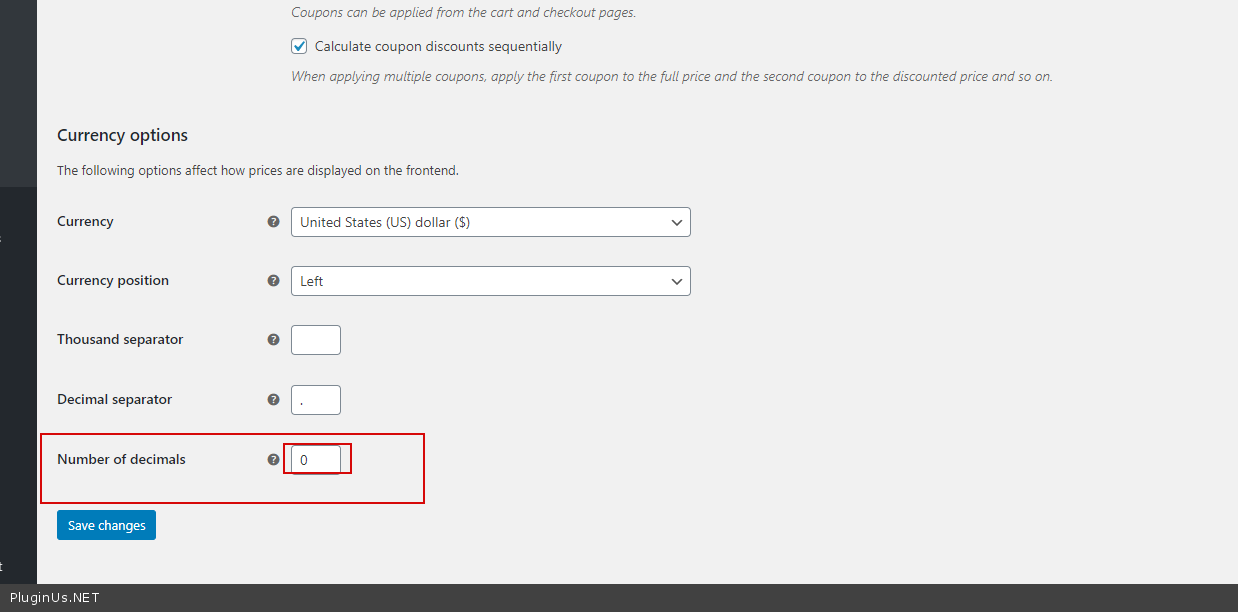
decimal - It depends on this option - https://c2n.me/47oAzp5.png (woocommerce general settings)
Hello Shawn
decimal - It depends on this option - https://c2n.me/47oAzp5.png (woocommerce general settings)
Quote from Minsu on May 7, 2020, 13:40Hi Pablo,
Thank you but my question was misunderstood.
I am already aware of it. I am not talking about it. I am talking about the setting in your plugin.
You have different rounding options below, but you don't have '1.0 rounding option'. like 23.72(0), 44.43(0), 11.15(0) How can I set it to 1.0?
because in the option '10' the number is rounded only to the first decimal place but it has to be rounded to two decimal places.
5 - prices will be rounded to numbers like: 23.75, 44.45, 11.15
10 - prices will be rounded in numbers like: 23.70, 44.40, 11.10
9 ... 99 - will round prices in numbers like: 23.09, 44.49, 11.99
Hi Pablo,
Thank you but my question was misunderstood.
I am already aware of it. I am not talking about it. I am talking about the setting in your plugin.
You have different rounding options below, but you don't have '1.0 rounding option'. like 23.72(0), 44.43(0), 11.15(0) How can I set it to 1.0?
because in the option '10' the number is rounded only to the first decimal place but it has to be rounded to two decimal places.
5 - prices will be rounded to numbers like: 23.75, 44.45, 11.15
10 - prices will be rounded in numbers like: 23.70, 44.40, 11.10
9 ... 99 - will round prices in numbers like: 23.09, 44.49, 11.99
Quote from Pablo Borysenco on May 8, 2020, 10:51Hello
Please read this - https://bulk-editor.com/document/woocommerce-price-rounding/
Hello
Please read this - https://bulk-editor.com/document/woocommerce-price-rounding/
Quote from Minsu on May 8, 2020, 11:02Hi
I already read this. That is why I put down your part of guideline for the link.
Let me give you an example.
Please suppose I increase the price of US 14.48 by 33% and set a rounding to two decimal places. It must be 19.26 because it rounds 19.258 from three decimal places. So, it will become 19.26. However, the setting can't produce a precise figure. How can I get an accurate figure in your plugin?
Hi
I already read this. That is why I put down your part of guideline for the link.
Let me give you an example.
Please suppose I increase the price of US 14.48 by 33% and set a rounding to two decimal places. It must be 19.26 because it rounds 19.258 from three decimal places. So, it will become 19.26. However, the setting can't produce a precise figure. How can I get an accurate figure in your plugin?
Quote from Minsu on May 8, 2020, 13:26Besides, your rounding is not exactly rounding. It is a rounding up. It has to be a rounding because people use an excel file when they change prices in the file. So, the changed prices in the excel file have to match the prices on the website but when I use your rounding. The price has been rounded up. It has to be fixed to correspond other platforms which basically apply rounding off.
Thank you!
Besides, your rounding is not exactly rounding. It is a rounding up. It has to be a rounding because people use an excel file when they change prices in the file. So, the changed prices in the excel file have to match the prices on the website but when I use your rounding. The price has been rounded up. It has to be fixed to correspond other platforms which basically apply rounding off.
Thank you!
Quote from Pablo Borysenco on May 11, 2020, 11:32Hello
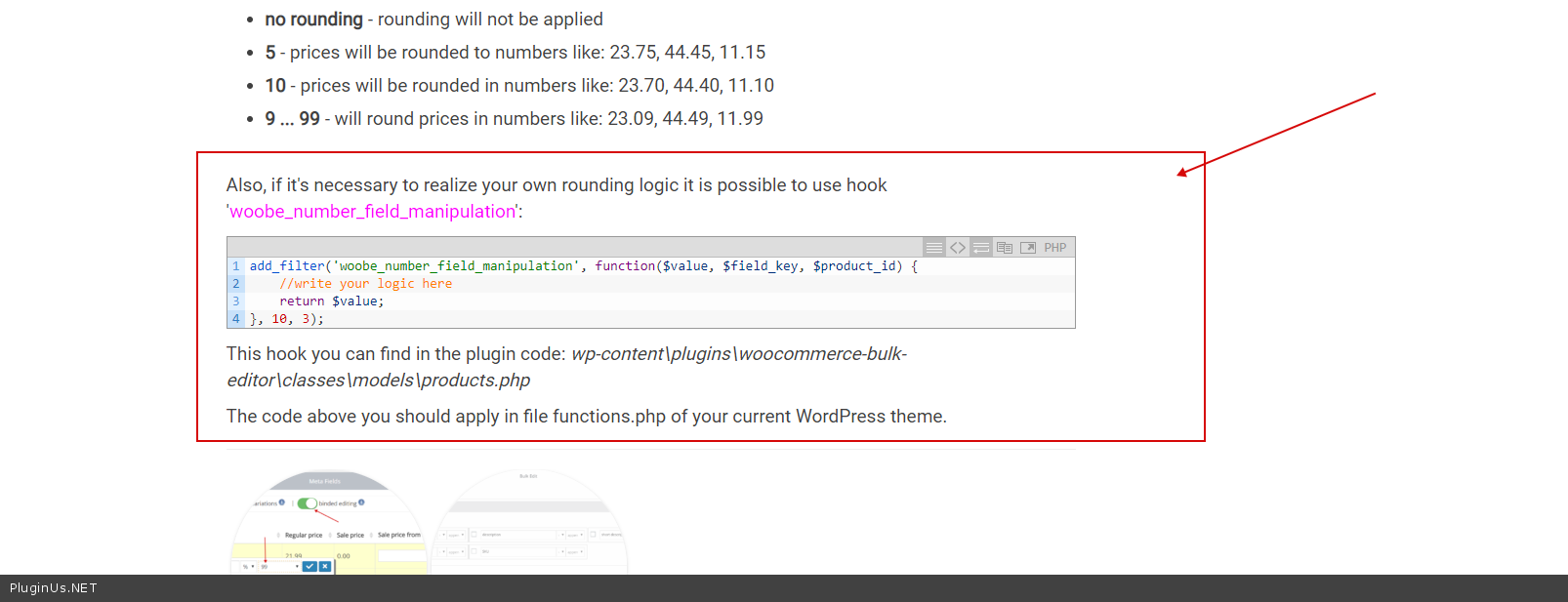
To add your custom rouding ( https://bulk-editor.com/document/woocommerce-price-rounding/ ) - https://c2n.me/47s3xXs.png
It must be 19.26 because it rounds 19.258 from three decimal places. - if you have decimal = 2 - this should work by default as you described
Hello
To add your custom rouding ( https://bulk-editor.com/document/woocommerce-price-rounding/ ) - https://c2n.me/47s3xXs.png
It must be 19.26 because it rounds 19.258 from three decimal places. - if you have decimal = 2 - this should work by default as you described