PluginUs.Net - Business Tools for WooCommerce and WordPress

[realize your idea - make your dreams come true]

Support Forum

You need to log-in to create request (topic) to the support

Decalred filter in home page

The support doesn work on Saturdays and Sundays, so some Friday requests can be answered on Monday. If you have problems with registration ask help on contact us page please
If you not got email within 24~36 business hours, firstly check your spam box, and if no any email from the support there - back to the forum and read answer here. DO NOT ANSWER ON EMAILS [noreply@pluginus.net] FROM THE FORUM!! Emails are just for your info, all answers should be published only here.
The support doesn work on Saturdays and Sundays, so some Friday requests can be answered on Monday.

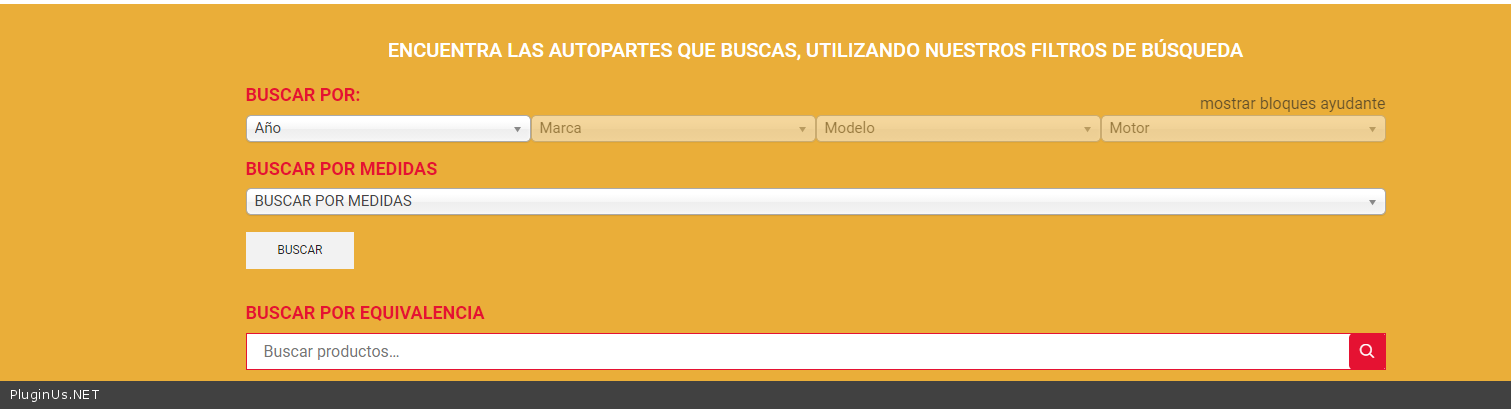
I had already written on themeforest. I need to put Hierarchy drop-down on the homepage of my website using product brands. My template has category type brands for example: Brand: Ford. In the sidebar of the store page I already have the filters as I want but I need to be able to declare them on the home page.


In this page yo can see that filter taht i need in home page: https://filtrosjoe.com/2020/tienda/

Attach a screenshot of the filters on the store page, those same filters I want to display on the home page with 100% width


View screen shot: https://postimg.cc/K3rRrcW3

Hello

To show  filter  in  any  page  please  use a shortcode [woof] - https://products-filter.com/shortcode/woof/

Hi Pablo and thank's for answer.
I declared the [woof] shortcode in home page (an i can see the filter very well) but if I try to use the filter and use the first select it automatically directs me to the store page and does not let me use the other inheritable selects. I need that filter let me choose all options before redirect me to shop page.

In this link yo can see the filter and the error (of course if you have time to look) https://filtrosjoe.com/2020/

Thanks Pablo, I was able to make all the selects to be chosen, what I can't do is use the sid, I already put it inside the shorcode as follows [woof autosubmit = 1 ajax_redraw = 1 is_ajax = 1 sid ="woof_auto_3_columns"] but it does not work

Hello

I added CSS:

.woof_container_select_hierarchy .woof_select{
width: 25%;
}

Result - https://c2n.me/49ZViAX.png

Great!!!
Thanks a lot Pablo and have a nices day.

Hello

Welcome;)

http://codecanyon.net/downloads - rate please the plugin if you liked it ...