PluginUs.Net - Business Tools for WooCommerce and WordPress

[realize your idea - make your dreams come true]

Support Forum

You need to log-in to create request (topic) to the support

Date Published bulk change not working

The support doesn work on Saturdays and Sundays, so some Friday requests can be answered on Monday. If you have problems with registration ask help on contact us page please
If you not got email within 24~36 business hours, firstly check your spam box, and if no any email from the support there - back to the forum and read answer here. DO NOT ANSWER ON EMAILS [noreply@pluginus.net] FROM THE FORUM!! Emails are just for your info, all answers should be published only here.
The support doesn work on Saturdays and Sundays, so some Friday requests can be answered on Monday.

I have purchased the pro.
Binded editing for Date Published does not work!
Any comment please?

I tried the bulk editing more and I noticed it was not working well for other fields such as"Status" and"Stock Status"!

Some more findings:

If I change the stock quantity in bulk to zero,"Stock status" changes to"Out of stock" for all automatically.

If I change the stock quantity in bulk to higher than zero,"Stock status" changes to"In stock" for all automatically.

But I can not change the"Stock status" to"On backorder" for even a single product or in bulk!

Hello

Please  drop me  wp-admin  access( https://c2n.me/43SC6rb.png ->https://c2n.me/42BAoj4.png )  I will  check  it

But I can not change the"Stock status" to"On backorder" for even a single product or in bulk! -  Disable"Manage stock" first


Hello,

I need to have the following settings:

Manage stock? -> Yes

Stock qty = 0

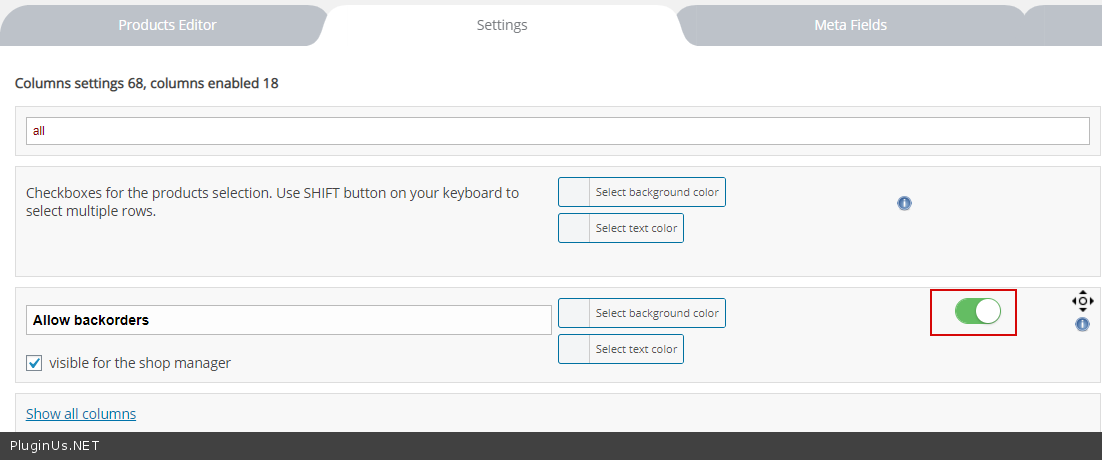
Allow back-orders? -> Yes


Please advise how it is possible?

Thanks

Hello

Try  to  add an option - https://c2n.me/49i8SBA.png

Please  watch this  video - https://c2n.me/49i8Zji

Thanks.

While I am trying your comments, please be so kind to advise on the issue of bulk changing of"Date published"

Hello

I did  test - https://c2n.me/49jDfRL - Everything works correctly

Hi,

So, doesn't it work with the method of selecting"binded editing"?

my test - https://c2n.me/49jOxoL