optivisualcare(@optivisualcare)
8 Posts
Customers
Quote from optivisualcare on March 25, 2021, 23:56
Hola,
En busca de optimizar mi sitio web instale el complemento WP Rocket y ha interferido con el funcionamiento del filtro de productos, de hecho de momento no se despliega el botón para mostrar el panel de filtros.
Hay alguna configuración que pueda ayudarme a que funcionen bien los dos complementos?
Sitio: www.optivisualcare.com
Hola,
En busca de optimizar mi sitio web instale el complemento WP Rocket y ha interferido con el funcionamiento del filtro de productos, de hecho de momento no se despliega el botón para mostrar el panel de filtros.
Hay alguna configuración que pueda ayudarme a que funcionen bien los dos complementos?
Sitio: http://www.optivisualcare.com

Pablo Borysenco(@pavlo_borysenco)
34,196 Posts
Quote from Pablo Borysenco on March 26, 2021, 14:15
Hello
Please update the plugin to latest version
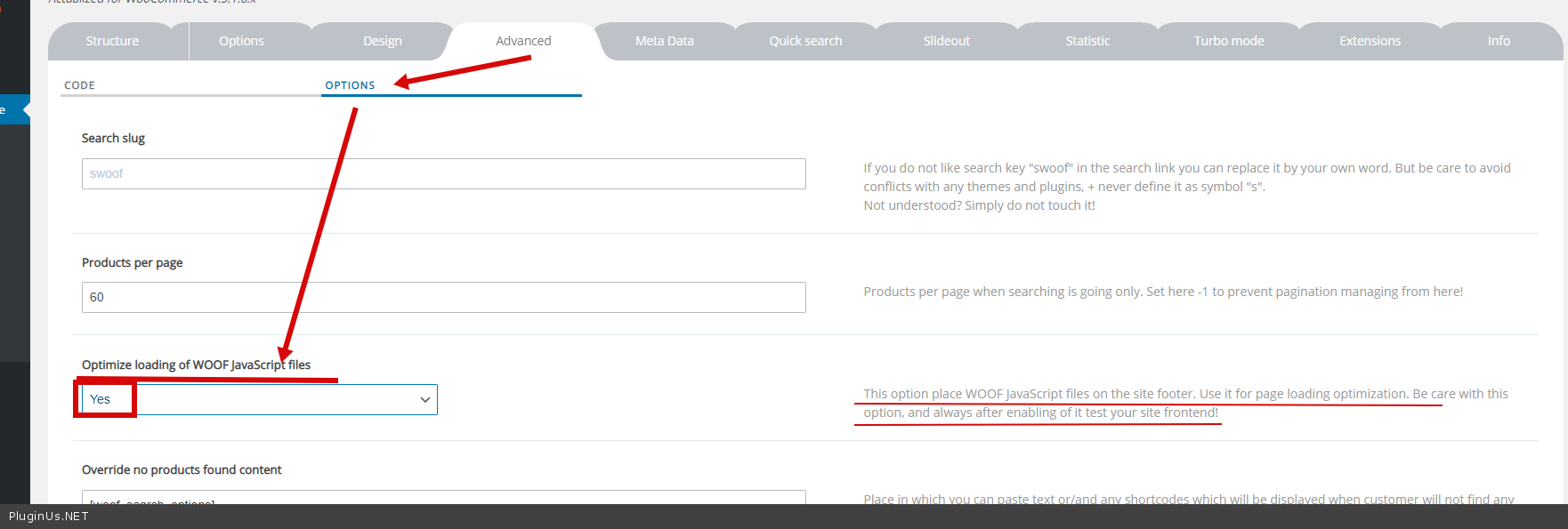
Check option - https://c2n.me/4bskWBd.png - recreate js file and cleare all cache amd do a test
+
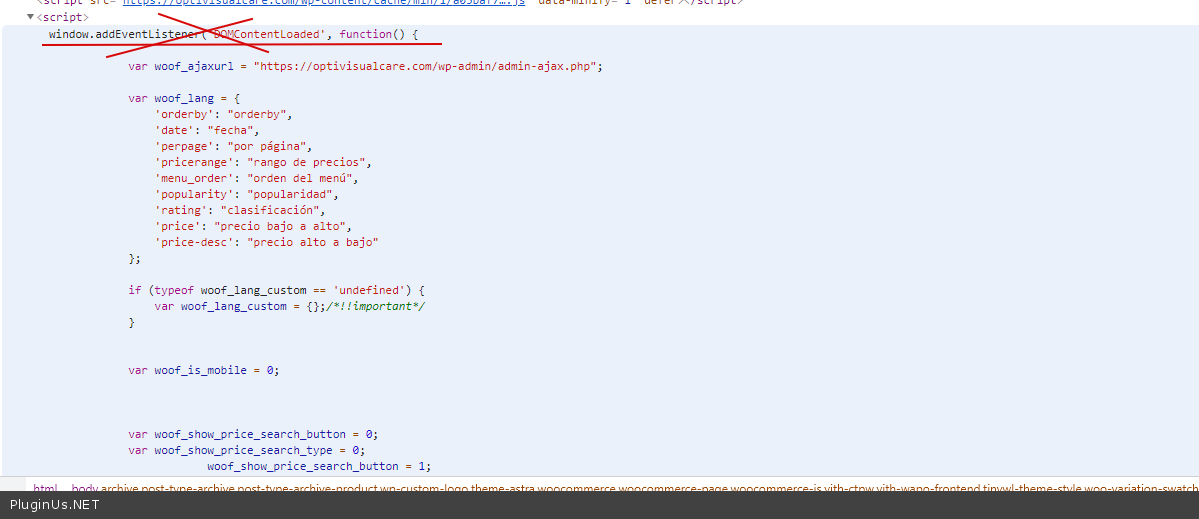
disable deferred loading of inline scripts - https://c2n.me/4bslcDA.png
Hello
Please update the plugin to latest version
Check option - https://c2n.me/4bskWBd.png - recreate js file and cleare all cache amd do a test
+
disable deferred loading of inline scripts - https://c2n.me/4bslcDA.png
optivisualcare(@optivisualcare)
8 PostsTopic Author
Customers
Quote from optivisualcare on March 26, 2021, 15:29
Hola Pablo,
Realice las acciones del primer paso, no funcionó... entonces deshabilite en WP Rocket la opción "cargar archivo JavaScript de manera diferida" y me funcionó.
Sin embargo, me gustaría entender el segundo paso "deshabilitar la carga diferida de scripts en línea" la verdad no entendí la instrucción, me puedes ampliar esa información?
Gracias
Hola Pablo,
Realice las acciones del primer paso, no funcionó... entonces deshabilite en WP Rocket la opción"cargar archivo JavaScript de manera diferida" y me funcionó.
Sin embargo, me gustaría entender el segundo paso"deshabilitar la carga diferida de scripts en línea" la verdad no entendí la instrucción, me puedes ampliar esa información?
Gracias
Pablo Borysenco(@pavlo_borysenco)
34,196 Posts
Quote from Pablo Borysenco on March 29, 2021, 11:42
Hello
Unfortunately, I did not understand your question.
In inline script, I initialize the variables. And if you connect it after loading js files, it will cause an error
Hello
Unfortunately, I did not understand your question.
In inline script, I initialize the variables. And if you connect it after loading js files, it will cause an error