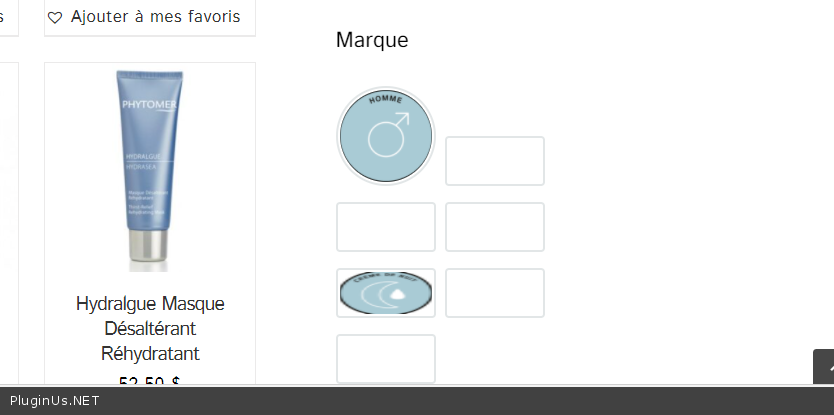
color options no longer responding
The support doesn work on Saturdays and Sundays, so some Friday requests can be answered on Monday. If you have problems with registration ask help on contact us page pleaseIf you not got email within 24~36 business hours, firstly check your spam box, and if no any email from the support there - back to the forum and read answer here. DO NOT ANSWER ON EMAILS [noreply@pluginus.net] FROM THE FORUM!! Emails are just for your info, all answers should be published only here.
The support doesn work on Saturdays and Sundays, so some Friday requests can be answered on Monday.

Quote from definiteimage on February 23, 2021, 22:52Hi there,
I watched the videos and tried as much as i could to get familiar with this plugin but it seems to be diffucult to work with.
As you can see in the screenshots i lost the ability to change the color swatches in the filters. How can I restore this functionality?
Hi there,
I watched the videos and tried as much as i could to get familiar with this plugin but it seems to be diffucult to work with.
As you can see in the screenshots i lost the ability to change the color swatches in the filters. How can I restore this functionality?


Quote from Pablo Borysenco on February 24, 2021, 13:16Hello
Paste your license key here - https://c2n.me/43SC6rb.png -> https://c2n.me/42HBIt7.png and wp-admin access - https://c2n.me/42BAoj4.png
Hello
Paste your license key here - https://c2n.me/43SC6rb.png -> https://c2n.me/42HBIt7.png and wp-admin access - https://c2n.me/42BAoj4.png



Quote from definiteimage on February 24, 2021, 20:13Hi, I found that something happened with WPML and not this plugin where my attributes got erased.
That is why this option dissapeared I believe.Solved! Thanks :)
Hi, I found that something happened with WPML and not this plugin where my attributes got erased.
That is why this option dissapeared I believe.
Solved! Thanks :)
Quote from Pablo Borysenco on February 25, 2021, 12:30Hello
Ok! Great! Welcome;)
Hello
Ok! Great! Welcome;)
Quote from definiteimage on February 25, 2021, 18:50Hi,
Maybe you can assist me im not sure if this is the same issue as I previously mentioned, but its a few times already that I have to reupload all of the images icons.Whenever i leave the page and come back (after saving) my images all dissapear from the sidebar and all i see is black circles like in the screenshot. Do you know why this is happening?
Hi,
Maybe you can assist me im not sure if this is the same issue as I previously mentioned, but its a few times already that I have to reupload all of the images icons.
Whenever i leave the page and come back (after saving) my images all dissapear from the sidebar and all i see is black circles like in the screenshot. Do you know why this is happening?
Quote from Pablo Borysenco on February 26, 2021, 13:02Hello
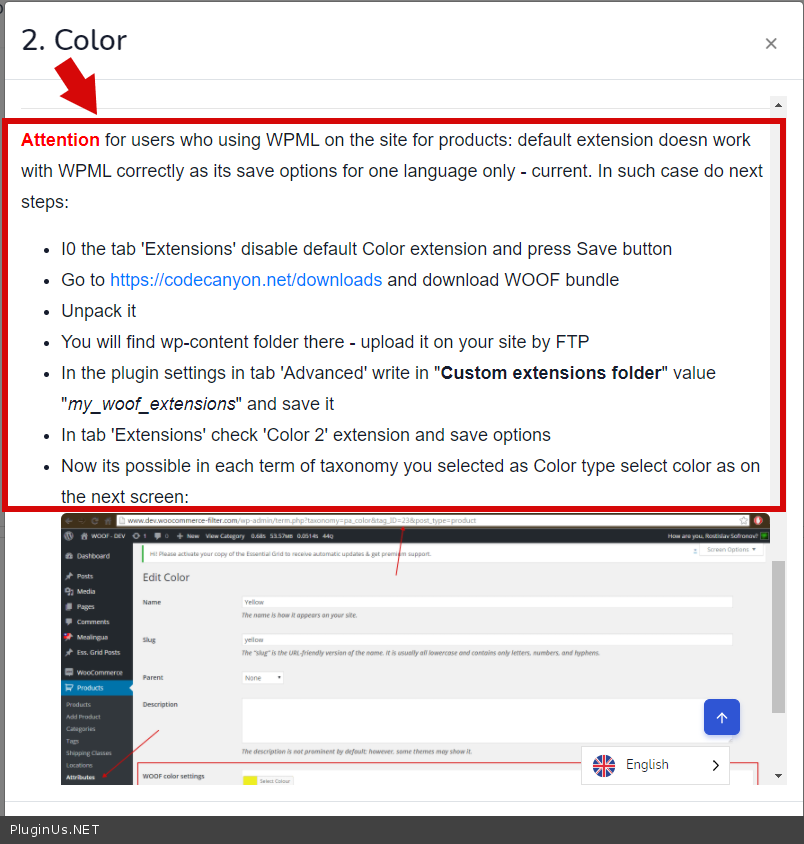
I see you are using WPML and you installed color 2 so:
Please read this( https://c2n.me/4b6ySHk.png ) - https://products-filter.com/extencion/color/
customize colors on the attribute edit page - https://c2n.me/4b6zih4 - Do it for each language
Hello
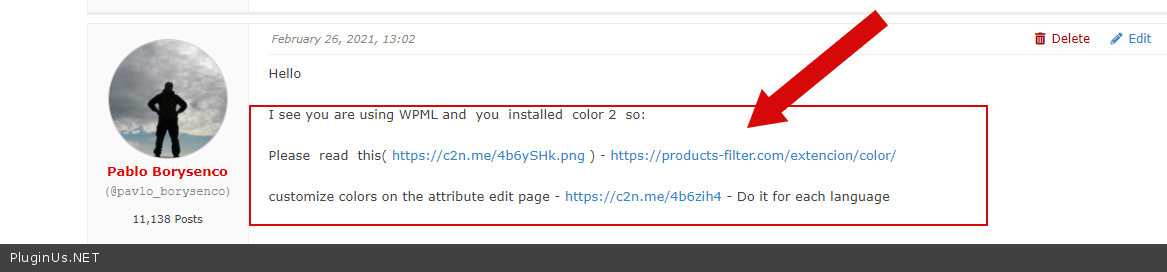
I see you are using WPML and you installed color 2 so:
Please read this( https://c2n.me/4b6ySHk.png ) - https://products-filter.com/extencion/color/
customize colors on the attribute edit page - https://c2n.me/4b6zih4 - Do it for each language
Quote from definiteimage on February 26, 2021, 16:14Hi Pablo,
I do not think you understood my question so let me clarify. I have uploaded all of my images in French and English, however each time I go in and make adjustments in the site, they all dissapear and the settings RESET.
This is what I am doing:
1. I upload the icons and make the background white. I can view everything properly.
2. Next time I go in the backend they are gone and the backgrounds are set to black.
3. Yesterday, I had an icon uploaded in the shop as a test, and now it is gone AGAIN.Again, why is this happening? Please read my question properly.
Hi Pablo,
I do not think you understood my question so let me clarify. I have uploaded all of my images in French and English, however each time I go in and make adjustments in the site, they all dissapear and the settings RESET.
This is what I am doing:
1. I upload the icons and make the background white. I can view everything properly.
2. Next time I go in the backend they are gone and the backgrounds are set to black.
3. Yesterday, I had an icon uploaded in the shop as a test, and now it is gone AGAIN.
Again, why is this happening? Please read my question properly.
Quote from Pablo Borysenco on March 1, 2021, 13:20Hello
I understood you perfectly!
Please follow my recommendations - https://c2n.me/4b8lrkK.png
Hello
I understood you perfectly!
Please follow my recommendations - https://c2n.me/4b8lrkK.png
Quote from definiteimage on March 1, 2021, 17:30Hi Pablo,
This has been going on for a whilte right now and we are not getting anywhere. We are on a tight deadline and we followed every step of the video and documentation.
Here is an example that we need corrected as soon as possible:
I uploaded the image here:
On the store page (https://www.spa-venus.com/en/boutique-products/) I do not see any icons, but in the code of the page I see it.
Here is the code in the browser that shows me I the image is uploaded in the right place:
<li class="woof_color_term_ woof_color_term_190 ">
<p class="woof_tooltip"><span class="woof_tooltip_data">Phytomer <span>(20)</span></span><input type="checkbox" id="woof_190_603d05eb0e966" class="woof_color_term woof_color_term_190 " data-color="" data-img="https://www.spa-venus.com/wp-content/uploads/2021/02/PART.-PHYTOMER-2-1.jpg" data-tax="pa_identifiant-marque" name="phytomer-en" data-term-id="190" value="190" /></p>
<input type="hidden" value="Phytomer" data-anchor="woof_n_pa_identifiant-marque_phytomer-en" />
</li>
Hi Pablo,
This has been going on for a whilte right now and we are not getting anywhere. We are on a tight deadline and we followed every step of the video and documentation.
Here is an example that we need corrected as soon as possible:
I uploaded the image here:

On the store page (https://www.spa-venus.com/en/boutique-products/) I do not see any icons, but in the code of the page I see it.

Here is the code in the browser that shows me I the image is uploaded in the right place:
<li class="woof_color_term_ woof_color_term_190">
<p class="woof_tooltip"><span class="woof_tooltip_data">Phytomer <span>(20)</span></span><input type="checkbox" id="woof_190_603d05eb0e966" class="woof_color_term woof_color_term_190" data-color="" data-img="https://www.spa-venus.com/wp-content/uploads/2021/02/PART.-PHYTOMER-2-1.jpg" data-tax="pa_identifiant-marque" name="phytomer-en" data-term-id="190" value="190" /></p>
<input type="hidden" value="Phytomer" data-anchor="woof_n_pa_identifiant-marque_phytomer-en" />
</li>
Quote from Pablo Borysenco on March 2, 2021, 12:36Hello
My video - https://c2n.me/4b9hXPY.mp4
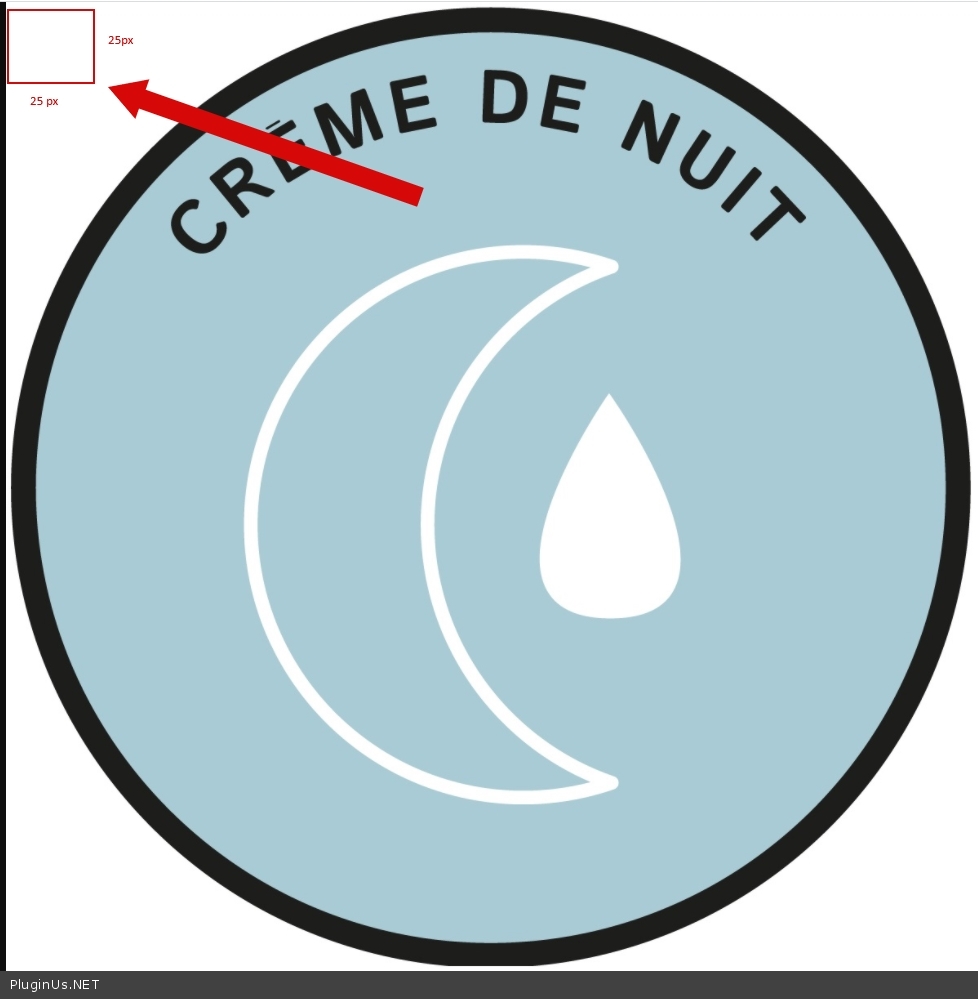
If you are using the filter as a color, load 25X25 images (as written in the documentation) in your case, only this piece of the image is displayed - https://c2n.me/4b9igaY.jpg
Better use "image 2" to display images
Hello
My video - https://c2n.me/4b9hXPY.mp4
If you are using the filter as a color, load 25X25 images (as written in the documentation) in your case, only this piece of the image is displayed - https://c2n.me/4b9igaY.jpg
Better use"image 2" to display images
Quote from Pablo Borysenco on March 2, 2021, 14:00Video with image 2 - https://c2n.me/4b9nJCL
to make it round - https://c2n.me/4b9nW2T.png - result - https://c2n.me/4b9nYFz.png
And add CSS :
ul.woof_list_image li {display: inline-block !important;
}
result - https://c2n.me/4b9o6mO.png
Video with image 2 - https://c2n.me/4b9nJCL
to make it round - https://c2n.me/4b9nW2T.png - result - https://c2n.me/4b9nYFz.png
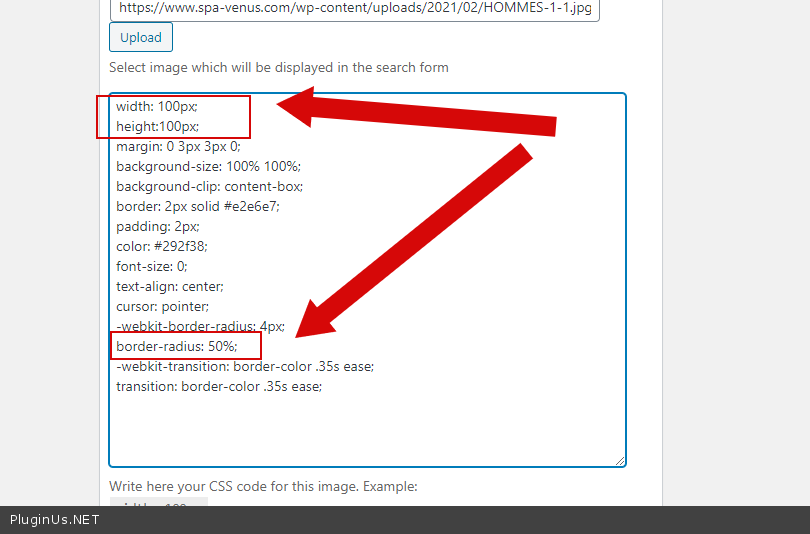
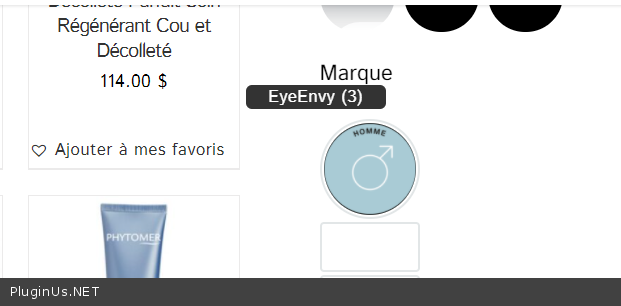
And add CSS :