PluginUs.Net - Business Tools for WooCommerce and WordPress

[realize your idea - make your dreams come true]

Support Forum

You need to log-in to create request (topic) to the support

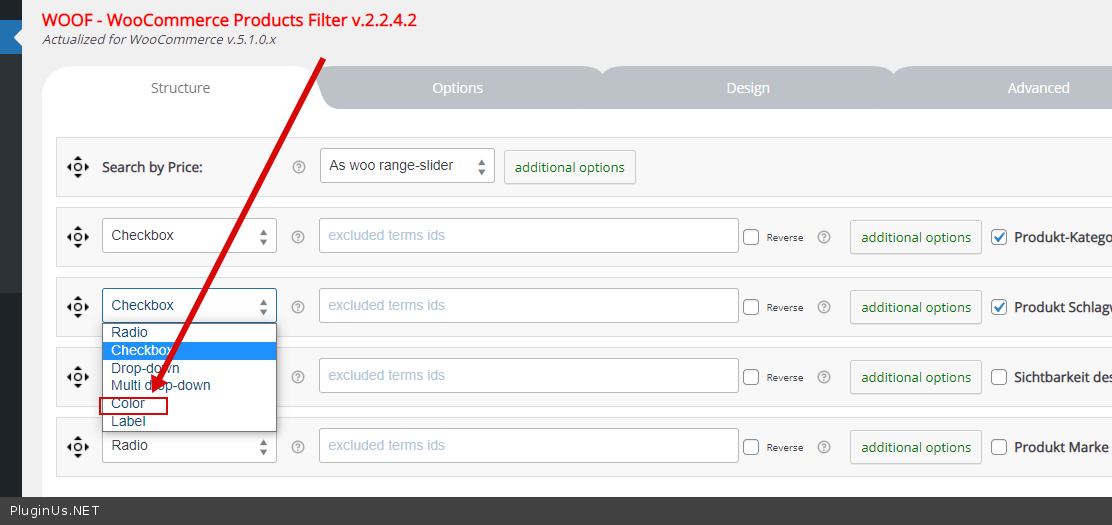
Color extension not appear in structure

The support doesn work on Saturdays and Sundays, so some Friday requests can be answered on Monday. If you have problems with registration ask help on contact us page please
If you not got email within 24~36 business hours, firstly check your spam box, and if no any email from the support there - back to the forum and read answer here. DO NOT ANSWER ON EMAILS [noreply@pluginus.net] FROM THE FORUM!! Emails are just for your info, all answers should be published only here.
The support doesn work on Saturdays and Sundays, so some Friday requests can be answered on Monday.

Hello dear people!

i have the bought version of woof, o try to setup and noticed that the color extension does not appear in the structure.

i have try many things but no luck. i have deleted the plugin and installed it again, i have deleted cache many times, unchecked and

checked again the color extension no luck i try also to check everything may would help also no luck.

i bought the plugin today.

Hello

Please paste your license key here - https://c2n.me/43SC6rb.png -> https://c2n.me/42HBIt7.png and  wp-admin access - https://c2n.me/42BAoj4.png

Watch a  video  - https://products-filter.com/video-tutorials/#video_beGT6p_look

Hello

i didnt get any license key, i bought it from code canyon and downloaded from there.

i looked in my code canyon account and downloads for a license key there is no license key

only the files to download and it says regular license.


Hello

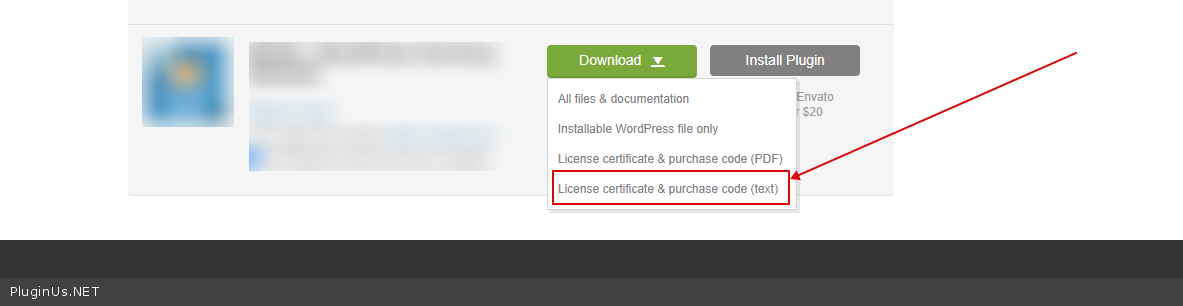
To get  license  key - https://codecanyon.net/downloads -> https://c2n.me/49ZXJv0.png

In this file you will find the license key

Hello,

i don't see anywhere the license key!

PRIVATE DATA!

Hello

I checked  your  site - https://c2n.me/4bpt5XV.png -  everything works correctly