Pablo Borysenco(@pavlo_borysenco)
34,196 Posts
Quote from Pablo Borysenco on October 7, 2020, 10:58
Hello
Unfortunately, the filter does not have this feature for the sidebar.
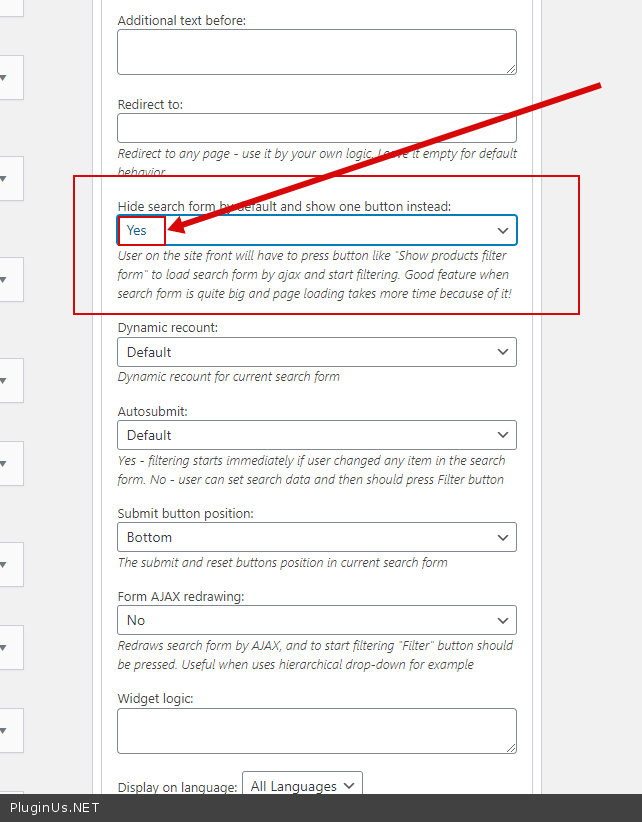
You can add two filter widgets/ One with this setting - https://c2n.me/49lwJ2T.png
To show or hide widgets on different devices - http://www.woocommerce-filter.com/how-to-show-or-hide-widget-only-on-selected-site-pages/
key - wp_is_mobile()
Hello
Unfortunately, the filter does not have this feature for the sidebar.
You can add two filter widgets/ One with this setting - https://c2n.me/49lwJ2T.png
To show or hide widgets on different devices - http://www.woocommerce-filter.com/how-to-show-or-hide-widget-only-on-selected-site-pages/
key - wp_is_mobile()
Pablo Borysenco(@pavlo_borysenco)
34,196 Posts
Quote from Pablo Borysenco on October 15, 2020, 11:18
Hello
The filter has this setting for the sidebar. Because it doesn't make sense. The location of the sidebar in different themes is not the same. And in this case, the sidebar can be displayed below the products
I can advise you to hide the filter in the sidebar for your mobile device
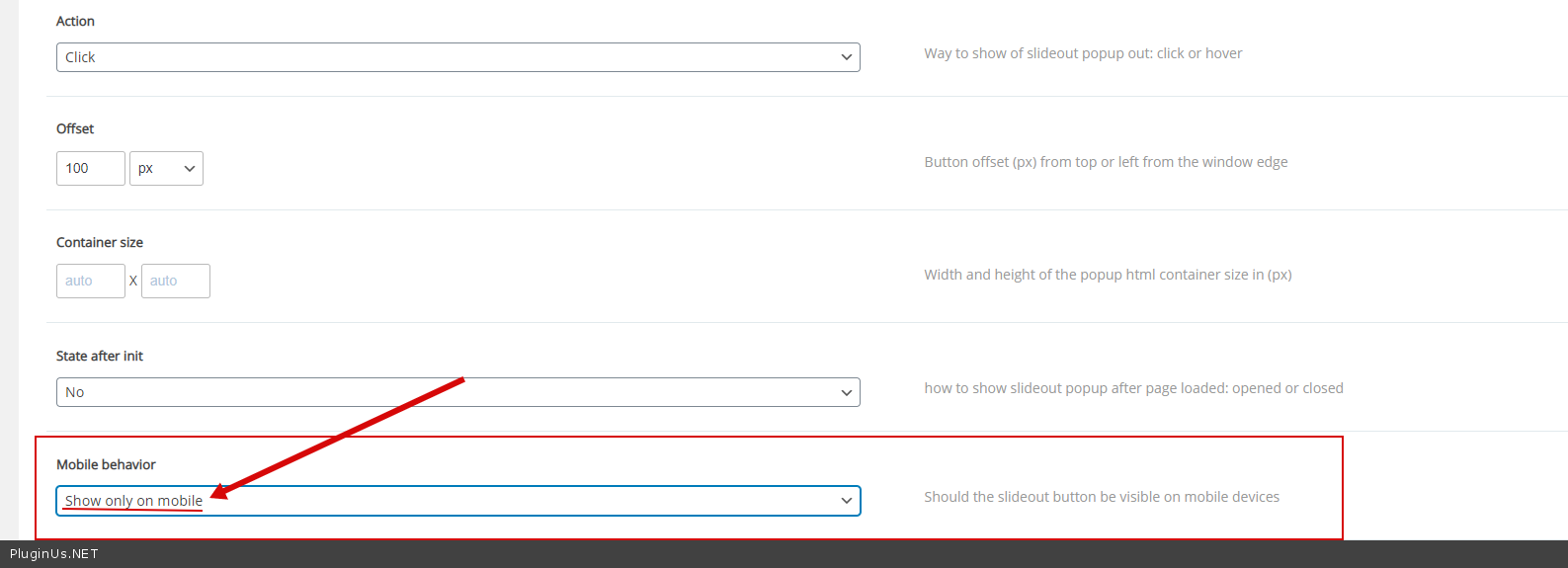
AND use the slideout extension - https://c2n.me/49rJyvl.png
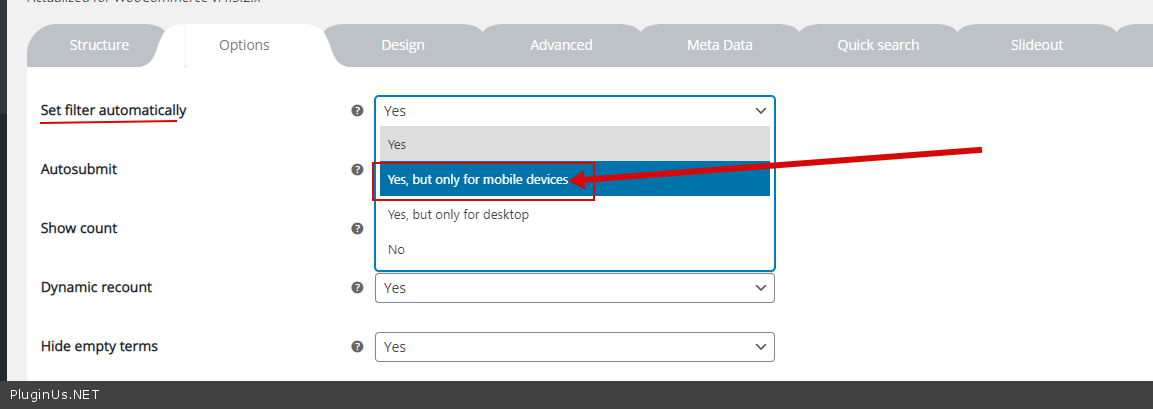
OR - https://c2n.me/49rJCfl.png
Hello
The filter has this setting for the sidebar. Because it doesn't make sense. The location of the sidebar in different themes is not the same. And in this case, the sidebar can be displayed below the products
I can advise you to hide the filter in the sidebar for your mobile device
AND use the slideout extension - https://c2n.me/49rJyvl.png
OR - https://c2n.me/49rJCfl.png