PluginUs.Net - Business Tools for WooCommerce and WordPress

[realize your idea - make your dreams come true]

Support Forum

You need to log-in to create request (topic) to the support

change colour of price info Icon

The support doesn work on Saturdays and Sundays, so some Friday requests can be answered on Monday. If you have problems with registration ask help on contact us page please
If you not got email within 24~36 business hours, firstly check your spam box, and if no any email from the support there - back to the forum and read answer here. DO NOT ANSWER ON EMAILS [noreply@pluginus.net] FROM THE FORUM!! Emails are just for your info, all answers should be published only here.
The support doesn work on Saturdays and Sundays, so some Friday requests can be answered on Monday.

Hi there,

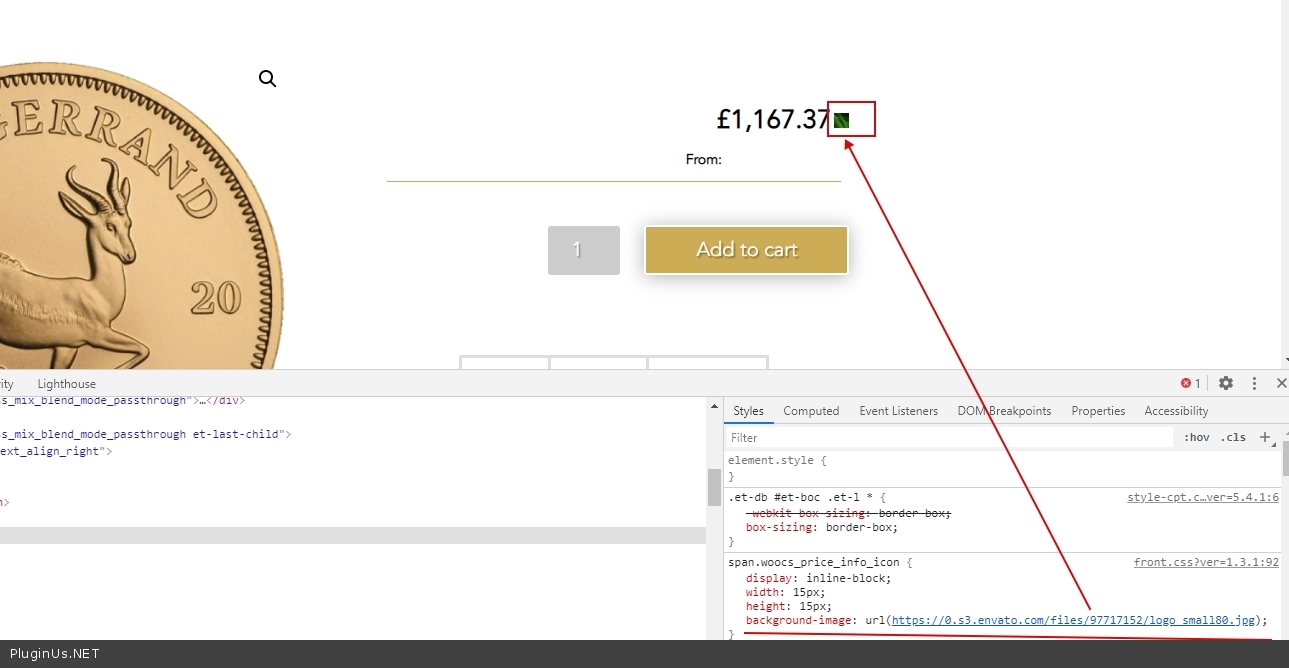
I need to change the price info icon from blue to another colour. I have used the css you suggest in your FAQ but this is not working even when I enter my own image url. Can you please advise another way it can be done?
The css code I used was:
.span.woocs_price_info_icon{
    background-image: url(https://0.s3.envato.com/files/97717152/logo_small80.jpg) !important;
}
I do not know why it is not working?

Hello

Please  drop me  exact  link  to the  issue

The plugin is activated to show sitewide so it needs to work on all my product pages as well as the homepage. Here is a link to the homepage https://aurummetalinvest.ie/home/ and here is a link to one of the product pages https://aurummetalinvest.ie/product/1oz-south-african-krugerrand-gold-coin-mixed-years/.


I have added the css in Divi> Divi Theme options>Custom CSS section.

Hello

I checked  it: https://c2n.me/47OpcGL.jpg

Try  this  code:

.price span.woocs_price_info_icon {
background-image: url(https://0.s3.envato.com/files/97717152/logo_small80.jpg);
}

Hi Pablo, I am still seeing no change? I have cleared the cache and used the suggested code above and it still not changing for me?

Hello

then you added this code incorrectly.  I do not see this code in your CSS at all

Read  this  please - https://www.wpbeginner.com/plugins/how-to-easily-add-custom-css-to-your-wordpress-site/