Car parts dropdown selection
The support doesn work on Saturdays and Sundays, so some Friday requests can be answered on Monday. If you have problems with registration ask help on contact us page pleaseIf you not got email within 24~36 business hours, firstly check your spam box, and if no any email from the support there - back to the forum and read answer here. DO NOT ANSWER ON EMAILS [noreply@pluginus.net] FROM THE FORUM!! Emails are just for your info, all answers should be published only here.
The support doesn work on Saturdays and Sundays, so some Friday requests can be answered on Monday.

Quote from Marc on November 25, 2020, 23:51Hi there,
I can't figure out how to perform this: https://www.europaparts.com/
It has a "Select your vehicule" filter which drills down each car make.
Example: The user choose "Audi" as their car make, then the "audi models" will be shown and you continue to drill down the list.
- Where do I put my taxonomy Audi, BMW, A3, A4, 335xi, 2007, 2008 options? Is it in Products > Categories ?
I also want only this filter to show up, not products on this page. When the use makes his selection, he will be redirected to the page where he can find car parts of his choosen car model.
Many thanks :)
Hi there,
I can't figure out how to perform this: https://www.europaparts.com/
It has a"Select your vehicule" filter which drills down each car make.
Example: The user choose"Audi" as their car make, then the"audi models" will be shown and you continue to drill down the list.
- Where do I put my taxonomy Audi, BMW, A3, A4, 335xi, 2007, 2008 options? Is it in Products > Categories ?
I also want only this filter to show up, not products on this page. When the use makes his selection, he will be redirected to the page where he can find car parts of his choosen car model.
Many thanks :)
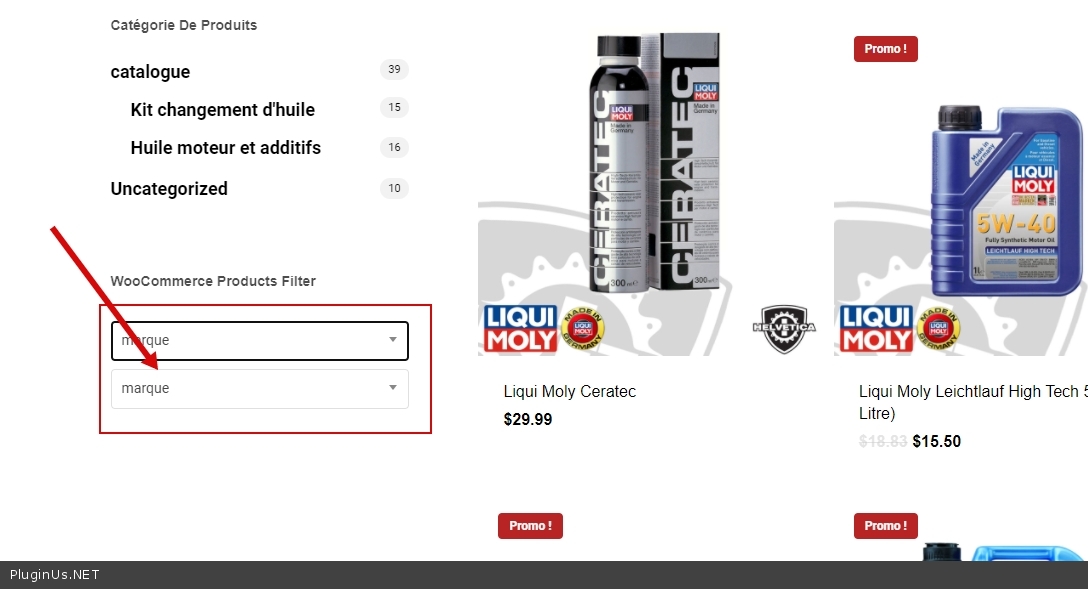
Quote from Marc on November 26, 2020, 03:47I was able to do exactly what I want but the design looks a bit bizarre. It's showing 2 differents dropdown and the options are hidden.
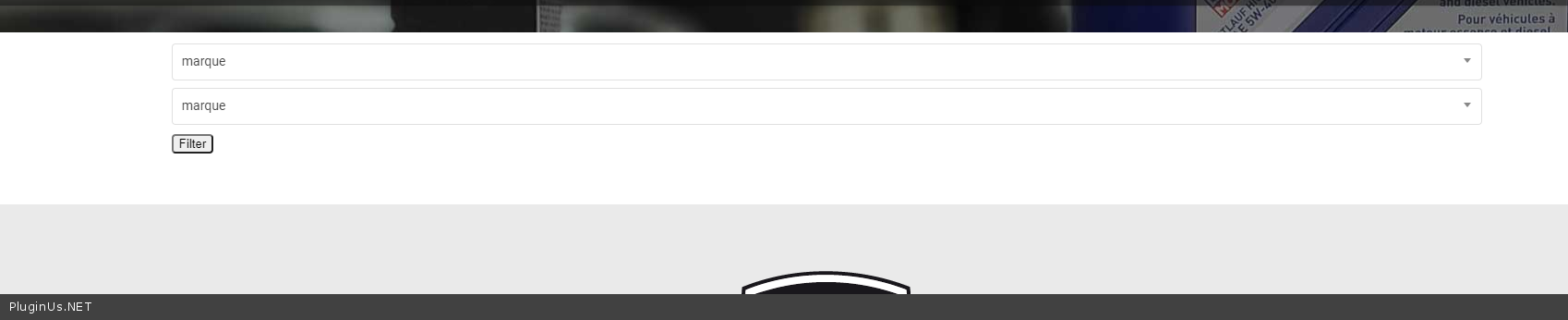
I was able to do exactly what I want but the design looks a bit bizarre. It's showing 2 differents dropdown and the options are hidden.

Quote from Pablo Borysenco on November 26, 2020, 13:23Hello Marc
It looks like this is a conflict with the current theme.
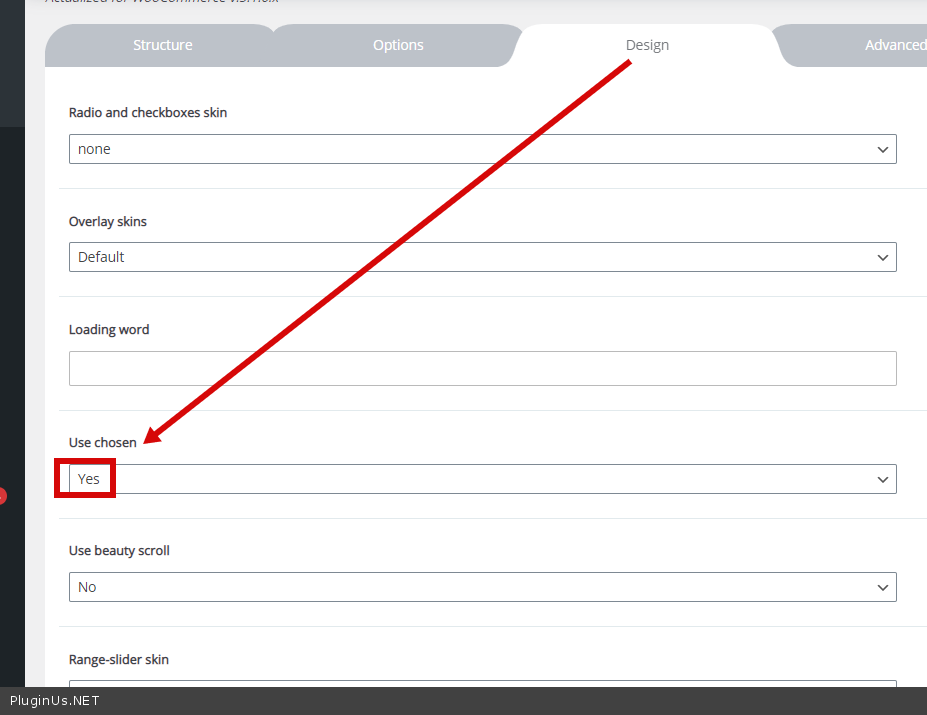
I checked an option - https://c2n.me/49YTTyL.png Result - https://c2n.me/49YTW4t.png
Hello Marc
It looks like this is a conflict with the current theme.
I checked an option - https://c2n.me/49YTTyL.png Result - https://c2n.me/49YTW4t.png
Quote from Marc on November 26, 2020, 15:45Hi Pablo,
Good catch. Is it possible to keep the original dropdown style from my site (i'm using SALIENT). That would be wonderful! :)
Thanks,
Hi Pablo,
Good catch. Is it possible to keep the original dropdown style from my site (i'm using SALIENT). That would be wonderful! :)
Thanks,
Quote from Pablo Borysenco on November 27, 2020, 13:44Hello
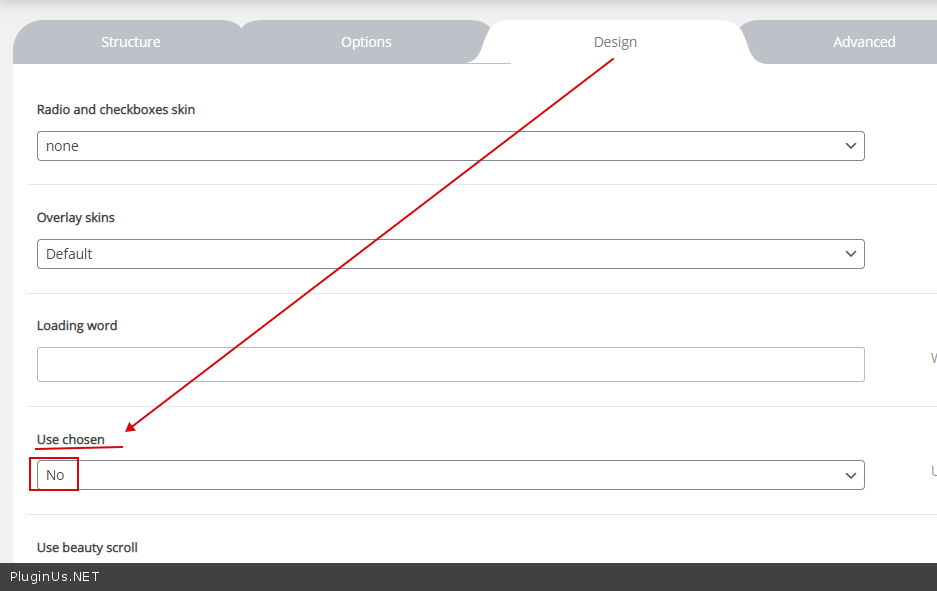
this is the original style of your theme. This option disables the styles of my plugin for dropdown
Hello
this is the original style of your theme. This option disables the styles of my plugin for dropdown
Quote from Marc on November 27, 2020, 14:43Hi Pablo,
The style "changes" after you select an option. I also have 2 dropdowns at the beginning for some reason.
https://ibb.co/qFWCYk2
Can you see the difference between this :
https://ibb.co/LrpnhQJ
and this
https://ibb.co/nbn3B26
Thanks for helping :)
Hi Pablo,
The style"changes" after you select an option. I also have 2 dropdowns at the beginning for some reason.
Can you see the difference between this :
and this
Thanks for helping :)
Quote from Pablo Borysenco on November 30, 2020, 14:56Hello
I also have 2 dropdowns at the beginning for some reason - https://c2n.me/4a1MRjS.png
Can you see the difference between this : - It is incompatible with Ajax mode. After ajax request, your theme styles(JS for dropdown) are not initialized
Hello
I also have 2 dropdowns at the beginning for some reason - https://c2n.me/4a1MRjS.png
Can you see the difference between this : - It is incompatible with Ajax mode. After ajax request, your theme styles(JS for dropdown) are not initialized
Quote from Marc on January 13, 2021, 18:31Hi there, sorry for my very late reply. Do I have to disable AJAX in that case?
Hi there, sorry for my very late reply. Do I have to disable AJAX in that case?
Quote from Pablo Borysenco on January 14, 2021, 12:15Hello
Yes. Disable ajax mode or try another theme
Hello
Yes. Disable ajax mode or try another theme
Quote from Marc on January 14, 2021, 14:13Disabling ajax mode didn't fix it unfortunetely and switching theme is definetely not an option.
So far i've spend money on WOOF products filter and X product filters. Both addons are super complicated and it they just don't work. I'm very dissapointed that it takes this amount of time to just get something working with your plugin.
Thanks for your time,
Sincerely, Marc,
Disabling ajax mode didn't fix it unfortunetely and switching theme is definetely not an option.
So far i've spend money on WOOF products filter and X product filters. Both addons are super complicated and it they just don't work. I'm very dissapointed that it takes this amount of time to just get something working with your plugin.
Thanks for your time,
Sincerely, Marc,
Quote from Pablo Borysenco on January 15, 2021, 12:45Hello Marc
Disabling ajax mode didn't fix it - It is very strange!
to quickly set up the plugin, you should spend a little time on documentation. Please watch a video - https://products-filter.com/video-tutorials/#video_beGT6p_look
An example - https://c2n.me/4az4cDs.jpg your settings - https://c2n.me/4az4eO2.png please read - https://products-filter.com/extencion/hierarchy-drop-down/
my quick settings - https://c2n.me/4az4Nd0 - everything seems to be working correctly
Hello Marc
Disabling ajax mode didn't fix it - It is very strange!
to quickly set up the plugin, you should spend a little time on documentation. Please watch a video - https://products-filter.com/video-tutorials/#video_beGT6p_look
An example - https://c2n.me/4az4cDs.jpg your settings - https://c2n.me/4az4eO2.png please read - https://products-filter.com/extencion/hierarchy-drop-down/

my quick settings - https://c2n.me/4az4Nd0 - everything seems to be working correctly
Quote from Marc on March 22, 2021, 20:51Hi,
Yes this works in the side bar, but not on my main page. Please check the front page here: https://woocommerce-486994-1582102.cloudwaysapps.com/
You will see at the top of the page a search dropdown with Brand, mode and year.
Many thanks!
Hi,
Yes this works in the side bar, but not on my main page. Please check the front page here: https://woocommerce-486994-1582102.cloudwaysapps.com/
You will see at the top of the page a search dropdown with Brand, mode and year.
Many thanks!
Quote from Pablo Borysenco on March 23, 2021, 13:31Hello Marc
My test - https://c2n.me/4bpvUkr - Filtering works correctly. I only see a problem in your theme - The theme adds styles to all dropdowns and after ajax redrawing of the page, these styles disappear
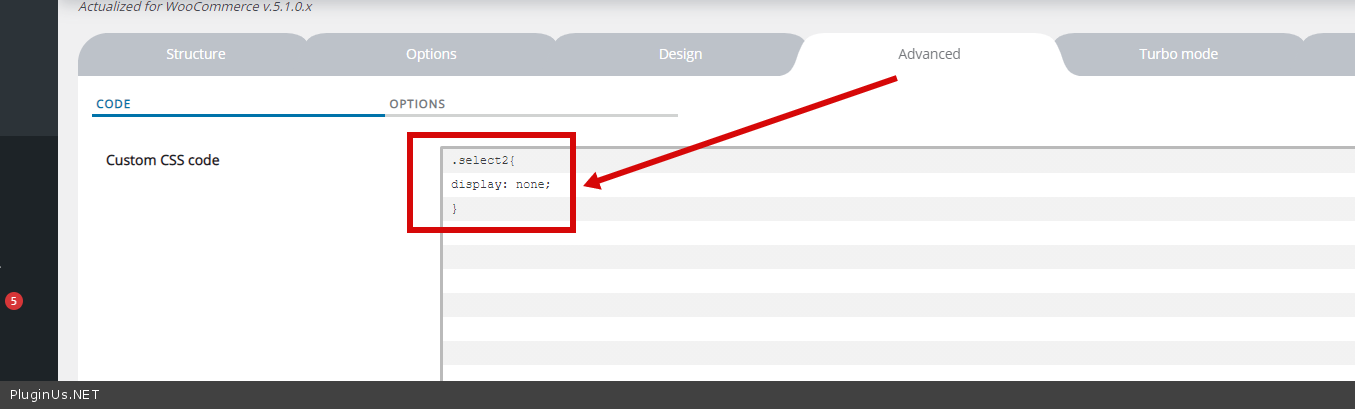
So i have included filter styles - https://c2n.me/4bpwoU6.png and hid theme styles - https://c2n.me/4bpwwhV.png
Hello Marc
My test - https://c2n.me/4bpvUkr - Filtering works correctly. I only see a problem in your theme - The theme adds styles to all dropdowns and after ajax redrawing of the page, these styles disappear
So i have included filter styles - https://c2n.me/4bpwoU6.png and hid theme styles - https://c2n.me/4bpwwhV.png