vikushkinas(@vikushkinas)
10 Posts
Customers
Quote from vikushkinas on May 10, 2022, 11:00
Hello,
I've choosen drop-down option to my products filter but I'm not happy with a view a see. How to customize the appearance of the buttons? I want them to bee like in full length etc.
You can see the existing result here (please press "Filtrai)
https://www.hummel.lt/kategorija/vyrams/
Furthermore, please try on mobile device. On mobile the filters is not working at all.
Also I can translate or remove "Woocommere product filter" ; " done" or other buttons.
Hello,
I've choosen drop-down option to my products filter but I'm not happy with a view a see. How to customize the appearance of the buttons? I want them to bee like in full length etc.
You can see the existing result here (please press"Filtrai)
https://www.hummel.lt/kategorija/vyrams/
Furthermore, please try on mobile device. On mobile the filters is not working at all.
Also I can translate or remove"Woocommere product filter" ;" done" or other buttons.

Pablo Borysenco(@pavlo_borysenco)
34,196 Posts
Quote from Pablo Borysenco on May 10, 2022, 12:01
Hello
please paste your license key here - https://share.pluginus.net/image/i20210618130558.png -> https://share.pluginus.net/image/i20210618130614.png
https://share.pluginus.net/image/i20220510095708.png - To change these buttons, you should ask the author of this functionality. My plugin has nothing to do with this
I can translate or remove"Woocommere product filter" - This is the title of the widget, just change it like any other title
please try on mobile device. On mobile the filters is not working at all. - Please disable JS optimization and do a test
Hello
please paste your license key here - https://share.pluginus.net/image/i20210618130558.png -> https://share.pluginus.net/image/i20210618130614.png
https://share.pluginus.net/image/i20220510095708.png - To change these buttons, you should ask the author of this functionality. My plugin has nothing to do with this
I can translate or remove"Woocommere product filter" - This is the title of the widget, just change it like any other title
please try on mobile device. On mobile the filters is not working at all. - Please disable JS optimization and do a test
vikushkinas(@vikushkinas)
10 PostsTopic Author
Customers
Quote from vikushkinas on June 1, 2022, 11:34
Hello,
- I can't transtale "In Stock" button via Loco translate. How can I translate it to "Turime"?
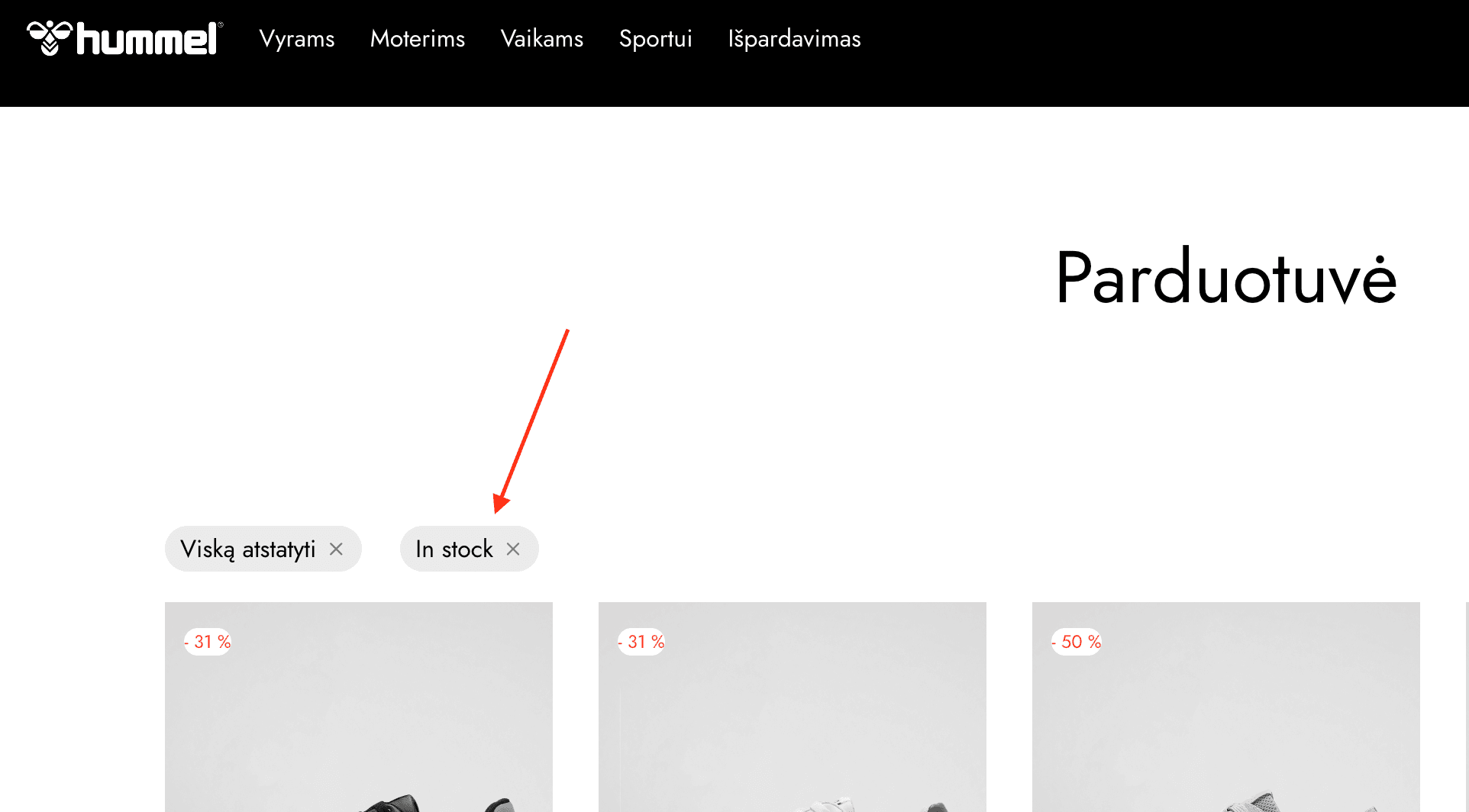
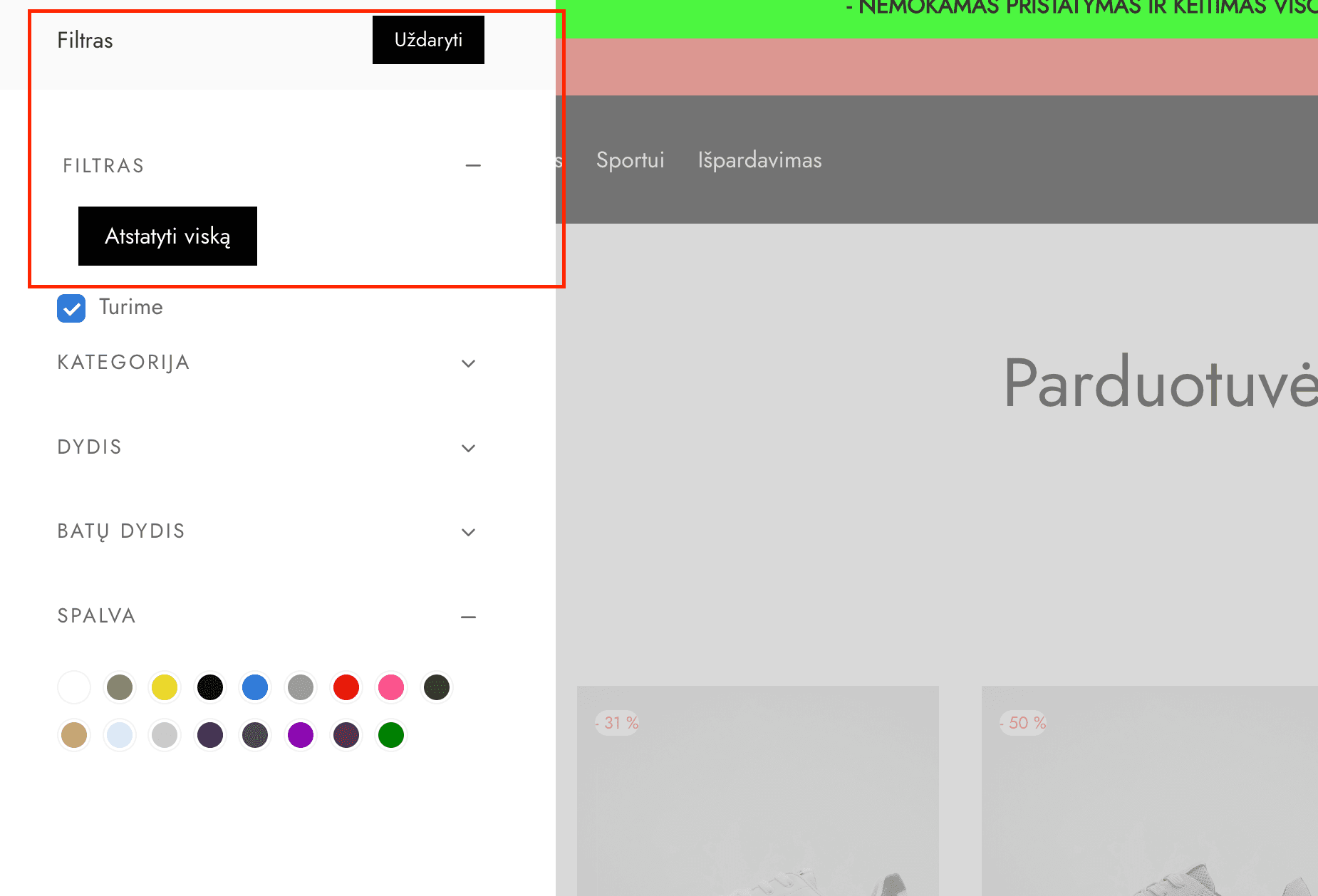
- There are two filter headers visible. How to disable one?
- Out of stock product from variation is still visible on filter although "In Stock" extention is turned on.
- I can't add product color image. I guess there is some kind off bug.. Once I press "Select Image" button I'm redirected to top of the page.
Hello,
- I can't transtale"In Stock" button via Loco translate. How can I translate it to"Turime"?
- There are two filter headers visible. How to disable one?
- Out of stock product from variation is still visible on filter although"In Stock" extention is turned on.
- I can't add product color image. I guess there is some kind off bug.. Once I press"Select Image" button I'm redirected to top of the page.
Pablo Borysenco(@pavlo_borysenco)
34,196 Posts
vikushkinas(@vikushkinas)
10 PostsTopic Author
Customers
Quote from vikushkinas on June 1, 2022, 13:47
Where can I find it?
Where can I find it?
Pablo Borysenco(@pavlo_borysenco)
34,196 Posts
Quote from Pablo Borysenco on June 2, 2022, 10:27
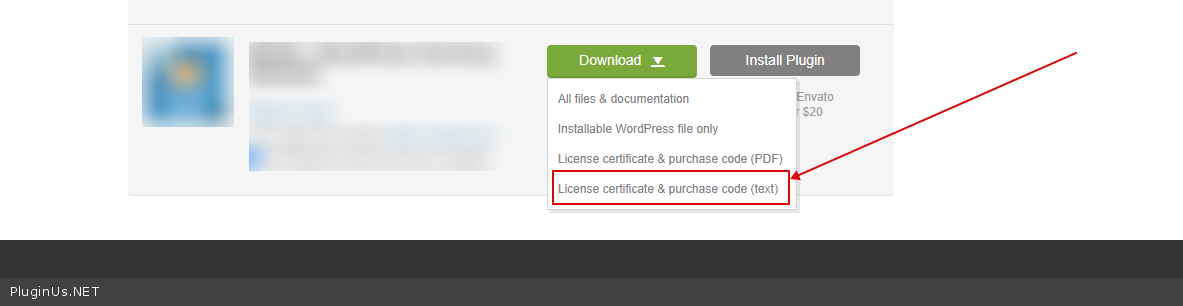
To get license key - https://codecanyon.net/downloads -> https://c2n.me/49ZXJv0.png
To get license key - https://codecanyon.net/downloads -> https://c2n.me/49ZXJv0.png