PluginUs.Net - Business Tools for WooCommerce and WordPress

[realize your idea - make your dreams come true]

Support Forum

You need to log-in to create request (topic) to the support

Brands Drop Down menu

The support doesn work on Saturdays and Sundays, so some Friday requests can be answered on Monday. If you have problems with registration ask help on contact us page please
If you not got email within 24~36 business hours, firstly check your spam box, and if no any email from the support there - back to the forum and read answer here. DO NOT ANSWER ON EMAILS [noreply@pluginus.net] FROM THE FORUM!! Emails are just for your info, all answers should be published only here.
The support doesn work on Saturdays and Sundays, so some Friday requests can be answered on Monday.

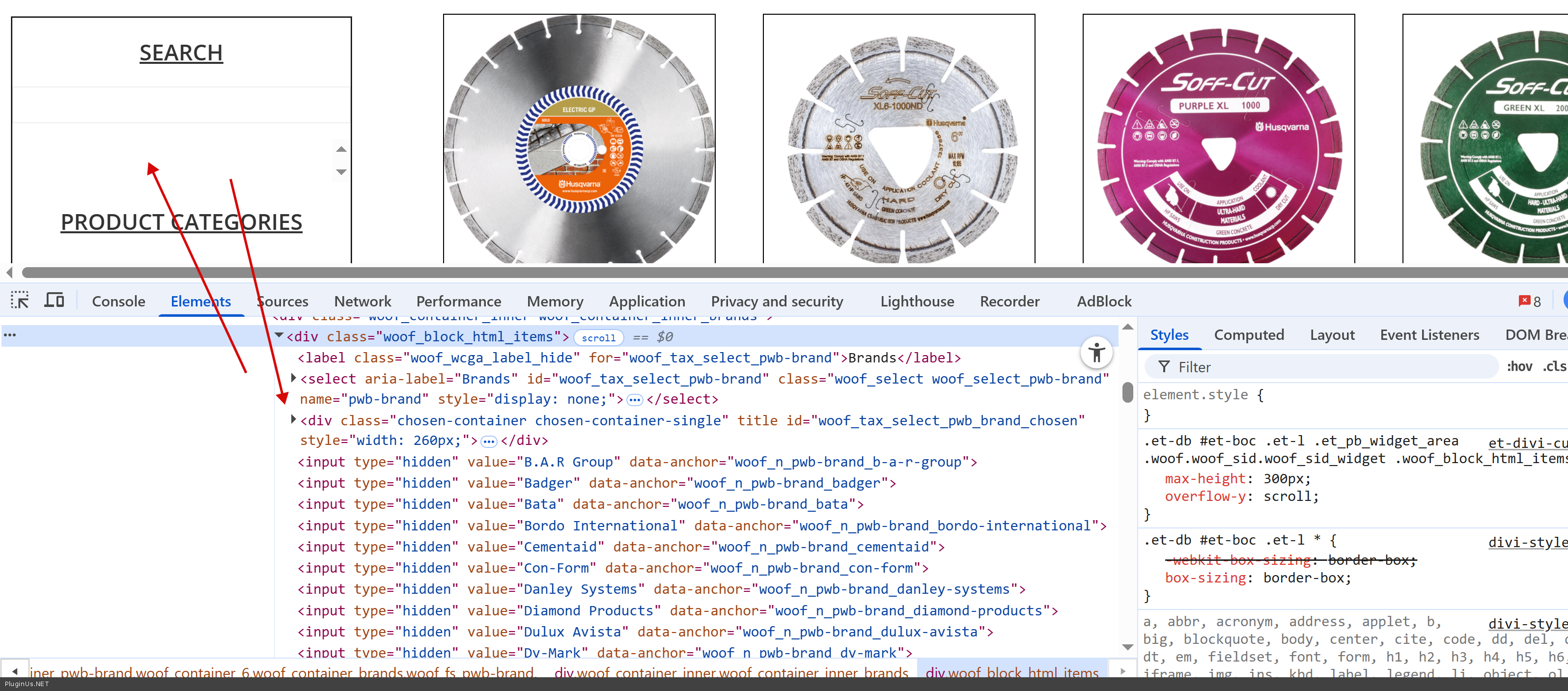
I am using your Husky filter in the sidebar of my websites shop page I am having trouble with the two sections. I have drop down selected for the brands filter and Checkbox for the categories filter, which is working fine, however the drop down menu for the brands filter is hidden behind the checkbox categories filter, so you cannot see the drop down menu. Please advise on how to resolve this issue.

Hello

Share please exect link with the issue here or in the private area. This is CSS issue and I will look in the console how that to resolve

https://share.pluginus.net/image/i20230222134241.png
https://share.pluginus.net/image/i20230222134615.png
https://share.pluginus.net/image/i20230222134511.png


Hello Alex,


I am not sure how to access this private area but the link to the shop page on our website is: https://structool.com.au/shop/

Hello

Just looked the site, and I see that drop-down code is in the filter

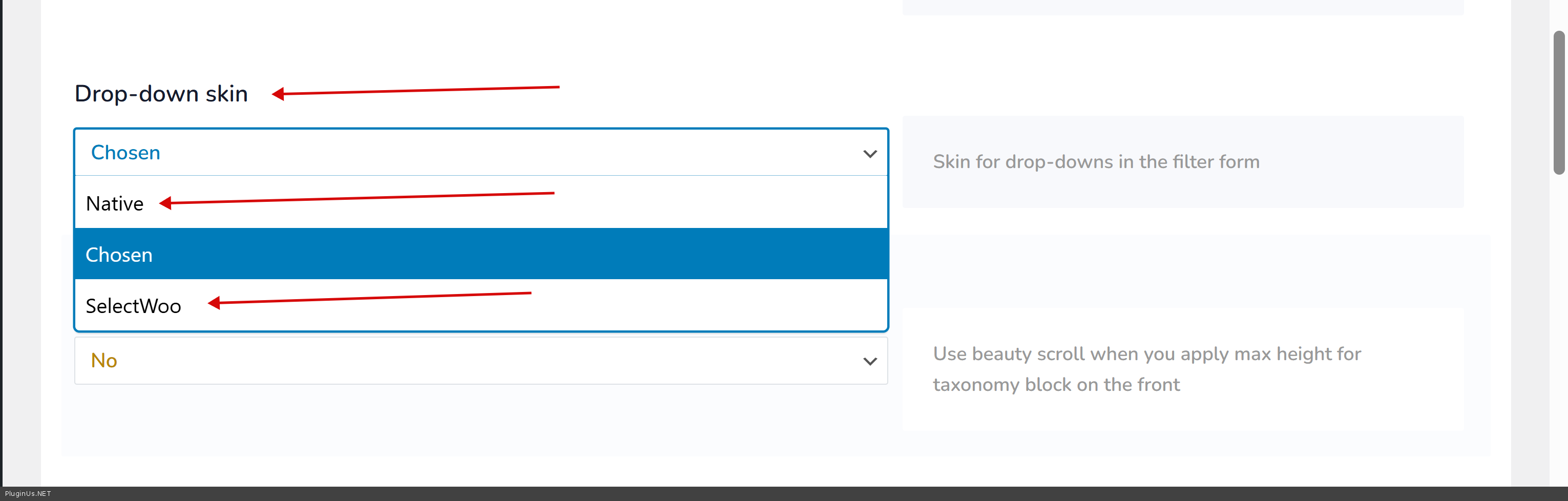
BUT its not displayed correctly, what can be a CSS/JS conflict, so let do next: got to HUSKY settings admin page -> tab Design -> Drop-down skin and select there Native skin or select woo, then reset site cache if use any cache plugin and see the result

p.s. secret areaa of this ticket  is here: https://share.pluginus.net/image/i20230222134241.png -> https://share.pluginus.net/image/i20230222134615.png


Hey Alex,

I had a go with those steps you told me to try and it worked out great! The filter is working perfect now, thanks so much for your help.


Welcome :)