Quote from Alex Dovlatov on March 16, 2026, 12:39
Hi
Since your site uses redirect-based filtering, the filtered URL in your browser address bar is already correct and complete — that's exactly why copy-paste works perfectly.
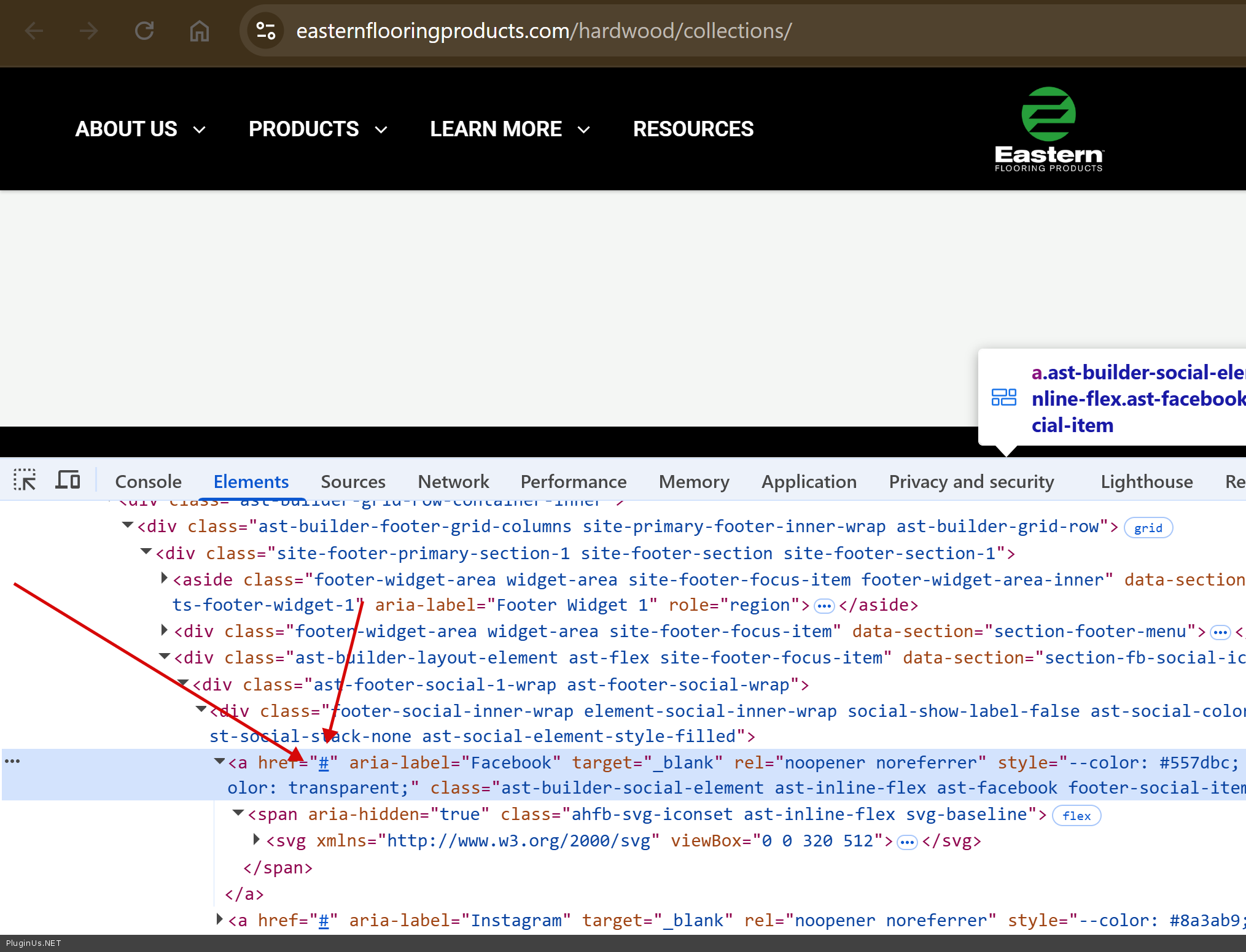
The issue is simply that your theme's Share button is hardcoded to the base page URL and ignores the current address bar entirely.
The fix is straightforward — your developer just needs to find where the Share button is defined in your theme (footer, header, or a widget) and replace the hardcoded URL (#) with window.location.href, which always returns whatever is currently in the browser's address bar.
No matter what link, for example https://www.easternflooringproducts.com/hardwood/collections/ - share buttons in footer doesn work
Place please actual purchase code of the plugin into the private area of this ticket:
https://share.pluginus.net/image/i20230222134241.png
https://share.pluginus.net/image/i20230222134615.png
https://share.pluginus.net/image/i20230222134511.png
Hi
Since your site uses redirect-based filtering, the filtered URL in your browser address bar is already correct and complete — that's exactly why copy-paste works perfectly.
The issue is simply that your theme's Share button is hardcoded to the base page URL and ignores the current address bar entirely.
The fix is straightforward — your developer just needs to find where the Share button is defined in your theme (footer, header, or a widget) and replace the hardcoded URL (#) with window.location.href, which always returns whatever is currently in the browser's address bar.
No matter what link, for example https://www.easternflooringproducts.com/hardwood/collections/ - share buttons in footer doesn work
Place please actual purchase code of the plugin into the private area of this ticket:
https://share.pluginus.net/image/i20230222134241.png
https://share.pluginus.net/image/i20230222134615.png
https://share.pluginus.net/image/i20230222134511.png






