PluginUs.Net - Business Tools for WooCommerce and WordPress

[realize your idea - make your dreams come true]

Support Forum

You need to log-in to create request (topic) to the support

backslashes before apostrophe in french translation via WPML

The support doesn work on Saturdays and Sundays, so some Friday requests can be answered on Monday. If you have problems with registration ask help on contact us page please
If you not got email within 24~36 business hours, firstly check your spam box, and if no any email from the support there - back to the forum and read answer here. DO NOT ANSWER ON EMAILS [noreply@pluginus.net] FROM THE FORUM!! Emails are just for your info, all answers should be published only here.
The support doesn work on Saturdays and Sundays, so some Friday requests can be answered on Monday.

Hi,

We are using WPML on our development site to sort out some issues.
When translating our attributes to the French language, we have a problem.
We try to add the french translation. Phrases and words with an apostrophe are getting an extra backslash.

WPML pointed to an issue of the plugin, for them it works fine on a clean install.

Our demo dev site: https://oxford.wearebatman.be/fr/producten/
As you see in the sidebar ->  TYPE D\\\\\\\\\\\\\'E-BIKE

How can we fix this issue? Can you help us with this matter?

Thanks in advance

Hello

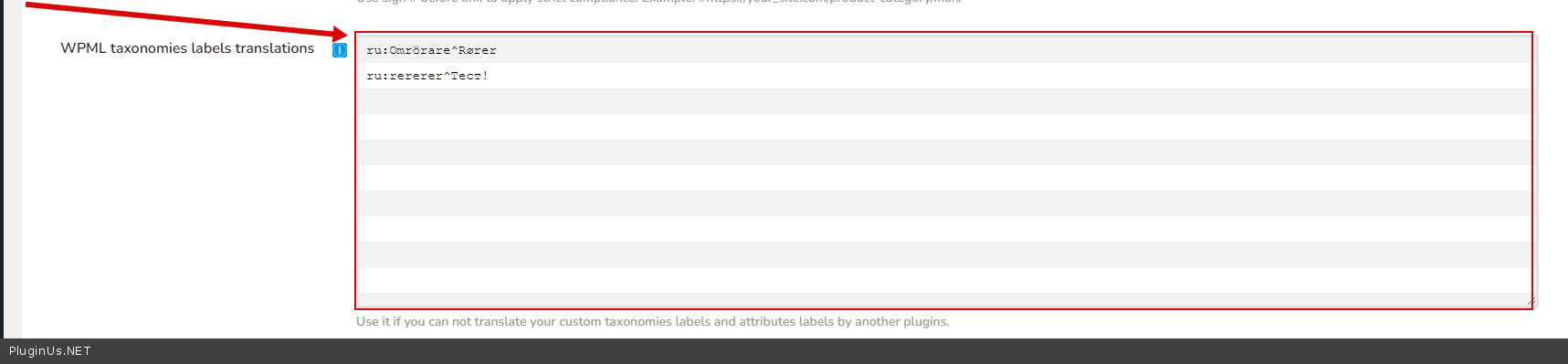
Do  you  mean  this  option -  https://c2n.me/4fiWmCu.png ?

Please paste your license key here - https://share.pluginus.net/image/i20210618130558.png -> https://share.pluginus.net/image/i20210618130614.png and  wp-admin access - https://share.pluginus.net/image/i20210618130637.png

Update  the  plugin  to latest  version - https://products-filter.com/how-to-make-auto-update-for-wordpress-plugins-and-themes-bought-on-envato

Hi,

Exactly, in that WPML translation field.

I noticed it only happens with the normal apostrophe.
When i use a different kind of apostrophe, it doesn't happen.

Please paste your license key here - https://share.pluginus.net/image/i20210618130558.png -> https://share.pluginus.net/image/i20210618130614.png and   FTP+wp-admin access - https://share.pluginus.net/image/i20210618130637.png

I will  fix  it