johann.gigon(@johann-gigon)
4 Posts
Customers
Quote from johann.gigon on September 14, 2020, 12:54
Hi !
I have a problem after filtering, with the auto scroll to the top.
i try the solution in your FAQ, with this code
jQuery('html, body').animate({
        scrollTop: jQuery(".woocommerce-result-count").offset().top
}, 777);
I tried also with ".woof_products_top_panel_content"
But it doesn’t work.
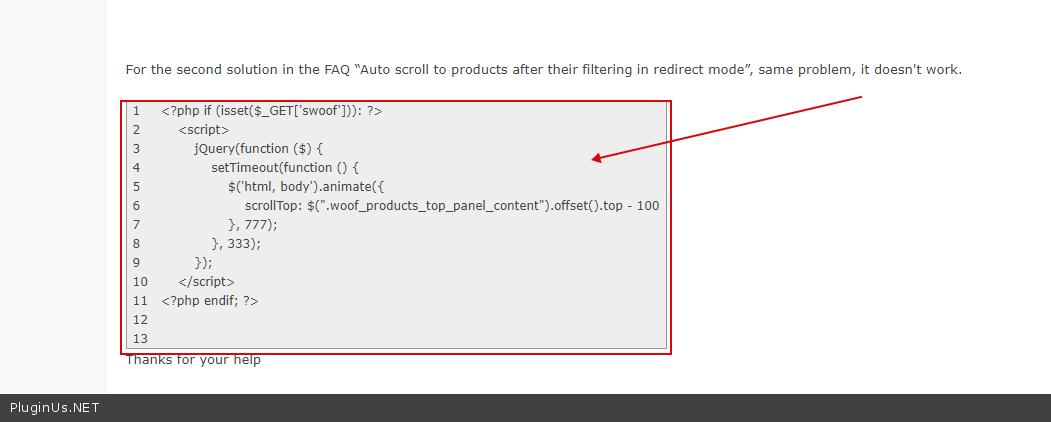
For the second solution in the FAQ “Auto scroll to products after their filtering in redirect mode”, same problem, it doesn't work.
| <?php if (isset($_GET['swoof'])): ?> <script> jQuery(function ($) { setTimeout(function () { $('html, body').animate({ scrollTop: $(".woof_products_top_panel_content").offset().top - 100 }, 777); }, 333); }); </script> <?php endif; ?> |
Thanks for your help
Hi !
I have a problem after filtering, with the auto scroll to the top.
i try the solution in your FAQ, with this code
jQuery('html, body').animate({
        scrollTop: jQuery(".woocommerce-result-count").offset().top
}, 777);
I tried also with".woof_products_top_panel_content"
But it doesn’t work.
For the second solution in the FAQ “Auto scroll to products after their filtering in redirect mode”, same problem, it doesn't work.
| <?php if (isset($_GET['swoof'])): ?> <script> jQuery(function ($) { setTimeout(function () { $('html, body').animate({ scrollTop: $(".woof_products_top_panel_content").offset().top - 100 }, 777); }, 333); }); </script> <?php endif; ?> |
Thanks for your help

Pablo Borysenco(@pavlo_borysenco)
34,196 Posts
Quote from Pablo Borysenco on September 15, 2020, 12:10
Hello
Please drop me exact link to the issue
Hello
Please drop me exact link to the issue
johann.gigon(@johann-gigon)
4 PostsTopic Author
Customers
Quote from johann.gigon on September 15, 2020, 13:57
Hi.
i sent in "private date for this topic"
(the website is not public)
johann
Hi.
i sent in"private date for this topic"
(the website is not public)
johann
Pablo Borysenco(@pavlo_borysenco)
34,196 Posts
Quote from Pablo Borysenco on September 16, 2020, 12:07
Hello johann
https://c2n.me/496hptF.png - This only works in ajax mode. But you don't use Ajax mode
https://c2n.me/496hA8l.png - it looks like you added this code incorrectly. your page does not have this code
Hello johann
https://c2n.me/496hptF.png - This only works in ajax mode. But you don't use Ajax mode
https://c2n.me/496hA8l.png - it looks like you added this code incorrectly. your page does not have this code
johann.gigon(@johann-gigon)
4 PostsTopic Author
Customers
Quote from johann.gigon on September 17, 2020, 17:36
Hello,
For ajax mode, I checked "YES" in the plugin for "Try to ajaxify the shop" - Do I have to do something else ?
I added the code in the footer.php file in the child theme. This is not correct ?
Thanks,
Johann
Hello,
For ajax mode, I checked"YES" in the plugin for"Try to ajaxify the shop" - Do I have to do something else ?
I added the code in the footer.php file in the child theme. This is not correct ?
Thanks,
Johann
Pablo Borysenco(@pavlo_borysenco)
34,196 Posts
Quote from Pablo Borysenco on September 18, 2020, 13:15
Hello Johann
Your link - https://c2n.me/4984UJO.jpg
Hello Johann
Your link - https://c2n.me/4984UJO.jpg
johann.gigon(@johann-gigon)
4 PostsTopic Author
Customers
Quote from johann.gigon on September 18, 2020, 13:54
sorry,
you can try again
sorry,
you can try again
Pablo Borysenco(@pavlo_borysenco)
34,196 Posts
Quote from Pablo Borysenco on September 21, 2020, 11:05
Hello
The same result - https://c2n.me/499tYjM.jpg
Hello
The same result - https://c2n.me/499tYjM.jpg