

All product filters are showing
The support doesn work on Saturdays and Sundays, so some Friday requests can be answered on Monday. If you have problems with registration ask help on contact us page pleaseIf you not got email within 24~36 business hours, firstly check your spam box, and if no any email from the support there - back to the forum and read answer here. DO NOT ANSWER ON EMAILS [noreply@pluginus.net] FROM THE FORUM!! Emails are just for your info, all answers should be published only here.
The support doesn work on Saturdays and Sundays, so some Friday requests can be answered on Monday.

Quote from Vyom on October 19, 2021, 13:39When you filter and click on a product, then click the back button, it populates different filters.
Try this with Horse Trailers, click on Touring One and click back button, you will see this. When you click 'Reset' button, it then shows all of the filters, not the selected 6.
https://wordpress-426808-1766601.cloudwaysapps.com/product-category/buy/trailers-for-sale-quality-brands/horse-trailersAlso, Please go 'tipping trailers', set the Maximum Gross Weight (kg) to 1500kg, you will get the Debon PW0. Click into this product, then the click on browser back button. Extra filters will appear
https://prnt.sc/1wpwmhb
https://wordpress-426808-1766601.cloudwaysapps.com/product-category/buy/trailers-for-sale-quality-brands/tipping-trailersSo after click on back button it's redirect on the below URL
https://wordpress-426808-1766601.cloudwaysapps.com/product-category/buy/trailers-for-sale-quality-brands/tipping-trailers/?swoof=1&pa_maximum-gross-weight-kg=600,750,1160,1200,1300,1500,1600,2000,2600,2700,3000,3500&paged=1&really_curr_tax=326-product_cathttps://prnt.sc/1wpwv7l
So please check and help me to fix the issue ASAP.
I have added the private details , So please check and let me know
When you filter and click on a product, then click the back button, it populates different filters.
Try this with Horse Trailers, click on Touring One and click back button, you will see this. When you click 'Reset' button, it then shows all of the filters, not the selected 6.
https://wordpress-426808-1766601.cloudwaysapps.com/product-category/buy/trailers-for-sale-quality-brands/horse-trailers
Also, Please go 'tipping trailers', set the Maximum Gross Weight (kg) to 1500kg, you will get the Debon PW0. Click into this product, then the click on browser back button. Extra filters will appear
https://prnt.sc/1wpwmhb
https://wordpress-426808-1766601.cloudwaysapps.com/product-category/buy/trailers-for-sale-quality-brands/tipping-trailers
So after click on back button it's redirect on the below URL
https://wordpress-426808-1766601.cloudwaysapps.com/product-category/buy/trailers-for-sale-quality-brands/tipping-trailers/?swoof=1&pa_maximum-gross-weight-kg=600,750,1160,1200,1300,1500,1600,2000,2600,2700,3000,3500&paged=1&really_curr_tax=326-product_cat
So please check and help me to fix the issue ASAP.
I have added the private details , So please check and let me know

Quote from Pablo Borysenco on October 20, 2021, 10:39Hello
Please paste your license key here - https://share.pluginus.net/image/i20210618130558.png -> https://share.pluginus.net/image/i20210618130614.png
Try to do a test - instead of the back button, just reload the page
Hello
Please paste your license key here - https://share.pluginus.net/image/i20210618130558.png -> https://share.pluginus.net/image/i20210618130614.png


Try to do a test - instead of the back button, just reload the page
Quote from Vyom on October 20, 2021, 12:00I have added the license key
When user click on back button, I want to show the filter properly
But still showing all the filter when user click on back button.
Please check this issue and help me to fix the issue
I have added the license key
When user click on back button, I want to show the filter properly
But still showing all the filter when user click on back button.
Please check this issue and help me to fix the issue
Quote from Pablo Borysenco on October 20, 2021, 12:12Did you do the test? - https://c2n.me/4dIm8Bz.png - the same behavior?
Did you do the test? - https://c2n.me/4dIm8Bz.png - the same behavior?

Quote from Vyom on October 21, 2021, 06:54I have checked but it's still showing all the filters
When you filter the product and click on any product, then refresh the page and click the back button of the browser
It's still showing this page
https://wordpress-426808-1766601.cloudwaysapps.com/product-category/buy/trailers-for-sale-quality-brands/tipping-trailers/?swoof=1&pa_maximum-gross-weight-kg=500%2C600%2C750%2C1160%2C1200%2C1300%2C1500%2C1600%2C2000%2C2600%2C2700%2C3000&really_curr_tax=326-product_cat
https://prnt.sc/1wx4qmnWhen user click to the back button , I need to showing only category wise product filter , Not all the filters showing
Please make sure when user click the back button of the browser then showing the proper category wise product filter , Not all the filters showing
We need to fix this issue ASAP.
I have checked but it's still showing all the filters
When you filter the product and click on any product, then refresh the page and click the back button of the browser
It's still showing this page
https://wordpress-426808-1766601.cloudwaysapps.com/product-category/buy/trailers-for-sale-quality-brands/tipping-trailers/?swoof=1&pa_maximum-gross-weight-kg=500%2C600%2C750%2C1160%2C1200%2C1300%2C1500%2C1600%2C2000%2C2600%2C2700%2C3000&really_curr_tax=326-product_cat
https://prnt.sc/1wx4qmn
When user click to the back button , I need to showing only category wise product filter , Not all the filters showing
Please make sure when user click the back button of the browser then showing the proper category wise product filter , Not all the filters showing
We need to fix this issue ASAP.
Quote from Pablo Borysenco on October 21, 2021, 12:50Hello
I have tested this on my sites. We don't have such error
You can test it here - https://demo.products-filter.com/product-category/clothing/man/pullover/
I checked your site and everything is working correctly.
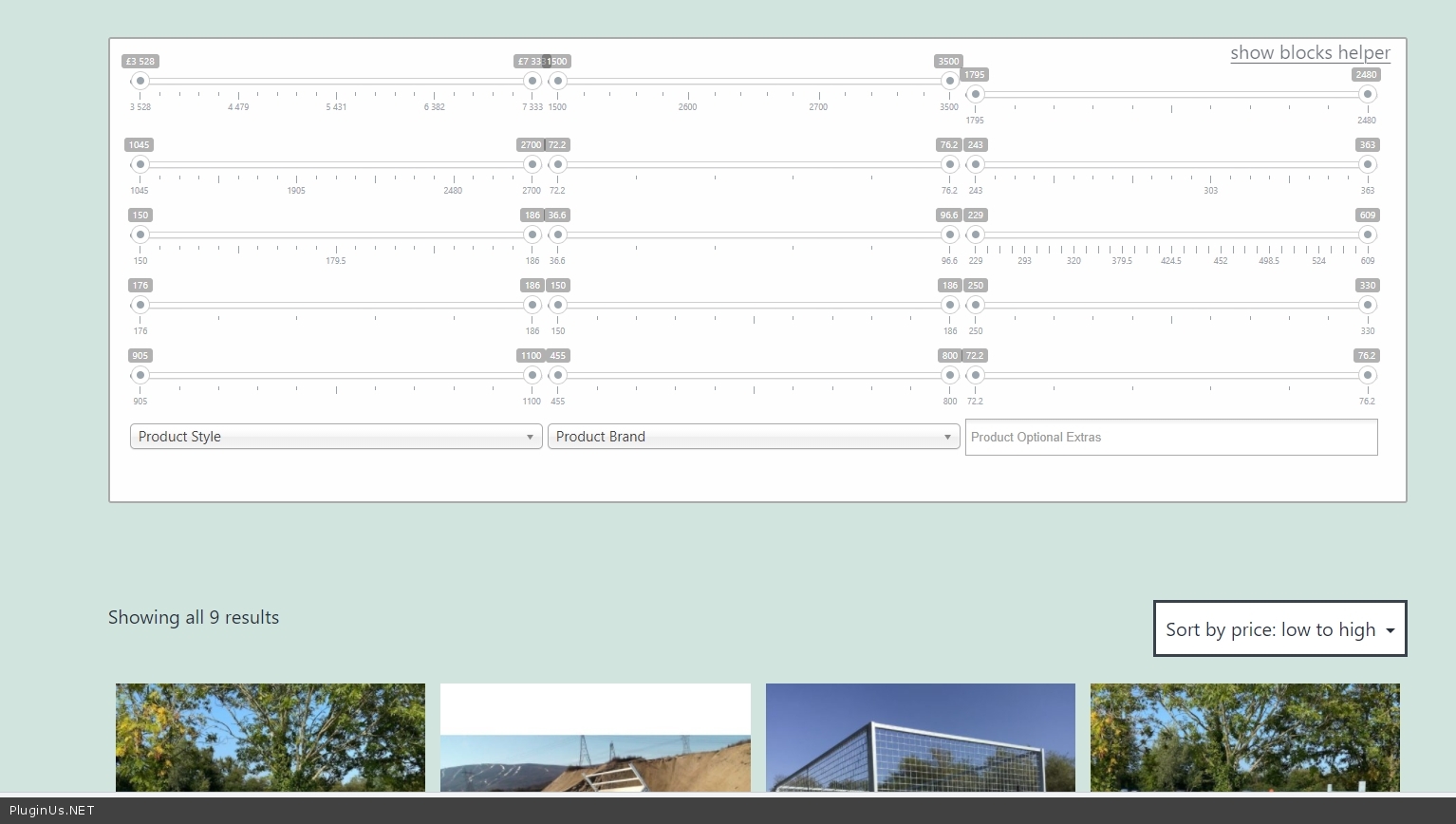
I disabled all plugins/theme that might cause conflict and checked page - https://wordpress-426808-1766601.cloudwaysapps.com/product-category/buy/trailers-for-sale-quality-brands/tipping-trailers/ - https://c2n.me/4dJcv8G.jpg - products in this category have all of these attributes. Therefore, the filter displays all these filters - https://c2n.me/4dJd5Sk
It looks like you are using custom code that hides filters - If this custom code does not work correctly for you, contact the developer who did it for you.
Hello
I have tested this on my sites. We don't have such error
You can test it here - https://demo.products-filter.com/product-category/clothing/man/pullover/
I checked your site and everything is working correctly.
I disabled all plugins/theme that might cause conflict and checked page - https://wordpress-426808-1766601.cloudwaysapps.com/product-category/buy/trailers-for-sale-quality-brands/tipping-trailers/ - https://c2n.me/4dJcv8G.jpg - products in this category have all of these attributes. Therefore, the filter displays all these filters - https://c2n.me/4dJd5Sk
It looks like you are using custom code that hides filters - If this custom code does not work correctly for you, contact the developer who did it for you.
Quote from Vyom on October 21, 2021, 13:09Hello,
I am a developer , I have created category wise filter custom functionality.
When you filter the product and refresh the page - https://wordpress-426808-1766601.cloudwaysapps.com/product-category/buy/trailers-for-sale-quality-brands/tipping-trailers/
https://prnt.sc/1wya88iIt's redirect user to shop page and showing all the filters
Also, I have checked the after refresh the page category page content is not showingSo I need to showing the page content and only category filters , Not All filters , when user refresh the page or click on back button
Also, Please make sure user can not redirect on shop page, when user refresh the page or click on back button
Why user redirect on shop page and not showing the category page content, when user refresh the page or click on back button
Hello,
I am a developer , I have created category wise filter custom functionality.
When you filter the product and refresh the page - https://wordpress-426808-1766601.cloudwaysapps.com/product-category/buy/trailers-for-sale-quality-brands/tipping-trailers/
https://prnt.sc/1wya88i
It's redirect user to shop page and showing all the filters
Also, I have checked the after refresh the page category page content is not showing
So I need to showing the page content and only category filters , Not All filters , when user refresh the page or click on back button
Also, Please make sure user can not redirect on shop page, when user refresh the page or click on back button
Why user redirect on shop page and not showing the category page content, when user refresh the page or click on back button
Quote from Pablo Borysenco on October 21, 2021, 13:28Ok!
I showed you that the plugin shows filters that should be displayed in the current category, because there are products with these attributes. If you disagree with me - show me which (exact)filter should not be displayed in the current category
Also, I have checked the after refresh the page category page content is not showing - Yes, because the plugin uses a shop template to display results. The reason is( you as a developer already know this ) if there is a GET request with taxonomy, wordpress forcibly redraws to the taxonomy page. To change this behavior - Advanced->Options - https://share.pluginus.net/image/i20211021142832.png
Ok!
I showed you that the plugin shows filters that should be displayed in the current category, because there are products with these attributes. If you disagree with me - show me which (exact)filter should not be displayed in the current category
Also, I have checked the after refresh the page category page content is not showing - Yes, because the plugin uses a shop template to display results. The reason is( you as a developer already know this ) if there is a GET request with taxonomy, wordpress forcibly redraws to the taxonomy page. To change this behavior - Advanced->Options - https://share.pluginus.net/image/i20211021142832.png
