costumevault(@costumevault)
16 Posts
Customers
Quote from costumevault on March 14, 2022, 04:22
Hi;
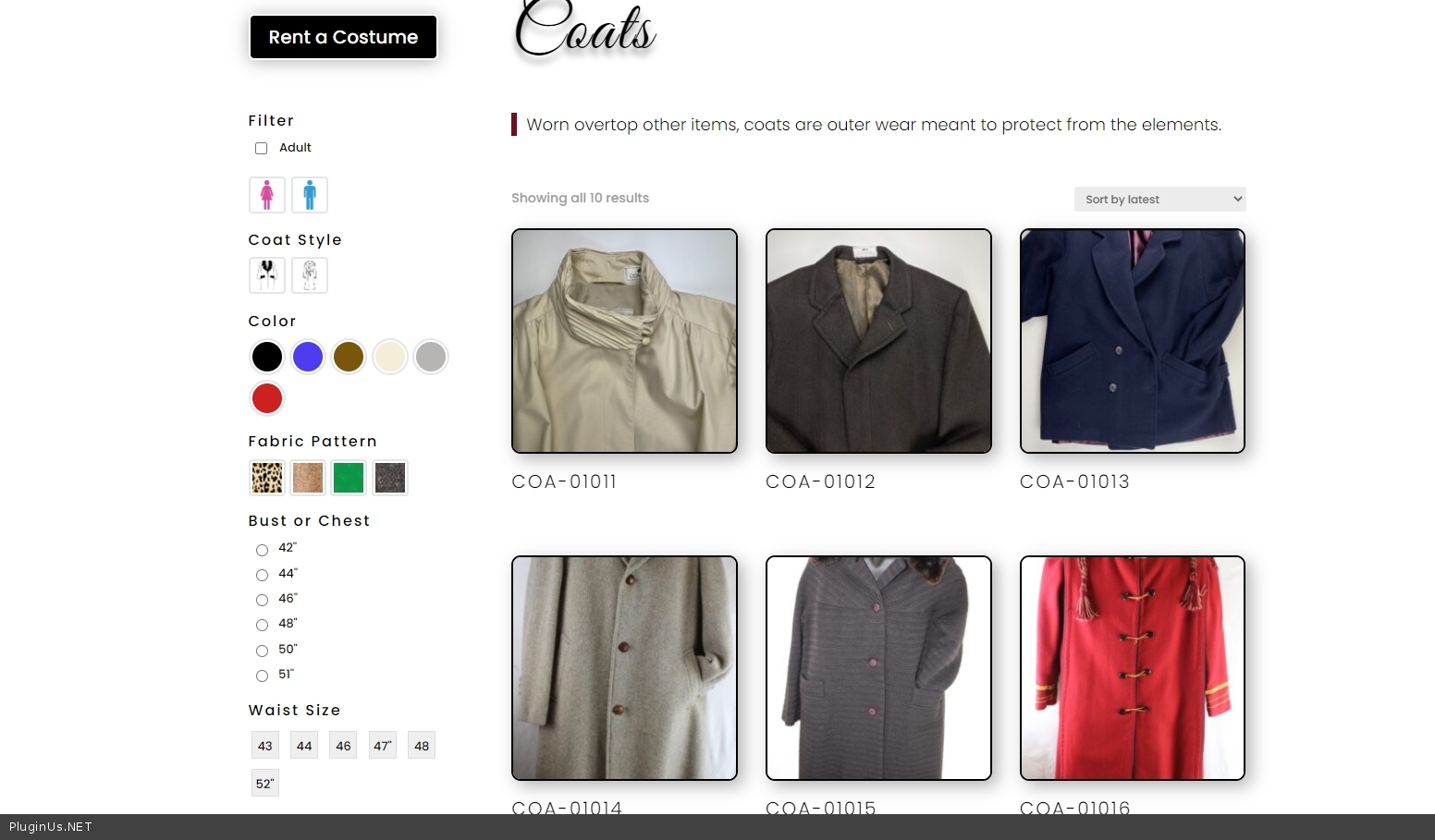
I purchased the plugin and implemented it in a widget in my sidebar theme. I'm loving it, except, I'm finding that when I use the "label" option, all of the attributes are showing, not simply the ones used as per the category. My buttons are sizes in inches so they are 20" and 22" for example. Some of the buttons include the symbol for inches " and some do not even though they are entered in the attribute information. Please advise. The bet page to see the example is: https://thecostumevault.ca/product-category/coats/. Thank you
Hi;
I purchased the plugin and implemented it in a widget in my sidebar theme. I'm loving it, except, I'm finding that when I use the"label" option, all of the attributes are showing, not simply the ones used as per the category. My buttons are sizes in inches so they are 20" and 22" for example. Some of the buttons include the symbol for inches" and some do not even though they are entered in the attribute information. Please advise. The bet page to see the example is: https://thecostumevault.ca/product-category/coats/. Thank you

Pablo Borysenco(@pavlo_borysenco)
34,196 Posts
Quote from Pablo Borysenco on March 14, 2022, 13:49
Hello
Please paste your license key here - https://share.pluginus.net/image/i20210618130558.png -> https://share.pluginus.net/image/i20210618130614.png and wp-admin access - https://share.pluginus.net/image/i20210618130637.png I will check it
Hello
Please paste your license key here - https://share.pluginus.net/image/i20210618130558.png -> https://share.pluginus.net/image/i20210618130614.png and wp-admin access - https://share.pluginus.net/image/i20210618130637.png I will check it
costumevault(@costumevault)
16 PostsTopic Author
Customers
Quote from costumevault on March 15, 2022, 04:42
done.
done.
Pablo Borysenco(@pavlo_borysenco)
34,196 Posts
Quote from Pablo Borysenco on March 15, 2022, 16:10
Hello
You should enable dynamic recalculationt
My test - https://c2n.me/4faRIDd.jpg
Hello
You should enable dynamic recalculationt
My test - https://c2n.me/4faRIDd.jpg
costumevault(@costumevault)
16 PostsTopic Author
Customers
Quote from costumevault on March 15, 2022, 21:00
Most excellent! Thank you. I thought that setting was related to showing the number of items available. Do you have an explanation for why some of the labels are showing the inches " and others are not? Please compare Waist size 43 and 47" Thank you
Most excellent! Thank you. I thought that setting was related to showing the number of items available. Do you have an explanation for why some of the labels are showing the inches" and others are not? Please compare Waist size 43 and 47" Thank you
Pablo Borysenco(@pavlo_borysenco)
34,196 Posts
Quote from Pablo Borysenco on March 16, 2022, 12:40
Hello
Please add CSS
.woof .woof_list_label .woof_label_term
width: 32px;
height: 32px;
Hello
Please add CSS
.woof .woof_list_label .woof_label_term
width: 32px;
height: 32px;