PluginUs.Net - Business Tools for WooCommerce and WordPress

[realize your idea - make your dreams come true]

Support Forum

You need to log-in to create request (topic) to the support

Ajaxify the shop is hijacking pagination on blog page

The support doesn work on Saturdays and Sundays, so some Friday requests can be answered on Monday. If you have problems with registration ask help on contact us page please
If you not got email within 24~36 business hours, firstly check your spam box, and if no any email from the support there - back to the forum and read answer here. DO NOT ANSWER ON EMAILS [noreply@pluginus.net] FROM THE FORUM!! Emails are just for your info, all answers should be published only here.
The support doesn work on Saturdays and Sundays, so some Friday requests can be answered on Monday.

We have enabled Ajaxify the shop on the site and this seems to be working ok, but we discovered that the pagination on the blog page appears to have been"hijacked" by this feature. If you go to the blog and click Next or one of the page numbers then it redirects to the shop:

https://genealogical.com/blog/

We are using the WooCommerce Storefront theme.

Hello

Very  strange!

I  will  pass it to  developers

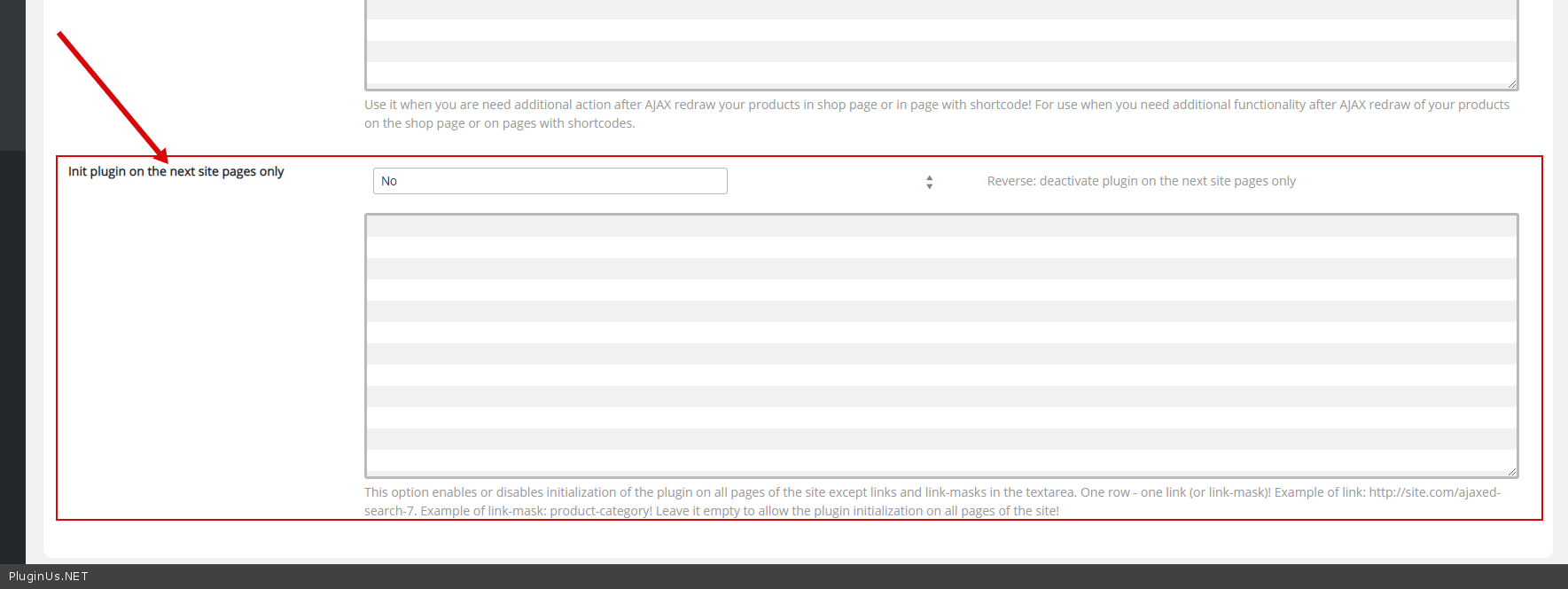
Fast  fix:  Please use  this  option - https://c2n.me/4asjMS9.png - to exclude the plugin on this page

Any feedback from the developers? Your suggestion did not resolve the problem. This is still an issue, and we're having other problems on catalog pages. For example https://genealogical.com/product-category/weekend-sale-on-select-new-england-books-save-20-through-monday-january-11th/ click next page and you'll get a No Product Found error, but if you refresh the page then you can see the products. This may be related to the"Try to ajaxify the shop" setting, but when we attempt to disable it (change Yes  to No) it says Saved but then has reverted to Yes.

Hello

Any feedback from the developers? - Unfortunately not

 Your suggestion did not resolve the problem. - Please  drop  me wp-admin  access - https://c2n.me/43SC6rb.png ->https://c2n.me/42BAoj4.png

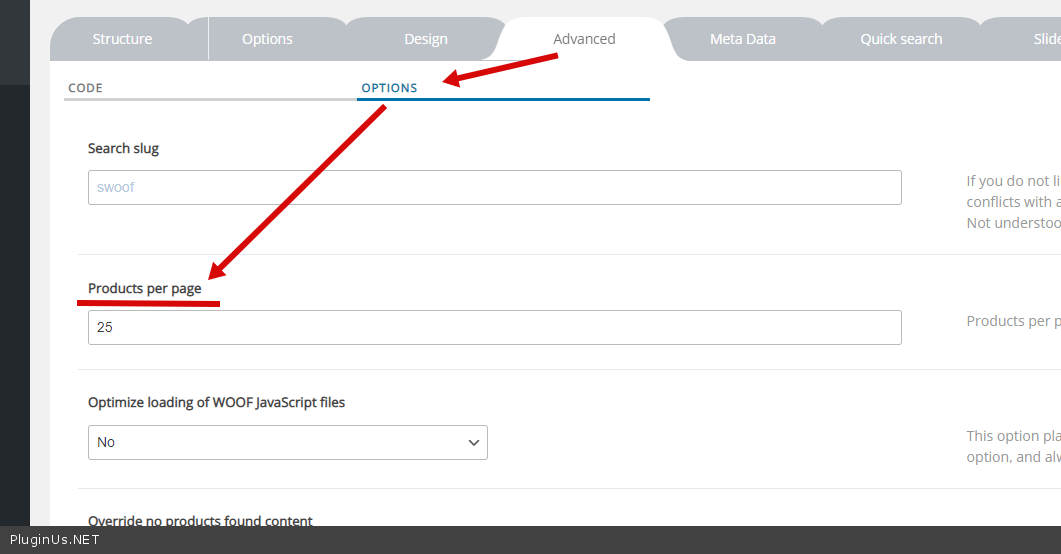
click next page and you'll get a No Product Found error - Please  set  correct  per-page  - https://c2n.me/4atUcpW.png

) it says Saved but then has reverted to Yes. - disable  turbo mode  and  do a  test


Thanks Pablo, disabling Turbo Mode allowed us to turn off Ajaxify the shop, and that resolved the problem. It would appear that that setting is not compatible with the Storefront theme because of the issues it causes with pagination. We adjusted the number of items displaying on production as a work-around to avoid having that page paginate, but I've set up everything on our staging server and have provided you access so you can replicate the issues and investigate if you want to see the problem we were having.

hello

Please  do  a test on  your stagong site/ It looks like everything works in ajax mode