thetedellis(@thetedellis)
12 Posts
Customers
Quote from thetedellis on January 8, 2021, 23:02
https://ibb.co/HtL3cND
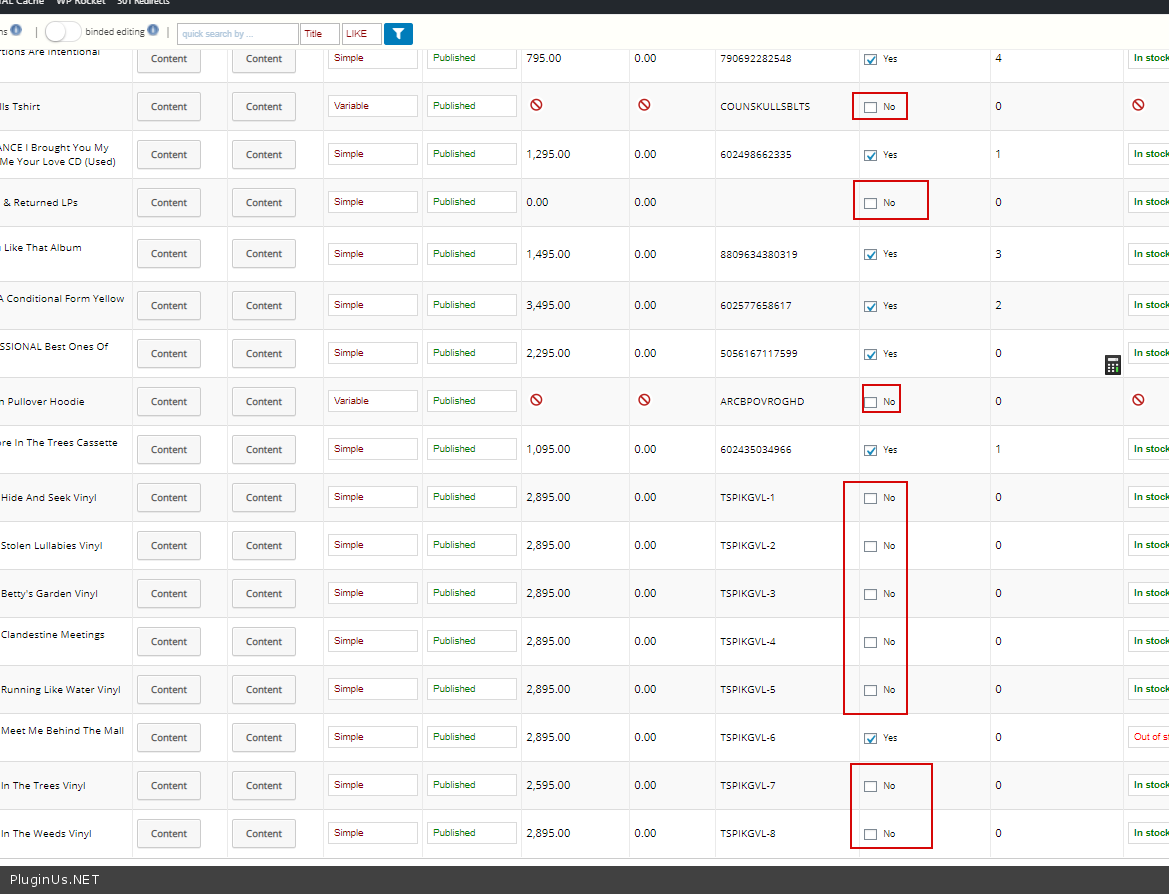
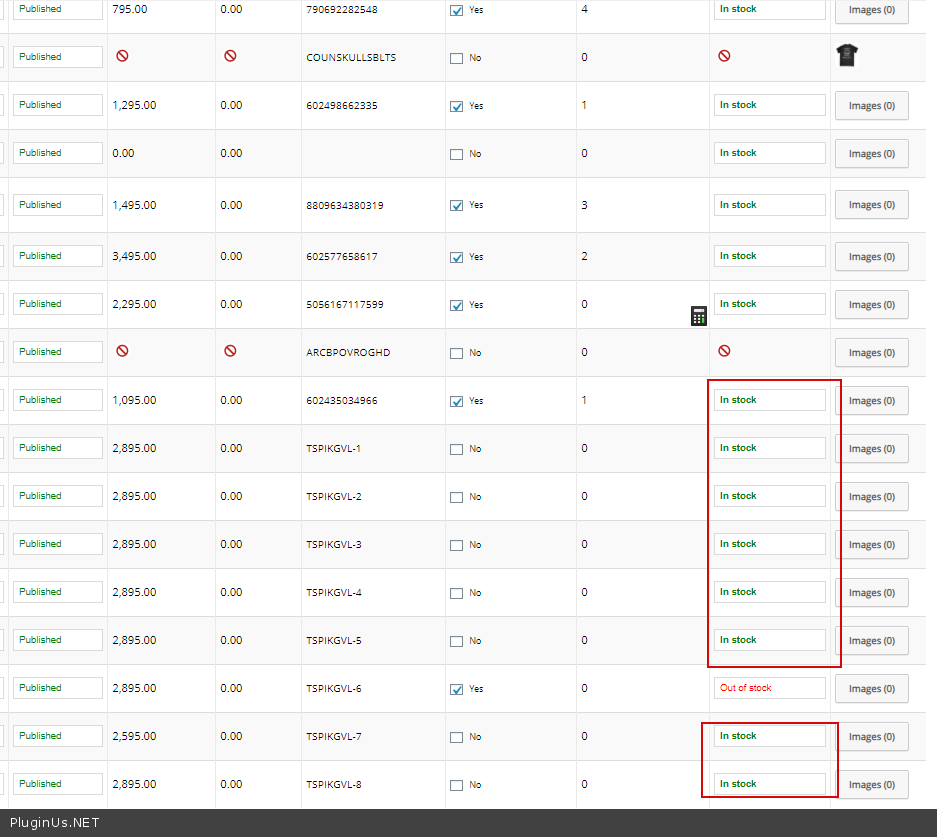
As you can see here, i see a lot of items with 0 not defaulting to Out of stock and for some weird reason customers are able to buy them. Please help fix this
https://ibb.co/HtL3cND
As you can see here, i see a lot of items with 0 not defaulting to Out of stock and for some weird reason customers are able to buy them. Please help fix this

Pablo Borysenco(@pavlo_borysenco)
34,196 Posts
Quote from Pablo Borysenco on January 11, 2021, 11:01
Hello
for this reason - https://c2n.me/4avgLZ3.png
if you want products to automatically receive a status "out of stock"( https://c2n.me/4avh1mb.png ) please set it- https://c2n.me/4avgLZ3.png to yes
Hello
for this reason - https://c2n.me/4avgLZ3.png
if you want products to automatically receive a status"out of stock"( https://c2n.me/4avh1mb.png ) please set it- https://c2n.me/4avgLZ3.png to yes
thetedellis(@thetedellis)
12 PostsTopic Author
Customers
Quote from thetedellis on January 12, 2021, 05:16
https://share.getcloudapp.com/Wnulnpnn
Hi! looks like my previous message is a bad example because those that you are highlighted, are really should not have manage stock because those are preorder items and variable products.
If selling Variable Products, we don't manage the stock by parent SKU, we manage the stock per variation SKU.
I can easily untick the box, but you see the problem here is that your plugin is even if some items have the box of manage stock checked, and they get 0 stock, some of the products are still showing as in stock. I need a permanent solution please.
https://share.getcloudapp.com/Wnulnpnn
Hi! looks like my previous message is a bad example because those that you are highlighted, are really should not have manage stock because those are preorder items and variable products.
If selling Variable Products, we don't manage the stock by parent SKU, we manage the stock per variation SKU.
I can easily untick the box, but you see the problem here is that your plugin is even if some items have the box of manage stock checked, and they get 0 stock, some of the products are still showing as in stock. I need a permanent solution please.
Pablo Borysenco(@pavlo_borysenco)
34,196 Posts
Quote from Pablo Borysenco on January 12, 2021, 11:10
Hello
is that your plugin is even if some items have the box of manage stock checked - My plugin does not manage inventory. This is woocommerce functionality. My plugin is a field editor.
You can disable my plugin and do a test.
What plugin version number are you using?
Hello
is that your plugin is even if some items have the box of manage stock checked - My plugin does not manage inventory. This is woocommerce functionality. My plugin is a field editor.
You can disable my plugin and do a test.
What plugin version number are you using?